
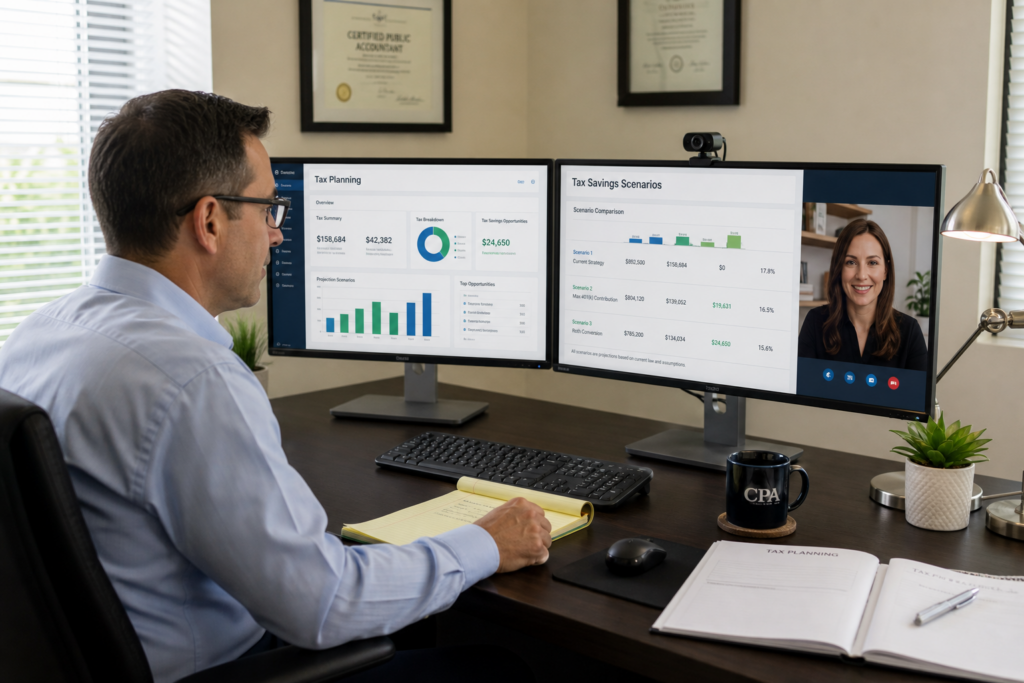
Tax Planning Software for CPAs: 2026 Buyer’s Guide
Tax planning software for CPAs has evolved dramatically by 2026, shifting from basic calculation tools to comprehensive advisory platforms that integrate AI, automate workflows, and enable recurring revenue models. Modern solutions help tax professionals transition from seasonal compliance work to year-round strategic planning that delivers measurable client value. This guide examines the features, compliance requirements, and strategic considerations that define best-in-class tax planning software for CPAs in today’s competitive landscape.
Table of Contents
- Key Takeaways
- What Defines Professional-Grade Tax Planning Software in 2026?
- How Do 2026 IRS AI Guidelines Affect Software Selection?
- What Features Separate Basic Calculators from Advisory Platforms?
- How Should CPAs Evaluate Software Integration Capabilities?
- What Pricing Models Work Best for Growing Tax Practices?
- How Can Software Help Transition to Advisory Services?
- Uncle Kam in Action: Mid-Sized Firm Transforms Practice Model
- Next Steps
- Frequently Asked Questions
- Related Resources

Key Takeaways
- Tax planning software for CPAs must now comply with IRS Circular 230 AI guidelines released June 2026
- Modern platforms integrate scenario modeling, client collaboration tools, and professional deliverables beyond basic calculations
- Two-thirds of tax firms expect revenue growth in 2026, driven by advisory service demand
- Unlimited assessment models eliminate per-client software costs and enable prospect conversion strategies
- Integration with existing tax prep platforms reduces data entry and improves workflow efficiency
What Defines Professional-Grade Tax Planning Software in 2026?
Quick Answer: Professional tax planning software for CPAs combines comprehensive tax strategy identification, multi-entity scenario modeling, client-ready deliverables, and compliance with 2026 IRS AI guidelines. The best platforms support year-round advisory engagement, not just seasonal tax preparation.
The landscape of tax planning software for CPAs has fundamentally shifted in 2026. According to the Thomson Reuters Institute’s 2026 State of Tax Professionals Report, two-thirds of firms expect revenue growth this year, with advisory services leading demand. However, many practitioners still rely on tools designed for compliance rather than consulting.
The Four Pillars of Modern Tax Planning Software
Effective tax advisory platforms for 2026 must deliver across four critical dimensions. First, they identify opportunities through diagnostic analysis of tax returns, financial statements, and entity structures. Second, they model scenarios by comparing current situations against optimized strategies with quantified savings estimates.
Third, they produce client-ready deliverables including professional reports, implementation roadmaps, and ROI calculations. Fourth, they facilitate collaboration through secure portals, document sharing, and communication tools. Any platform missing these components functions as a calculator, not an advisory system.
Entity-Aware Architecture: Why It Matters
Most business owners operate multiple entities—S corporations, LLCs, partnerships, and personal returns. Legacy software analyzes these in isolation. Modern platforms use entity-aware architecture that evaluates the entire portfolio simultaneously, identifying cross-entity strategies like income shifting, expense allocation, and consolidated retirement planning.
This architectural difference directly impacts advisory quality. When software understands relationships between Form 1040, Schedule K-1s, and Form 1120-S, it surfaces strategies that siloed tools miss. For CPAs managing complex client portfolios, this capability transforms planning accuracy.
Pro Tip: Request software demos using a real client scenario with multiple entities. Many platforms claim entity awareness but fail when analyzing actual multi-entity structures.
How Do 2026 IRS AI Guidelines Affect Software Selection?
Quick Answer: The IRS released AI guidelines in June 2026 requiring practitioners to verify all AI outputs, maintain human oversight, and implement firm-level AI policies. Software vendors must provide audit trails, transparent methodologies, and compliance documentation.
On June 24, 2026, the IRS Office of Professional Responsibility issued preliminary guidelines clarifying how Circular 230 applies to artificial intelligence use in tax practice. These guidelines fundamentally impact software selection criteria for tax planning software for CPAs.
The Three Core Compliance Requirements
First, practitioners must exercise due diligence on all AI outputs. This means verifying calculations, checking legal citations, and confirming that recommendations align with current law. Software that produces outputs without showing underlying logic or data sources creates compliance risk.
Second, firms must maintain human oversight and professional judgment. AI can assist with analysis, but cannot replace practitioner competence. Software should facilitate review, not obscure it. Look for platforms that clearly distinguish AI-generated content from verified recommendations.
Third, firms must implement internal AI policies covering approved tools, data security protocols, review procedures, and training requirements. Software vendors should provide compliance documentation, security certifications, and implementation guidance aligned with Circular 230 sections 10.35, 10.36, and 10.51.
Data Security and Confidentiality Standards
The IRS guidelines emphasize protecting sensitive taxpayer information under IRC sections 6713 and 7216. Tax planning software for CPAs must implement robust confidentiality safeguards, secure data handling protocols, and access controls. Enterprise-grade platforms should offer SOC 2 compliance, encryption at rest and in transit, and role-based permissions.
Many consumer-facing AI tools fail these standards. When evaluating vendors, request security documentation, third-party audit reports, and specific answers about data retention, cross-client data isolation, and subprocessor agreements. According to Accounting Today’s coverage, the IRS specifically warns against uploading client data to unsecured sites.
The Billing Transparency Question
The 2026 IRS guidance addresses billing for AI-assisted work. Circular 230 prohibits unconscionable fees. Since AI reduces time for some tasks, firms must consider how they price advisory services. The guidance suggests passing efficiency gains to clients rather than billing full manual rates for automated analysis.
This creates strategic opportunity. Fixed-fee or value-based pricing models align better with AI-powered delivery than hourly billing. CPAs using software that dramatically accelerates planning can offer competitive pricing while maintaining margins. The firms that struggle are those billing hourly for tasks now completed in minutes.
| Compliance Requirement | What to Verify with Vendors | Red Flags |
|---|---|---|
| Due Diligence on AI Outputs | Audit trails, calculation transparency, citation sources | Black-box outputs, no methodology documentation |
| Human Oversight | Review workflows, professional judgment checkpoints | Fully automated recommendations, no review prompts |
| Data Security | SOC 2 reports, encryption standards, access controls | No security certifications, vague data policies |
| Firm Policy Support | Training materials, compliance guides, implementation templates | No compliance documentation provided |
What Features Separate Basic Calculators from Advisory Platforms?
Quick Answer: Advisory platforms provide comprehensive strategy libraries, multi-scenario comparisons, client collaboration tools, and professional deliverables. Calculators offer isolated computations without context, implementation guidance, or presentation-ready outputs.
The distinction between calculators and platforms determines whether tax planning software for CPAs supports transactional work or builds advisory practices. Calculators answer narrow questions. Platforms enable comprehensive planning engagements that command premium fees.
Strategy Coverage and Depth
Comprehensive platforms cover hundreds of strategies across multiple categories. Look for software addressing entity structure optimization, retirement maximization, real estate strategies, business deductions, and advanced techniques like cost segregation, Augusta Rule, and qualified small business stock.
Depth matters as much as breadth. Surface-level analysis identifying generic opportunities provides limited value. Effective software should quantify specific savings, identify eligibility requirements, flag implementation risks, and sequence strategies appropriately. For example, simply noting that an S corporation election could save self-employment tax differs dramatically from modeling reasonable compensation requirements, comparing payroll costs, and projecting five-year savings scenarios.
Scenario Modeling and Comparison Tools
Professional platforms enable side-by-side scenario comparison. CPAs should model current state versus optimized strategies, comparing outcomes across different assumptions. For instance, evaluating retirement contributions requires modeling traditional versus Roth options, timing considerations, and tax bracket projections.
Advanced platforms incorporate forward-looking projections. What happens when the standard deduction for married filing jointly increases from 2026’s figure? How do contribution limit changes affect strategy recommendations? Software with built-in tax law updates and projection capabilities provides more durable value than static calculators.
Client Collaboration and Deliverables
Advisory work requires client-facing materials. Professional tax planning software for CPAs should generate branded PDF reports, executive summaries, implementation checklists, and ROI calculations. These deliverables justify premium pricing and differentiate advisory services from basic compliance.
Collaboration features enable ongoing engagement. Client portals, secure document exchange, and real-time communication tools transform one-time planning into continuous advisory relationships. According to the Thomson Reuters 2026 report, firms monetizing ongoing planning relationships report stronger margins than those treating advisory as one-time services.
Pro Tip: Test software deliverables before purchasing. Request sample reports from actual client scenarios. Many platforms advertise professional output but produce generic, unbranded documents that require extensive customization.
The Unlimited Assessment Advantage
Pricing models dramatically impact platform utility. Per-analysis or credit-based systems create friction. CPAs hesitate to run assessments on prospects who might not convert, limiting software to existing advisory clients. This constrains growth.
Unlimited assessment models eliminate this barrier. Firms can analyze every prospect, offering free tax assessments as lead generation tools. This approach proves value before engagement agreements, dramatically improving conversion rates. It also enables value-add services during tax season, identifying advisory opportunities within the compliance client base.
How Should CPAs Evaluate Software Integration Capabilities?
Quick Answer: Integration capabilities determine workflow efficiency and data accuracy. Prioritize platforms connecting with your existing tax preparation software, practice management systems, and client portals. Seamless data exchange eliminates duplicate entry and reduces error risk.
Integration represents the difference between software that accelerates practice growth and tools that create administrative burden. Tax planning software for CPAs must fit existing technology ecosystems, not require workflow redesign.
Tax Preparation Platform Connectivity
Direct integration with tax prep software eliminates the most time-consuming bottleneck: data entry. Platforms should import return data automatically, populate client profiles, and sync updates bidirectionally. This connectivity enables planning during tax season without additional effort.
Evaluate integration depth beyond simple data import. Does the platform map tax return line items to planning variables? Can it track year-over-year changes and flag planning opportunities? The most sophisticated integrations transform tax prep from isolated compliance to advisory trigger events.
Practice Management and CRM Integration
Advisory practices require tracking engagement status, follow-up tasks, and implementation progress. Integration with practice management systems and CRMs ensures planning workflows align with firm operations. Look for platforms offering native integrations or robust APIs enabling custom connections.
Client communication tools should integrate with email systems and document management platforms. When software operates as an island, data silos emerge and administrative overhead increases. The goal is unified workflow where planning, communication, and documentation happen seamlessly.
Financial Data Integration
Comprehensive planning requires financial statement analysis beyond tax return data. Platforms connecting with QuickBooks, Xero, or other accounting systems enable deeper analysis. This integration surfaces business deduction opportunities, entity structure optimization, and cash flow planning insights that tax returns alone miss.
For business owner clients, real-time financial data connectivity transforms planning from annual events to ongoing advisory relationships. Practitioners can monitor key metrics, trigger proactive outreach when thresholds change, and adjust strategies based on current business performance.
| Integration Type | Impact on Practice | Questions to Ask Vendors |
|---|---|---|
| Tax Prep Software | Eliminates data entry, enables planning during tax season | Which platforms supported? Bidirectional sync? Update frequency? |
| Practice Management | Streamlines workflow, tracks engagement progress | Native integrations available? API access? Task automation? |
| Accounting Systems | Enables deeper analysis, identifies real-time opportunities | QuickBooks/Xero connectivity? Bank feed support? Financial reporting? |
| Client Portals | Improves client experience, centralizes communication | Secure document exchange? White-label options? Mobile access? |
What Pricing Models Work Best for Growing Tax Practices?

Quick Answer: Unlimited-use subscription models align best with growth objectives, enabling prospect assessments without incremental costs. Per-client or credit-based pricing creates constraints that limit software utility and discourage proactive planning.
Software pricing models fundamentally impact how CPAs use tax planning tools. The wrong structure creates economic friction that constrains adoption and limits practice development. Understanding these dynamics helps practitioners select platforms that enable growth rather than restrict it.
The Credit-Based Model Problem
Many platforms sell planning credits or charge per analysis. This model seems logical—you pay for what you use. However, it creates significant strategic problems. CPAs hesitate to use credits on prospects who might not convert. They avoid exploratory analysis on existing clients who haven’t purchased advisory services. The result: software sits unused except for confirmed advisory engagements.
Credit anxiety prevents the highest-value software application: proving ROI before engagement. The most effective use of planning software is generating assessments for prospects that demonstrate potential savings. When each analysis costs money, this application becomes economically questionable.
The Unlimited Subscription Advantage
Unlimited-use subscription models eliminate utilization constraints. Fixed monthly or annual fees enable unrestricted assessments. This pricing structure supports aggressive growth strategies including free prospect assessments, value-add tax season services, and exploratory planning for all clients.
Firms using unlimited models report dramatically higher software adoption rates. When marginal analysis costs zero, practitioners evaluate everyone. This behavior identifies advisory opportunities within the existing client base and accelerates prospect conversion. The incremental revenue consistently exceeds software costs.
Tier Structure Considerations
Many platforms offer multiple subscription tiers. Evaluate whether tiers restrict features or capacity. Feature restrictions prevent firms from delivering complete value at lower price points. Capacity restrictions force upgrades based on success—you grow, the vendor captures that value through higher fees.
The fairest tier structures segment by firm size or practitioner count rather than feature access. Every user should access complete functionality. Pricing should scale with firm size, not artificially limit platform utility. This alignment ensures software costs grow proportionally with practice revenue.
Pro Tip: Calculate total cost of ownership over three years, including onboarding, training, and additional fees. Many platforms advertise low base prices but generate significant revenue through add-ons, overage charges, and premium support costs.
How Can Software Help Transition to Advisory Services?
Quick Answer: Tax planning software enables advisory transitions by identifying opportunities within existing clients, providing proof-of-value for prospects, creating professional deliverables that justify premium fees, and supporting recurring engagement models beyond annual tax preparation.
The Thomson Reuters 2026 State of Tax Professionals Report reveals a critical insight: advisory services represent the profession’s most in-demand category but lowest-margin offering. This paradox stems from pricing problems, not demand issues. Firms billing advisory hourly alongside compliance fail to capture its differentiated value.
Mining Your Existing Client Base
Most compliance-focused firms sit on advisory goldmines without realizing it. Tax planning software for CPAs should systematically analyze existing clients, identifying those with significant planning opportunities. Run assessments during tax season when you already possess necessary data.
This approach transforms tax season from pure compliance to advisory pipeline development. When preparing returns, generate planning assessments simultaneously. Deliver them as value-add services or convert high-opportunity clients to paid advisory engagements. Software that integrates with tax prep platforms enables this workflow without additional effort.
Converting Prospects with Proof of Value
The biggest obstacle to advisory sales is skepticism. Prospects question whether planning delivers sufficient ROI to justify fees. Software solves this problem by quantifying specific savings before engagement. Offer free assessments using prior-year returns. Present savings estimates. Convert based on demonstrated value rather than abstract promises.
This strategy only works with unlimited-use pricing. Per-analysis models make free assessments economically questionable. With unlimited models, the marginal cost of prospect assessments is zero. Conversion rates consistently justify this approach. Effective tax advisory software should enable aggressive proof-of-value strategies.
Packaging Recurring Advisory Services
The most profitable firms package planning as recurring services rather than one-time projects. Software supporting this model provides ongoing monitoring, quarterly check-ins, and proactive strategy adjustments. Clients pay monthly or quarterly retainers for continuous optimization rather than annual planning fees.
This transition requires software enabling efficient recurring workflows. Look for platforms with client collaboration portals, automated update triggers, and streamlined delivery processes. The goal is high-value recurring revenue without proportional effort increases. According to industry data, firms successfully transitioning to recurring advisory models report 30%+ profit margin improvements.
Building the Advisory Operating System
Leading practices recognize that advisory success requires more than software. It demands structured methodologies, training on positioning and pricing, and systematic client acquisition. The most effective platforms function as complete advisory operating systems rather than isolated tools.
Evaluate whether vendors provide business-building support beyond technical features. Do they offer training on selling advisory services? Positioning frameworks? Pricing guidance? Implementation support? The firms achieving fastest advisory transitions use platforms combining software, methodology, and business development resources. This comprehensive approach explains why some practitioners rapidly scale advisory practices while others struggle despite capable software.
| Advisory Growth Strategy | Software Requirements | Expected Outcomes |
|---|---|---|
| Mine Existing Client Base | Tax prep integration, batch analysis, automated opportunity identification | 20-30% of clients show high-value opportunities |
| Free Prospect Assessments | Unlimited pricing, professional deliverables, quick turnaround | 50-70% conversion on qualified prospects |
| Recurring Advisory Packages | Client portals, monitoring tools, quarterly deliverables | 3-5x higher lifetime client value |
| Referral Partner Network | Co-branded assessments, partner portals, lead routing | 30-40% of new clients from referrals |
Uncle Kam in Action: Mid-Sized Firm Transforms Practice Model
Marcus Chen, managing partner of Chen & Associates, a 12-person CPA firm in Illinois, faced the challenge confronting many practices in 2026: strong tax prep revenue but stagnant margins. Despite preparing 800+ returns annually, advisory services represented less than 15% of revenue. The firm needed to transition but lacked systematic methodology.
After evaluating multiple tax planning software for CPAs options, Marcus selected Uncle Kam’s advisory operating system. The decision centered on three factors. First, unlimited free assessments enabled aggressive prospect strategy and client base mining without per-analysis costs. Second, the MERNA framework provided structured methodology for presenting strategies. Third, built-in training addressed the firm’s biggest gap: positioning and selling advisory services.
The firm implemented during the 2025 tax season. Every business return over $100,000 in revenue received automated tax planning analysis. The software identified 180 clients with savings opportunities exceeding $15,000 annually. Chen & Associates packaged these as $4,500 advisory engagements focused on implementation.
Results exceeded expectations. Within six months, the firm converted 58 clients to advisory services—a 32% conversion rate. Advisory revenue increased from $85,000 annually to $347,000. Implementation required 450 total hours across the team, generating $771 per hour realized rates. The firm invested $12,000 in software and training, producing 28.9x first-year ROI.
More importantly, the firm established recurring advisory relationships. Instead of one-time planning, clients receive quarterly strategy reviews, proactive tax law change notifications, and continuous optimization. This transition created predictable monthly revenue and dramatically improved practice valuation. Marcus projects advisory will represent 45% of firm revenue by 2027.
The firm’s success highlights a critical insight: software alone doesn’t transform practices. Chen & Associates succeeded because the platform combined technology, methodology, and business development training. Firms attempting advisory transitions with software-only solutions consistently underperform those using comprehensive operating systems. Learn more about this approach at Uncle Kam’s client results page.
Next Steps
Selecting tax planning software for CPAs represents a strategic decision impacting practice trajectory for years. Take these concrete actions to evaluate options effectively and accelerate advisory practice development:
- Request demos from three platforms using identical client scenarios, comparing strategy coverage, deliverable quality, and workflow efficiency
- Verify IRS Circular 230 compliance by requesting security documentation, AI methodology disclosure, and firm policy implementation guides
- Calculate three-year total cost of ownership including base fees, integration costs, training time, and usage-based charges
- Test integration capabilities with your existing tax prep software, practice management system, and accounting platforms before commitment
- Explore Uncle Kam’s tax strategy resources for implementation frameworks, pricing guidance, and advisory positioning methodologies
The firms building most successful advisory practices in 2026 combine capable software with structured business development. If you’re ready to accelerate your transition beyond software selection alone, book a strategy session at Uncle Kam’s booking page to discuss how comprehensive operating systems support scalable growth.
Frequently Asked Questions
How much should CPAs budget for tax planning software in 2026?
Professional tax planning software for CPAs typically ranges from $3,000 to $15,000 annually depending on firm size, feature requirements, and pricing model. Solo practitioners often access entry-level platforms for $200-500 monthly. Mid-sized firms commonly invest $800-1,500 monthly for unlimited-use enterprise platforms. Calculate ROI based on advisory revenue potential rather than software cost alone. A platform generating three new $5,000 advisory clients annually produces 5-10x return on typical investment.
What’s the difference between tax planning software and tax preparation software?
Tax preparation software processes historical data to generate accurate returns for IRS filing. Tax planning software analyzes current situations to identify future optimization strategies. Preparation focuses on compliance and reporting what happened last year. Planning focuses on advisory services and optimizing what happens next year. Most successful practices use both, with planning software identifying opportunities during or immediately after tax season, then capturing implementation through ongoing advisory relationships. Integration between these systems eliminates duplicate data entry.
Do the 2026 IRS AI guidelines require specific software certifications?
The IRS guidelines released June 2026 do not mandate specific software certifications. However, they require practitioners to verify AI outputs, maintain human oversight, and implement firm-level AI policies. This means CPAs should select platforms providing transparent methodologies, audit trails, and compliance documentation. Request SOC 2 security reports, data handling policies, and Circular 230 compliance guides from vendors. The practitioner remains responsible for output accuracy regardless of software capabilities, so choose platforms facilitating verification rather than obscuring it.
Can tax planning software help with client retention and referrals?
Yes, when used strategically. Software enabling proactive value delivery strengthens relationships and generates referrals. Firms conducting regular strategy reviews, providing market update notifications, and demonstrating continuous optimization create stickier client relationships. Professional deliverables clients can share with colleagues naturally generate referrals. Platforms supporting co-branded assessments for referral partners systematize this growth channel. The key is positioning software as enabler of ongoing relationship rather than one-time transaction. Retention improves when clients perceive continuous value beyond annual compliance.
Should small firms invest in the same software as large firms?
Platform selection should prioritize capability over firm size. Small firms building advisory practices need comprehensive features as much as large firms. However, pricing tiers should reflect capacity differences. Look for platforms offering full functionality across all tiers, with pricing scaling based on user count or client volume rather than feature restrictions. Many successful solo practitioners use enterprise-grade platforms, accessing sophisticated capabilities at appropriate price points. The worst approach is selecting limited software based on current size, then needing costly migrations as the practice grows.
How long does it take to see ROI from tax planning software?
Most firms report positive ROI within 90 days when actively implementing. The fastest path involves mining existing client base for advisory opportunities during tax season. Firms running planning analyses on all business clients while preparing returns typically identify 15-25% with significant opportunities. Converting even a small percentage to paid advisory services covers annual software costs. Practices treating software as passive tool rather than active growth strategy take 12-18 months for ROI. Success correlates directly with utilization intensity and systematic implementation rather than software capabilities alone.
What training and support should vendors provide?
Comprehensive vendors provide technical training, strategy education, and business development support. Technical training covers software navigation, integration setup, and workflow optimization. Strategy education explains tax strategies, eligibility requirements, and implementation considerations. Business development training addresses positioning advisory services, pricing engagements, and converting prospects. The most successful implementations combine all three. Evaluate vendor support including onboarding process, ongoing training availability, documentation quality, and community access. Platforms offering only technical support leave practitioners struggling with advisory positioning and sales challenges.
Related Resources
- Complete Guide to Tax Planning Software Features and Selection
- The MERNA Framework for Structured Tax Planning Delivery
- Advanced Tax Strategies for High-Income Clients
- Comprehensive Tax Planning Implementation Guides
- Tax Professional Success Stories and ROI Case Studies
Last updated: June, 2026
This information is current as of 6/30/2026. Tax laws and IRS guidance change frequently. Verify current compliance requirements with the IRS or professional advisors if reading this after publication date.

