
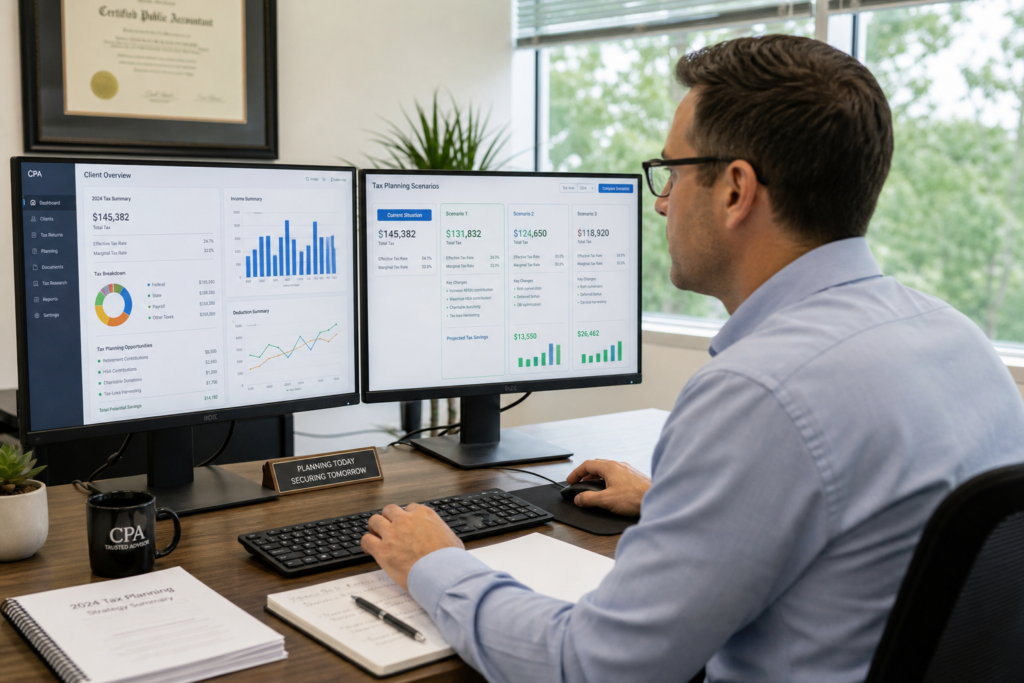
Tax Planning Software for CPAs: 2026 Buyer’s Guide
Tax Planning Software for CPAs: 2026 Buyer’s Guide
Tax planning software for CPAs has evolved from basic calculation tools into comprehensive advisory platforms that enable firms to deliver proactive, year-round tax strategy services. For the 2026 tax year, CPAs face unprecedented opportunities as clients demand more strategic guidance beyond traditional compliance work. The right software transforms your practice into a high-margin advisory business.

Table of Contents
- Key Takeaways
- Why Do CPAs Need Dedicated Tax Planning Software in 2026?
- What Features Matter Most in Tax Planning Software for CPAs?
- How Does AI Integration Affect Software Selection in 2026?
- What ROI Can CPAs Expect From Tax Planning Software?
- How Do You Implement Tax Planning Software Successfully?
- What Compliance Requirements Apply to Tax Software in 2026?
- Uncle Kam in Action: CPA Firm Doubles Advisory Revenue
- Next Steps
- Frequently Asked Questions
- Related Resources
Key Takeaways
- Tax planning software enables CPAs to transition from compliance-only work to high-margin advisory services
- 2026 IRS AI guidelines require due diligence and human oversight for all software outputs
- Firms using planning software report 40-60% higher revenue per client relationship
- Multi-scenario modeling and client deliverable automation are essential features
- Successful implementation requires staff training and documented workflows for Circular 230 compliance
Why Do CPAs Need Dedicated Tax Planning Software in 2026?
Quick Answer: Traditional compliance work is becoming commoditized. CPAs need tax planning software to deliver proactive advisory services, differentiate their practices, and capture recurring revenue opportunities.
The tax profession underwent a seismic shift in 2026. According to the Thomson Reuters Institute’s 2026 State of Tax Professionals Report, two-thirds of firms expect revenue increases, but many struggle to convert growth into margin expansion. The disconnect lies in business model: firms stuck in compliance-only work face pricing pressure, while those offering proactive tax advisory services command premium fees.
Tax planning software for CPAs bridges this gap. It automates complex calculations, enables multi-scenario modeling, and generates professional client deliverables. More importantly, it frees practitioners from spreadsheet-based guesswork and positions them as strategic advisors.
The Compliance Commoditization Problem
Traditional tax preparation software handles historical data entry and form generation. This work is essential but increasingly commoditized. Clients can access DIY software or offshore preparation services at fraction of traditional CPA rates. The 2026 tax season demonstrated this clearly: despite massive IRS workforce reductions, the agency processed returns successfully through automation.
Forward-looking CPAs recognize that value lies in prospective planning, not retrospective compliance. However, manual planning processes are too time-intensive to scale. A single multi-entity tax projection can consume 8-12 hours of senior staff time using spreadsheets. Tax planning software reduces this to 45-90 minutes while improving accuracy.
Client Demand for Strategic Guidance
Business owners and high-net-worth individuals want year-round tax strategy, not April surprises. They face complex decisions:
- Entity structure optimization (LLC vs S Corp vs C Corp)
- Reasonable compensation levels for owner-employees
- Retirement contribution strategies across multiple entities
- Timing of income recognition and expense deductions
- Cost segregation and bonus depreciation planning
- Qualified Business Income deduction optimization
Without software, CPAs either turn away these opportunities or undercharge for the hours required. Planning software makes these engagements profitable and scalable.
Pro Tip: The most successful firms package planning software access into annual advisory retainers. This creates predictable recurring revenue while ensuring clients receive ongoing value throughout the year.
What Features Matter Most in Tax Planning Software for CPAs?
Quick Answer: Essential features include multi-scenario modeling, entity-aware calculations, professional client deliverables, integration with existing practice management systems, and comprehensive strategy libraries.
Not all tax planning software for CPAs is created equal. The market includes basic calculators, comprehensive planning platforms, and specialized niche tools. Understanding feature priorities helps firms select solutions that drive actual practice growth.
Multi-Scenario Modeling and Comparison
The core value proposition of planning software is the ability to model multiple tax scenarios simultaneously. For example, a business owner considering S Corp election needs to compare:
- Current structure (likely Schedule C or partnership)
- S Corporation with various salary levels
- Qualified Small Business Stock (C Corp) path
- Multi-entity structures with holding companies
Premium software displays side-by-side comparisons showing federal tax, self-employment tax, state tax, and after-tax cash flow for each scenario. This visualization makes recommendations clear and defensible.
Comprehensive Strategy Libraries
Tax planning software for CPAs should include pre-built strategies spanning multiple client types. Look for platforms covering:
- Business deductions (home office, vehicle, meals, travel)
- Entity optimization and election timing
- Retirement account strategies (SEP, Solo 401(k), defined benefit plans)
- Real estate investor tactics (cost segregation, Augusta Rule, short-term rental loopholes)
- Advanced planning (captive insurance, charitable remainder trusts, estate freeze techniques)
The best platforms sequence strategies using frameworks like MERNA (Maximize, Entity, Retirement, Niche, Advanced) to ensure foundational strategies are implemented before sophisticated techniques.
Professional Client Deliverables
Clients pay premium fees for clarity and professionalism. Your software should generate branded, client-ready documents including:
- Executive summaries with total savings opportunities
- Strategy-by-strategy implementation roadmaps
- Risk assessments and audit considerations
- Action item checklists with deadlines
- Supporting calculations and IRS references
This eliminates the need to manually format Word documents or PowerPoint presentations. More importantly, it ensures consistency and completeness across all client engagements.
Integration With Existing Workflow
Tax planning software for CPAs must integrate seamlessly with existing practice management systems, tax preparation software, and document management platforms. Key integration points include:
- Data import from prior year returns (1040, 1120-S, 1065, 1120)
- Direct connection to QuickBooks, Xero, or other accounting platforms
- CRM integration for client communication tracking
- Document storage in existing cloud platforms
Software that requires duplicate data entry or operates in isolation creates friction and reduces adoption. Look for platforms with open APIs and pre-built integrations to leading practice management tools.
| Feature Category | Essential | Nice to Have | Advanced |
|---|---|---|---|
| Scenario Modeling | 3+ scenarios | Unlimited scenarios | Multi-year projections |
| Strategy Library | 50+ strategies | 200+ strategies | Custom strategy builder |
| Client Deliverables | PDF reports | Branded templates | Video presentations |
| Data Integration | Manual import | API connections | Real-time sync |
How Does AI Integration Affect Software Selection in 2026?
Quick Answer: AI-powered features accelerate planning workflows, but the IRS released preliminary guidelines in June 2026 requiring practitioners to maintain due diligence and human oversight for all AI-generated outputs.
Artificial intelligence fundamentally changed tax planning software for CPAs in 2026. The IRS introduced preliminary AI guidelines for tax practitioners in June, establishing a regulatory framework that affects software selection and usage.
Understanding the 2026 IRS AI Guidelines
The IRS guidelines emphasize that AI cannot replace professional judgment. Per Circular 230 Section 10.22, practitioners must exercise due diligence when preparing returns, documents, and representations made to the IRS or clients. This applies equally to AI-generated content.
Key requirements include:
- Competence in understanding AI tools (Section 10.35)
- Verification of all AI outputs against source law
- Secure data handling per IRC 6713 and 7216(a)
- Documented internal policies for AI usage
- Staff training on AI risks and limitations
The IRS specifically noted that practitioners cannot blindly rely on AI-generated summaries, calculations, or citations. Every fact and legal conclusion must be independently verified.
Evaluating AI-Enhanced Features
Despite compliance requirements, AI delivers genuine efficiency gains. When evaluating tax planning software for CPAs with AI features, consider:
- Strategy recommendation engines that identify applicable tactics
- Natural language client report generation
- Automated calculation verification and error detection
- Pattern recognition for audit risk assessment
The IRS itself embraced AI for fraud detection and compliance monitoring in 2026. Tax professionals should similarly leverage technology while maintaining the human expertise that justifies advisory fees.
Pro Tip: Document your verification process for every AI-generated recommendation. Create a checklist confirming you reviewed source law, validated calculations, and assessed applicability to specific client facts.
Data Security and Client Confidentiality
Tax planning software for CPAs handles highly sensitive financial data. The IRS guidelines emphasize secure, enterprise-approved AI systems with robust confidentiality safeguards. When evaluating vendors, verify:
- SOC 2 Type II compliance certification
- End-to-end encryption for data transmission and storage
- Clear data ownership and usage policies
- Opt-out mechanisms for AI training on client data
- Multi-factor authentication and role-based access controls
Never upload sensitive taxpayer data to unsecured public AI platforms. Use only vendor-provided, enterprise-grade systems with contractual confidentiality protections.
What ROI Can CPAs Expect From Tax Planning Software?

Quick Answer: Firms report 3-5x ROI in year one through time savings, increased fees, and new client acquisition. Advisory-focused practices achieve 40-60% higher revenue per client compared to compliance-only relationships.
Tax planning software for CPAs represents a significant practice investment. Subscription costs typically range from $3,000-$15,000 annually depending on features, user count, and support levels. Understanding return on investment helps justify the expense.
Time Savings and Efficiency Gains
The most immediate ROI comes from reduced time per planning engagement. Manual processes using spreadsheets consume 8-12 hours for comprehensive multi-entity plans. Software reduces this to 1-2 hours while improving accuracy and presentation quality.
For a firm billing $300-500 per hour for senior staff time, each planning engagement saves $2,100-$5,000 in labor costs. Completing just 10 plans annually justifies most software subscriptions through efficiency alone.
Fee Increase Opportunities
More significant ROI comes from charging appropriate fees for advisory services. Many CPAs dramatically undercharge for planning because manual processes are too time-intensive. Software enables profitable pricing:
- Individual tax planning: $1,500-$3,500 per engagement
- Business owner planning: $3,500-$7,500 per engagement
- Annual advisory retainers: $5,000-$25,000+ depending on complexity
Converting even 20% of existing compliance clients to advisory relationships generates substantial incremental revenue. For a 200-client practice, this represents $140,000-$350,000 in new annual revenue.
Client Acquisition and Retention
Tax planning software for CPAs serves as a powerful marketing differentiator. Firms offering comprehensive planning attract higher-quality clients and retain them at superior rates. According to industry data, advisory clients exhibit:
- 90%+ retention rates vs 60-70% for compliance-only
- Higher referral generation from satisfied clients
- Reduced price sensitivity due to demonstrated value
- Cross-selling opportunities for entity setup, bookkeeping, and CFO services
The transition to advisory-based tax strategy services fundamentally changes practice economics from transactional to relationship-based.
| ROI Component | Annual Impact | Conservative Estimate |
|---|---|---|
| Time savings (20 plans @ 8 hours each) | 160 billable hours | $48,000 |
| Advisory fee increases (40 clients) | $2,500 avg increase | $100,000 |
| New client acquisition (10 clients) | $5,000 avg value | $50,000 |
| Software cost | Annual subscription | -$8,000 |
| Net ROI | $190,000 (24x return) |
How Do You Implement Tax Planning Software Successfully?
Quick Answer: Successful implementation requires phased rollout, comprehensive staff training, documented workflows, pilot testing with select clients, and ongoing process refinement based on user feedback.
Purchasing tax planning software for CPAs is straightforward. Driving firm-wide adoption and achieving ROI requires deliberate implementation planning.
Phase 1: Staff Training and Certification
Invest heavily in initial training. Most software vendors provide implementation support including:
- Live onboarding sessions covering core features
- Video libraries demonstrating common scenarios
- Practice exercises with sample client data
- Ongoing webinars for advanced techniques
Designate internal champions who master the platform and provide peer support. Schedule regular knowledge-sharing sessions where staff demonstrate successful planning scenarios.
Phase 2: Pilot Program With Select Clients
Begin with 10-20 planning engagements before firm-wide rollout. Select clients who:
- Have straightforward fact patterns
- Demonstrated interest in proactive planning
- Represent common client archetypes
- Provide candid feedback on deliverable quality
Use pilot engagements to refine templates, develop pricing models, and identify workflow bottlenecks. Document best practices and common pitfalls.
Phase 3: Process Documentation and Quality Control
Create written procedures covering:
- Data gathering requirements and client intake questionnaires
- Software navigation and scenario modeling workflows
- Review and verification procedures for AI-generated content
- Client presentation and deliverable finalization
- Implementation tracking and follow-up protocols
These procedures satisfy Circular 230 Section 10.36 requirements for adequate firm policies. They also ensure consistent quality regardless of which staff member handles the engagement.
Pro Tip: Create engagement letter templates specifically for planning services. Clearly define scope, deliverables, and client responsibilities. This prevents scope creep and sets appropriate expectations.
What Compliance Requirements Apply to Tax Software in 2026?
Quick Answer: CPAs must comply with Circular 230 due diligence requirements, data protection regulations under IRC 6713 and 7216(a), and the new 2026 IRS AI guidelines for technology-assisted practice.
Tax planning software for CPAs operates within a regulated environment. Understanding compliance obligations protects both practitioners and clients.
Circular 230 Professional Responsibilities
Treasury Department Circular 230 governs practice before the IRS. Key sections affecting software usage include:
- Section 10.22: Due diligence in preparation, approval, and filing
- Section 10.35: Competence including understanding technology used
- Section 10.36: Adequate firm procedures and oversight
- Section 10.37: Written advice standards and factual verification
Software outputs do not eliminate professional responsibility. Practitioners must independently verify calculations, validate legal citations, and ensure recommendations suit specific client circumstances.
Data Security and Confidentiality
IRC Section 7216(a) prohibits unauthorized disclosure of tax return information. This extends to data entered into tax planning software for CPAs. Firms must:
- Obtain written consent before sharing data with third-party vendors
- Review vendor security certifications and privacy policies
- Implement access controls limiting staff viewing rights
- Monitor for data breaches and notify affected clients promptly
Cloud-based software platforms typically include appropriate safeguards, but firms retain ultimate responsibility for client data protection.
State-Specific Requirements
Some states impose additional requirements beyond federal Circular 230. For example, California requires specific disclosures for tax preparers. Firms practicing in multiple jurisdictions should verify state board regulations regarding software usage and client communications.
| Compliance Area | Key Requirement | Verification Method |
|---|---|---|
| Due Diligence | Verify all AI outputs | Documented review checklist |
| Data Security | Protect client information | SOC 2 Type II certification |
| Competence | Understand software mechanics | Completed training certification |
| Firm Procedures | Written AI usage policies | Updated procedure manual |
Uncle Kam in Action: CPA Firm Doubles Advisory Revenue
Sarah Martinez runs a 3-person CPA firm in suburban Chicago serving approximately 180 individual and business clients. For years, her practice focused exclusively on tax preparation and bookkeeping, generating $420,000 in annual revenue with approximately 25% profit margins.
In early 2026, Sarah recognized that clients increasingly asked strategic questions: “Should I convert to an S Corp?” “How much should I contribute to retirement accounts?” “What deductions am I missing?” She spent hours researching answers but couldn’t afford to provide detailed analysis at no charge.
Sarah implemented comprehensive tax planning software in March 2026 at an annual cost of $7,200. She completed the vendor’s training program and piloted planning services with 15 existing clients during the summer.
The results exceeded expectations. Sarah charged $2,500-$5,500 per comprehensive planning engagement depending on complexity. By December 2026, she had delivered 42 planning engagements generating $156,000 in new advisory revenue. Additionally, 8 planning clients referred new business worth another $38,000.
More importantly, the software enabled Sarah to identify strategies saving clients an average of $18,400 each. Her firm’s reputation shifted from “tax preparer” to “strategic tax advisor.” Client retention improved dramatically, and Sarah began attracting higher-net-worth prospects specifically seeking planning expertise.
The first-year ROI calculation:
- New advisory revenue: $194,000
- Software investment: $7,200
- Training time cost: $3,800
- Net benefit: $183,000 (17x return)
Sarah plans to hire a junior advisor in 2027 to handle the growing planning demand. Tax planning software for CPAs transformed her practice economics and career satisfaction. Learn more about similar success stories at our client results page.
Next Steps
Ready to transform your CPA practice with tax planning software? Follow these action steps:
- Request demos from 3-5 leading platforms to compare features and pricing
- Verify vendor compliance with 2026 IRS AI guidelines and data security standards
- Develop written procedures for software usage per Circular 230 requirements
- Schedule comprehensive training for all staff who will use the platform
- Identify 10-20 pilot clients for initial planning engagements
- Explore comprehensive business solutions that integrate planning with entity setup and ongoing advisory
The transition from compliance to advisory represents the future of the tax profession. Tax planning software for CPAs provides the technology foundation enabling this transformation.
Frequently Asked Questions
Can solo practitioners justify the cost of tax planning software?
Absolutely. Solo practitioners often see the highest ROI because planning services dramatically increase revenue per client. Even converting 15-20 clients to advisory relationships generates $40,000-$80,000 in incremental revenue, far exceeding typical software costs of $3,000-$8,000 annually. The key is pricing services appropriately to reflect the value delivered.
How long does implementation typically take?
Most firms complete initial training and deliver their first planning engagements within 30-45 days. Full firm-wide adoption including documented procedures and refined workflows typically requires 90-120 days. However, you can begin generating revenue from planning services immediately after training. Start with straightforward client scenarios while building expertise.
What if my clients don’t want to pay for planning?
This typically indicates a client education issue, not market resistance. Most clients willingly pay for planning when they understand the value proposition. Frame planning in terms of tax dollars saved, not fees charged. When a $3,500 planning engagement saves $15,000-$25,000 in taxes, the ROI is obvious. Clients who refuse advisory services despite clear benefits may not fit your target market.
Do I need separate software for tax preparation and tax planning?
Yes. Tax preparation software focuses on historical compliance and form generation. Tax planning software for CPAs enables prospective scenario modeling and strategy comparison. They serve different purposes. Most firms use preparation software for compliance work and planning software for advisory services. Look for platforms with integration capabilities to streamline data transfer between systems.
How do I verify AI-generated recommendations comply with IRS guidelines?
Create a verification checklist covering key due diligence steps. For each AI recommendation, confirm you reviewed source law citations, validated calculations independently, assessed applicability to client facts, and documented your professional judgment. This satisfies Circular 230 requirements. Never accept AI outputs without independent verification, regardless of vendor reputation.
Should I offer planning services only during tax season or year-round?
Year-round planning generates superior results and client satisfaction. Tax season deliveries leave insufficient implementation time before year-end. Ideal timing is quarterly reviews with comprehensive annual planning in Q3-Q4. This enables clients to implement strategies before December 31st and spreads workload across the year, reducing seasonal staffing challenges.
Can tax planning software help with client acquisition?
Yes. Many platforms generate free tax assessments or savings estimates that serve as powerful lead magnets. Prospects receive immediate value demonstrating your expertise. Additionally, professional planning deliverables significantly increase referral generation from satisfied clients. Advisory-focused firms attract higher-quality prospects willing to pay for strategic guidance.
Related Resources
- Comprehensive Tax Strategy Services
- Entity Structuring and Optimization
- Tax Strategy Blog and Industry Insights
- Free Tax Planning Calculators
- About Uncle Kam and Our Approach
This information is current as of 6/27/2026. Tax laws and software regulations change frequently. Verify updates with the IRS or software vendors if reading this later.
Last updated: June, 2026

