
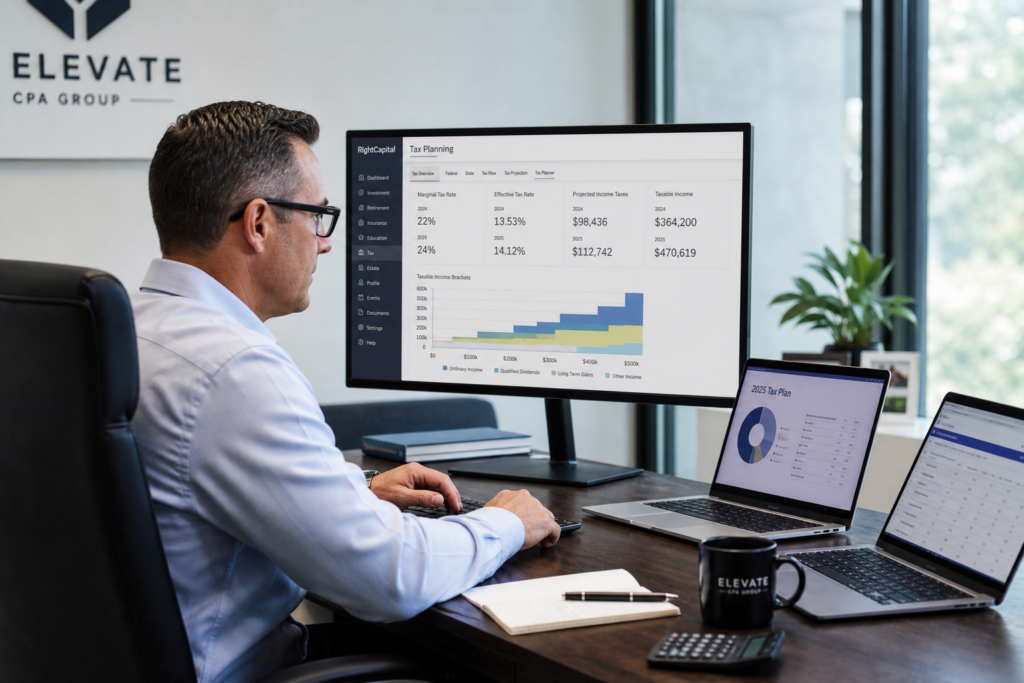
Tax Planning Software for CPAs: 2026 Advisory Guide
Choosing the right tax planning software for CPAs is now the single biggest lever for firm growth in 2026. Tax prep alone no longer pays. Clients want proactive strategy, and they will pay well for it. This guide shows you how to pick a platform that turns complex modeling into revenue. Along the way, you will see how proactive proactive tax strategy planning beats reactive filing every time. Ready to grow beyond referrals?
Table of Contents
- Key Takeaways
- What Is Tax Planning Software for CPAs?
- What Features Should CPAs Look For in 2026?
- How Does Tax Planning Software Boost Advisory Revenue?
- How Do 2026 Tax Changes Affect Your Choice?
- How Do You Choose and Implement the Software?
- Is Cloud-Based Tax Planning Software Secure?
- Uncle Kam in Action
- Next Steps
- Related Resources
- Frequently Asked Questions

Key Takeaways
- Tax planning software for CPAs turns filing work into high-margin advisory revenue.
- The best platforms model multiple entities and 2026 OBBBA changes at once.
- Unlimited free assessments let you prove value before you charge a fee.
- Strong security and a WISP protect you under IRS data rules.
- A built-in marketplace sends advisory leads straight to your firm.
What Is Tax Planning Software for CPAs?
Quick Answer: Tax planning software for CPAs helps you model strategies, project savings, and build client-ready plans. It powers advisory work, not just compliance filing.
Tax planning software is a proactive tool. It looks forward, not backward. Prep software records what already happened. Planning software shows clients what they can change. As a result, you shift from a filer to a trusted advisor. That shift matters in 2026.
Furthermore, the market has changed fast. According to Accounting Today, the IRS now runs 126 active AI projects. Clients feel that pressure. Therefore, they want a strategist who plans ahead, not someone who reacts to notices. Good software makes that role easy to deliver.
Planning Versus Preparation
Preparation is a commodity. Software and AI keep pushing prices down. Planning, however, is premium. Clients pay for clarity and savings. In addition, planning builds year-round relationships instead of one seasonal touchpoint. That is where firm profit lives.
Who Uses These Tools?
CPAs, enrolled agents, and firm owners all benefit. So do advisors serving growth-focused small business owners. Moreover, tools help firms serving real estate investors and high earners. Each group needs multi-year, multi-strategy modeling. The right platform handles all of them in one place.
Pro Tip: Lead with one big strategy in the first meeting. Show the number. Then let the plan sell the retainer.
What Features Should CPAs Look For in 2026?
Quick Answer: Look for entity-aware modeling, a deep strategy library, client-ready deliverables, strong security, and unlimited assessments. These features drive real advisory income.
Not all tools are equal. Some only identify savings. Others help you sell and deliver plans. In 2026, you need both. Otherwise, you buy software and still lack clients to serve. Choose a platform that supports the full advisory lifecycle.
Entity-Aware Scenario Modeling
Your clients rarely have one return. They may hold a 1040, an 1120-S, and several K-1s. Therefore, your software must model across entities at once. Uncle Kam uses the MERNA framework to do exactly that. It reviews the whole portfolio, not one form in isolation. Explore entity-aware tax planning software with scenario modeling to see how it works.
A Deep Strategy Library
A short strategy list limits your value. In contrast, a deep library expands it. Look for hundreds of strategies covering deductions, entity structure, and retirement. For example, tools should flag cost segregation, the Augusta Rule, and QBI planning. In addition, they should tie each strategy to a dollar result.
Feature Comparison Snapshot
| Feature | Why It Matters | Impact on Revenue |
|---|---|---|
| Entity-aware modeling | Handles 1040s, 1120-Ss, K-1s together | Higher-value plans |
| Unlimited assessments | Prove value before you charge | Higher close rate |
| Client-ready PDFs | Sells clarity, not spreadsheets | Bigger fees |
| Built-in marketplace | Routes advisory leads to you | New clients |
Pro Tip: Rank features by revenue impact, not by shiny extras. Assessments and deliverables close deals fastest.
How Does Tax Planning Software Boost Advisory Revenue?
Quick Answer: The right software helps you package, price, and sell strategy. As a result, you charge $3,000 to $10,000 per plan instead of a flat prep fee.
Prep fees stay flat. Advisory fees scale. Therefore, the math favors planning. A single plan can equal ten prep returns in revenue. Moreover, plans renew each year through ongoing recurring tax advisory relationships. That builds steady, predictable income.
The Unlimited Assessment Advantage
Many tools cap usage or charge per analysis. That creates friction. You hesitate to run reports on prospects. Uncle Kam removes that block. It offers tax planning software with unlimited assessments. Consequently, you can run a free, client-ready assessment on every prospect. You prove value first. Then you sign the engagement.
A Simple ROI Example
Consider one mid-size firm. It runs 40 free assessments in a quarter. It closes 10 plans at $5,000 each. That equals $50,000 in new advisory revenue. In addition, most of those clients renew next year. The software cost becomes a rounding error.
Want to see this model built for your firm? Book a free strategy session at unclekam.com strategy session. You will map your first advisory offer in one call.
Did You Know? The IRS ran only 10 AI projects two years ago. In 2026, that number hit 126. Clients need proactive planning more than ever.
How Do 2026 Tax Changes Affect Your Choice?
Quick Answer: The 2025 OBBBA changed many rules for 2026. Your software must reflect 100% bonus depreciation, permanent QBI, and a higher SALT cap.
Tax law shifted a lot in 2025. The One Big Beautiful Bill Act reshaped planning. Signed on July 4, 2025, it took effect across 2026. Your platform must keep pace. Otherwise, your plans will miss key savings. Always verify current figures at the official IRS website.
Key OBBBA Provisions for 2026
- 100% bonus depreciation is restored and made permanent, per Congress.gov legislative records.
- The SALT deduction cap rose from $10,000 to $40,000 a year.
- The 20% QBI deduction became permanent for pass-through owners.
- A $6,000 senior bonus deduction phases out above $75,000 for single filers.
- New deductions cover qualified tips and overtime pay.
2026 Retirement and Health Limits
Retirement rules also shifted. Under SECURE 2.0, high earners above $150,000 must route catch-up dollars to Roth. Your software should flag this. In addition, 2026 HSA limits rose. Model them for clients on high-deductible plans.
| 2026 Item | Amount | Planning Note |
|---|---|---|
| HSA self-only | $4,400 | Triple-tax-free savings |
| HSA family | $8,750 | Add $1,000 catch-up at 55 |
| Social Security wage base | $184,500 | Affects payroll planning |
| SALT cap | $40,000 | Up from $10,000 prior |
Always confirm 2026 amounts at IRS.gov before filing. Tax laws change often. A strong platform updates these figures for you automatically.
How Do You Choose and Implement the Software?

Quick Answer: Score each tool on features, security, training, and leads. Then onboard with a clear 30-day rollout plan.
Selection should be simple and structured. First, list your firm goals. Next, match tools to those goals. Finally, test one platform with real client data. This process removes guesswork. It also protects your budget.
A Step-by-Step Selection Checklist
- Define your advisory goal and target client type.
- Confirm entity-aware modeling and a deep strategy library.
- Check for unlimited assessments and branded deliverables.
- Review security, encryption, and data controls.
- Ask whether training and leads are included.
A 30-Day Onboarding Plan
Implementation should feel fast. In week one, load two sample clients. In week two, run assessments and study the output. In week three, present a plan to a warm prospect. By week four, sign your first advisory client. Good firm systems and automation tools make this pace realistic.
Selling advisory and delivering advisory are two different jobs. Most tools cover only one. Uncle Kam covers both as a full tax advisory operating system. It combines software, live coaching, and a lead marketplace. Firms serving self-employed and 1099 clients gain a clear path to scale.
Pro Tip: Run your rollout during a slow month. You will onboard faster and avoid tax-season stress.
Is Cloud-Based Tax Planning Software Secure?
Quick Answer: Yes, when the platform uses strong encryption and access controls. You also need a written information security plan under IRS rules.
Security is not optional for tax pros. You handle sensitive client data every day. Therefore, your software must protect it. The IRS requires safeguards under the FTC Safeguards Rule. You can review guidance from the Federal Trade Commission website.
Your Written Information Security Plan
Every tax firm needs a WISP. This is a written information security plan. The IRS treats it as mandatory. In addition, it protects you during an audit or breach. Learn more through Small Business Administration resources. A cloud tool should support, not replace, that plan.
Security Features to Demand
- Bank-grade encryption for data at rest and in transit.
- Multi-factor authentication for every user login.
- Role-based access to limit who sees client files.
- Regular backups and a clear breach response plan.
Firms serving high-net-worth wealth strategies face extra scrutiny. Consequently, security should top your checklist. Never trust a tool that dodges these questions.
Uncle Kam in Action: How a Solo CPA Doubled Firm Revenue
Client Snapshot: Maria runs a solo CPA firm in Dover, Delaware. She served 180 tax-prep clients each season. Yet she felt stuck on price.
Financial Profile: Her firm earned about $220,000 a year. Most revenue came from flat prep fees. Growth had stalled for three years.
The Challenge: Maria wanted advisory income. However, she lacked a system to model and sell strategy. She also feared spending money on prospects who might not buy. As a result, she rarely pitched planning at all.
The Uncle Kam Solution: Maria adopted the Uncle Kam advisory operating system. She used unlimited free assessments to screen her top 30 prep clients. The MERNA framework flagged entity restructuring and 100% bonus depreciation for several business owners. In addition, live coaching taught her how to price and present each plan.
The Results: Within her first year, Maria closed 14 advisory plans. She priced them between $4,000 and $8,000 each. That added roughly $84,000 in new revenue. Her clients saved a combined $310,000 in projected 2026 taxes.
Tax Savings for Clients: $310,000. Investment in Uncle Kam: around $6,000 for the year. First-Year ROI: her $84,000 revenue gain returned about 14x her software cost. Meanwhile, most clients signed on for annual renewals. See more outcomes on the Uncle Kam client results page. Maria now plans to hire her first associate.
Next Steps
You now know what to look for. So take action while the 2026 season is young. Small steps today build big advisory revenue later. Start with a clear plan and one strong tool. Then grow from there.
- Run free assessments on your top 20 clients this month.
- Package one advisory offer using the MERNA method framework.
- Confirm your WISP and security controls are current.
- Book a free call at the Uncle Kam strategy session page.
Related Resources
Frequently Asked Questions
Is tax planning software the same as tax prep software?
No, they serve different jobs. Prep software files returns for the past year. Planning software projects future savings. Therefore, planning drives higher advisory fees. Many firms use both tools together.
How much can a CPA charge for a tax plan in 2026?
Fees vary by client size and complexity. Most plans range from $3,000 to $10,000. High earners often pay more. As a result, one plan can match many prep returns in revenue.
Do I need training to sell advisory services?
Yes, selling advisory is a distinct skill. Tax knowledge alone is not enough. You also need pricing and presentation skills. That is why the best platforms include live coaching and support.
How fast can I start using the software?
Most firms launch within 30 days. You load sample clients first. Then you run assessments and present a plan. By week four, many pros sign their first advisory client.
Is cloud tax planning software safe for client data?
Yes, when it uses encryption and access controls. You also need a written information security plan. The IRS requires these safeguards. Always confirm security features before you buy.
This information is current as of 7/8/2026. Tax laws change frequently. Verify updates with the IRS if reading this later.
Last updated: July, 2026

