
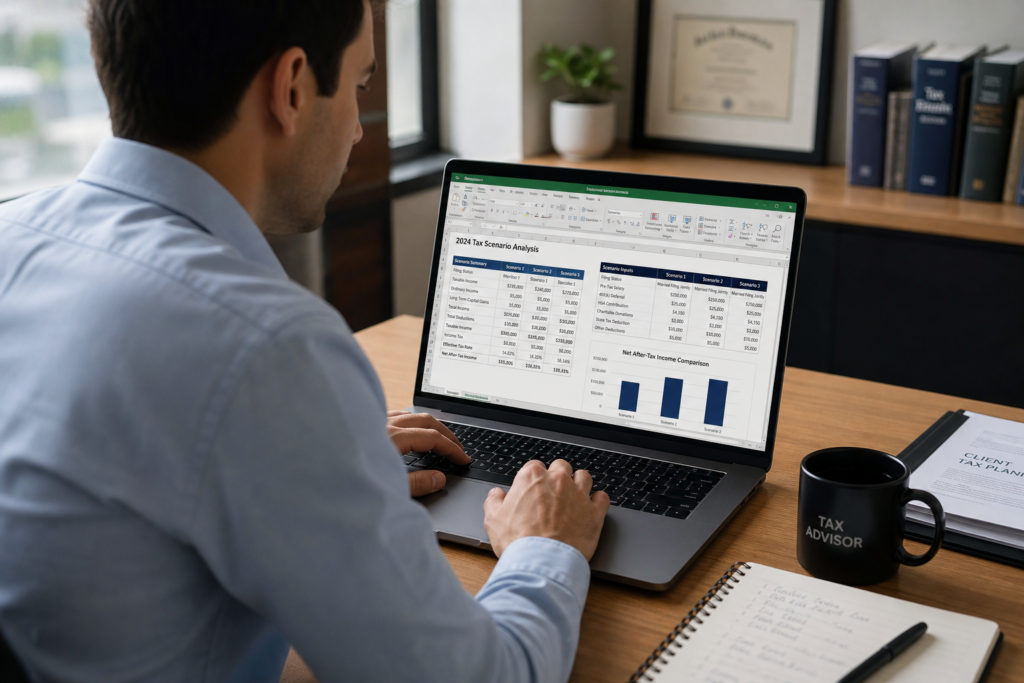
Scenario Analysis in Excel: 2026 Tax Planning Guide
Scenario analysis in Excel gives tax professionals a fast way to test client outcomes before filing. With scenario analysis in Excel, you can compare entity choices, retirement contributions, and deduction timing side by side. For the 2026 tax year, proactive planning drives real savings. Moreover, it separates high-value advisors from basic preparers. This guide shows you how to build models that win clients and grow revenue. Ready to level up your proactive tax strategy planning?
Pro Tip: Book a strategy session with Uncle Kam to see scenario modeling in action. Visit unclekam.com/book-strategy-session today.
Table of Contents
- Key Takeaways
- What Is Scenario Analysis in Excel?
- How Do You Build a Tax Scenario Model in Excel?
- Which Excel Tools Power Scenario Analysis?
- How Does Scenario Analysis Help Entity Planning?
- What Are Common Scenario Analysis Mistakes?
- Uncle Kam in Action
- Next Steps
- Related Resources
- Frequently Asked Questions

Key Takeaways
- Scenario analysis in Excel models multiple 2026 tax outcomes side by side.
- Data Tables and Scenario Manager automate what-if calculations quickly.
- Entity comparisons show clients real dollar savings before they commit.
- Proactive modeling turns basic prep into profitable advisory work.
- Always verify 2026 figures against official IRS guidance first.
What Is Scenario Analysis in Excel?
Quick Answer: Scenario analysis in Excel tests how changing inputs affects tax results. It lets you compare outcomes side by side in one view.
Scenario analysis in Excel is a modeling method. You change key inputs and watch the results shift. For tax professionals, this means testing different tax positions fast. Furthermore, it turns raw numbers into clear client stories. Instead of guessing, you show real outcomes.
Each scenario is a set of assumptions. For example, one scenario might assume an S corp election. Another might assume the client stays a sole proprietor. Then you compare the tax bills. As a result, your client sees the smart choice clearly.
Why Tax Pros Need Scenario Modeling
Tax prep looks backward. Tax planning looks forward. Scenario analysis lives in the planning space. Consequently, it commands higher fees. Clients pay for clarity, not data entry.
The 2026 tax landscape keeps shifting. The One Big Beautiful Bill Act changed several rules this year. For instance, it altered Section 174A expensing and Section 163(j) elections. You can read more from the official IRS newsroom updates. Modeling helps clients react to these shifts with confidence.
Core Benefits at a Glance
- You test strategies before clients commit real money.
- You show clear savings in plain dollar amounts.
- You build trust through transparent, visual math.
- You justify premium advisory pricing with hard data.
Did You Know? Many firms use spreadsheets for planning. However, entity-aware software scales this work far faster than manual models.
How Do You Build a Tax Scenario Model in Excel?
Quick Answer: Start with an input section, a calculation engine, and an output summary. Then vary the inputs to create scenarios.
Every good model has three parts. First comes the input block. Next comes the calculation logic. Finally comes the output summary. Keep these areas separate. As a result, your model stays clean and easy to audit.
Step 1: Build the Input Section
List all client variables in one column. Include gross income, business expenses, and filing status. Also add retirement contributions and health savings. For 2026, the 401(k) deferral limit is $24,500. Those age 50 and up can add catch-up funds, reaching $32,500.
Freelancers and contractors must also plan for self-employment tax. This tax runs at 15.3% on net earnings. Florida contractors can estimate their obligation using our Wynwood self-employment tax calculator for 2026.
Step 2: Build the Calculation Engine
Now write formulas that pull from your inputs. Calculate adjusted gross income first. Then subtract the standard deduction. For 2026, the single standard deduction is $16,100. Apply the correct bracket rates next. Finally, layer in the 20% qualified business income deduction where it applies.
Reference official rates when you build brackets. The IRS forms and instructions page lists current schedules. This keeps your model accurate and defensible. Solid entity planning also matters here, so review smart business entity structuring options.
Step 3: Build the Output Summary
Create a clean results table at the top. Show total tax, effective rate, and cash saved. Clients scan this section first. Therefore, make it simple and bold. A clear summary sells the strategy for you.
| Model Section | Purpose | Example Input (2026) |
|---|---|---|
| Inputs | Hold client variables | $180,000 net income |
| Engine | Run tax formulas | $16,100 std deduction |
| Output | Show results | Total tax and savings |
Pro Tip: Color-code your input cells yellow. This helps clients spot what changes across scenarios.
Which Excel Tools Power Scenario Analysis?
Quick Answer: Use Data Tables, Scenario Manager, and Goal Seek. Each tool handles a different what-if question.
Excel ships with three built-in what-if tools. You find them under the Data tab. Together, they cover most tax planning needs. Moreover, they save hours of manual work. Let me break down each one.
Data Tables for Fast Comparisons
Data Tables test one or two variables at once. For example, vary salary against total tax. The table fills in every result automatically. As a result, you see the full range in seconds. This tool shines for salary-versus-distribution planning.
A one-variable table changes a single input. A two-variable table changes two at once. Both update instantly when inputs shift. Consequently, you spot the sweet spot fast.
Scenario Manager for Named Cases
Scenario Manager saves full sets of inputs. Name one “Sole Prop” and one “S Corp.” Then switch between them with a click. It also creates a summary report. Therefore, you compare named cases with ease.
Goal Seek for Reverse Math
Goal Seek works backward from a target. Suppose a client wants a $40,000 tax bill. Goal Seek finds the income level that hits it. This helps with estimated payment planning. For deeper guidance, explore quarterly tax filing support.
| Tool | Best Use | Variables |
|---|---|---|
| Data Table | Compare ranges | One or two |
| Scenario Manager | Named cases | Up to 32 |
| Goal Seek | Reverse targets | One |
Did You Know? Scenario Manager holds up to 32 changing cells. Yet it shows only the first 32 in reports.
How Does Scenario Analysis Help Entity Planning?

Quick Answer: It compares sole prop, LLC, and S corp taxes at once. Clients then choose the lowest-cost structure with confidence.
Entity choice drives huge tax swings. A sole proprietor pays 15.3% self-employment tax on all profit. An S corp owner splits pay into salary and distributions. Distributions escape that payroll tax. Therefore, the savings can reach thousands each year.
Scenario analysis makes this choice clear. Build one column per entity type. Then compare the total tax at the bottom. This visual speaks louder than any lecture. Business owners can also review tax planning tips for business owners.
A Real Entity Comparison Example
Picture a client with $150,000 in net profit. As a sole proprietor, self-employment tax hits hard. As an S corp, she takes a $70,000 salary. The remaining $80,000 flows as distributions. Those distributions avoid the 15.3% payroll tax. Consequently, she saves meaningful money each year.
Reasonable compensation rules still apply, of course. The salary must reflect fair market value. The SBA tax guidance for businesses offers a helpful starting point. Model both figures to stay compliant.
Layering the MERNA Framework
Strategies should never run in isolation. Entity structure connects to retirement and deductions. Uncle Kam uses the MERNA framework to evaluate the full picture. It stands for Maximize deductions, Entity structure, Retirement, Niche, and Advanced moves. This entity-aware approach mirrors how entity-aware tax planning software with scenario modeling works across 1040s, 1120-S returns, and K-1s at once.
Pro Tip: Always model the payroll cost of an S corp. Payroll taxes and admin fees reduce the net benefit.
What Are Common Scenario Analysis Mistakes?
Quick Answer: The top errors are hardcoded numbers, stale rates, and messy layouts. Fix these to keep models accurate.
Even skilled pros make modeling errors. Small mistakes create big client problems. Let me share the most common ones. Then you can avoid them in your own work.
Mistake 1: Hardcoding Values
Never type numbers directly into formulas. Instead, link every formula to an input cell. Hardcoded values break scenario testing. Furthermore, they hide errors from view. Always keep inputs visible and separate.
Mistake 2: Using Stale Tax Data
Tax rules change every year. Using 2025 figures in a 2026 model creates errors. For example, the 2026 single standard deduction is $16,100. That figure rose from the prior year. Always verify current numbers first. Check the Treasury tax policy resource center for updates. Self-employed clients can find more help through self-employed tax strategy resources.
Mistake 3: Skipping Documentation
Label every assumption in your model. Note the source and date for each rate. This protects you during audits. It also builds client trust. Educational resources like Cornell Law tax law overview can support your citations.
Manual spreadsheets carry these risks at scale. That is why many advisors move to structured platforms. Want to see how modeling drives advisory revenue? Book a call to explore local Wynwood tax preparation services and planning support.
Uncle Kam in Action: How a CPA Landed a $6,000 Advisory Client
Client Snapshot: Marcus runs a small CPA firm in Florida. He served mostly 1099 contractors and small business owners. However, he wanted to grow beyond basic prep work.
Financial Profile: One prospect earned $220,000 in net profit. She operated as a sole proprietor. As a result, she paid heavy self-employment tax each year.
The Challenge: The prospect doubted the value of paid planning. She had used a cheap preparer for years. Marcus needed to prove savings before she would sign. Therefore, he turned to scenario analysis.
The Uncle Kam Solution: Marcus built a scenario model in minutes. He compared her sole prop status against an S corp election. Then he layered in a solo 401(k) contribution. For 2026, she could defer up to $24,500 as an employee. He also modeled her 20% qualified business income deduction. Finally, he showed the combined effect in one clean summary.
The Results: The model revealed clear, hard numbers. The S corp move alone cut payroll tax sharply. Adding retirement and deduction moves boosted the total. Overall, the plan saved her about $18,000 for the year.
- Tax Savings: $18,000 in the first year.
- Investment: $6,000 advisory fee to the firm.
- ROI: A 3x first-year return for the client.
The prospect signed on the spot. Moreover, she referred two friends within a month. Marcus turned one model into recurring revenue. See more wins like this on our documented client results page.
Next Steps
Scenario analysis in Excel builds real advisory value. Now put these ideas to work. Follow these simple action steps this week.
- Build one entity comparison model for a real client.
- Verify all 2026 rates against official IRS sources.
- Explore ongoing tax advisory services to scale your firm.
- Book a strategy session at unclekam.com/book-strategy-session.
This information is current as of 7/2/2026. Tax laws change frequently. Verify updates with the IRS if reading this later.
Related Resources
- Proactive Tax Strategy Planning
- Business Entity Structuring Services
- The MERNA Method Framework
- Free Tax Planning Calculators
Frequently Asked Questions
Is scenario analysis in Excel hard to learn?
No, the basics are simple to master. Start with a small three-part model. Then add Data Tables as you grow. Most pros learn the core skills in one afternoon. Practice with real client numbers to speed things up.
How long does a tax scenario model take to build?
Your first model may take a few hours. However, you can reuse the template forever. After that, new client models take minutes. As a result, the time cost drops fast. A good template pays for itself quickly.
Can I charge more for scenario-based planning?
Yes, planning commands far higher fees than prep. Clients pay for savings and clarity. A model that saves $18,000 easily justifies a $6,000 fee. Therefore, scenario work boosts your revenue per client. It also builds recurring advisory relationships.
Should I use Excel or dedicated tax software?
Excel works well for simple, one-off models. However, it struggles at scale. Dedicated software handles multiple entities and clients faster. Moreover, it produces client-ready deliverables. Many firms use both tools together.
How do I keep my model compliant for 2026?
Verify every rate against official IRS sources. Document each assumption with a date and link. Update your template whenever laws change. The 2026 tax year brought several shifts under new legislation. Consequently, regular reviews keep your models accurate.
What is the biggest scenario analysis mistake?
Using stale tax data ranks at the top. A wrong rate ruins the whole model. Always confirm current 2026 figures first. Then link them to input cells, not formulas. This one habit prevents most errors.
Last updated: July, 2026

