
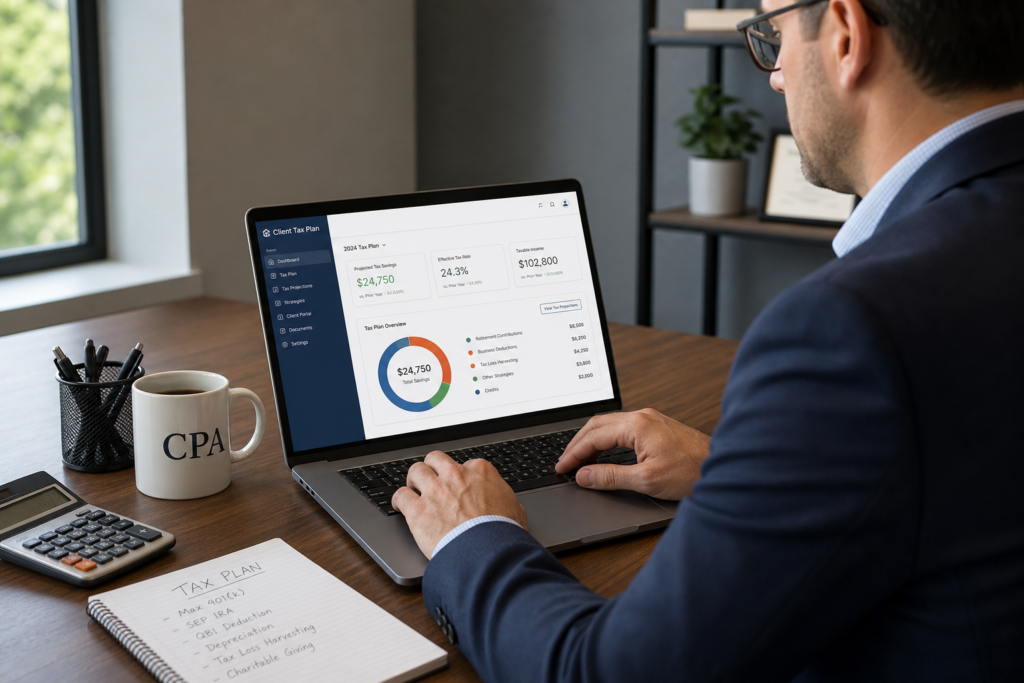
Tax Planning Software for Tax Professionals: 2026 Guide
The right tax planning software for tax professionals can transform your firm in 2026. It moves you from low-margin prep work into high-value advisory. Clients pay for clarity and savings, not spreadsheets. This guide compares the best tools, the features that matter, and the security rules you cannot ignore. Explore how to build a profitable advisory practice and choose software that scales with your firm.
Table of Contents
- Key Takeaways
- What Is Tax Planning Software for Tax Professionals?
- What Features Should You Look For in 2026?
- How Do You Choose the Right Platform?
- How Does AI Change Tax Planning Software?
- Is Your Client Data Secure With These Tools?
- How Much Can Software Grow Your Revenue?
- Uncle Kam in Action
- Next Steps
- Related Resources
- Frequently Asked Questions

Key Takeaways
- Tax planning software turns compliance work into high-margin advisory revenue.
- In 2026, choose tools that respect Circular 230 and Section 7216 rules.
- Unlimited free assessments let you prove value before clients sign.
- Client-ready deliverables help you charge premium advisory fees.
- AI helps, but human judgment still protects you from liability.
What Is Tax Planning Software for Tax Professionals?
Quick Answer: Tax planning software helps pros model strategies, project savings, and produce client-ready plans. It replaces manual spreadsheets with fast, accurate, forward-looking analysis.
Tax planning software for tax professionals is a tool built for proactive strategy. Tax prep looks backward at last year. Tax planning looks forward at future savings. Therefore, planning software models the impact of decisions before your client files. It shows the tax result of an S-corp election, a retirement plan, or a real estate purchase.
Most tools connect to prior returns or intake data. Then they run scenarios across entities and years. As a result, you can quantify savings in dollars, not vague promises. For a deeper primer, review the IRS overview of estimated tax planning basics. This context helps clients understand why proactive planning matters.
Tax Prep vs. Tax Planning
Prep is a commodity. Anyone can file a return. Planning is a service clients value deeply. Furthermore, planning drives recurring revenue and stronger relationships. Many firms use strategic tax planning services to escape the seasonal grind. In short, planning software is the engine behind that shift.
Who Uses These Tools?
CPAs, Enrolled Agents, and firm owners use planning software daily. In addition, advisors serving small business owners and entrepreneurs rely on it heavily. These clients face complex choices around entity type and deductions. Consequently, software helps you deliver clear, defensible answers fast.
Pro Tip: Run a plan for every prospect during tax season. Then use the savings gap to upsell advisory later.
What Features Should You Look For in 2026?
Quick Answer: Look for entity-aware modeling, a strategy library, client-ready reports, integrations, and strong security. These features drive real advisory value in 2026.
Not all tools are equal. The best tax planning software for tax professionals covers the full workflow. It should identify strategies, model scenarios, and produce deliverables. Moreover, it must handle 2026 tax law changes accurately. The One Big Beautiful Bill Act reshaped many rules this year.
For example, the SALT deduction cap rose from $10,000 to $40,000 under the OBBBA. In addition, 100% bonus depreciation is now permanent. Your software must reflect these updates. Verify current figures against official IRS newsroom updates before advising clients.
Core Features Checklist
- A large, current library of tax strategies
- Multi-entity and multi-year scenario modeling
- Client-ready, branded PDF deliverables
- Integrations with prep and bookkeeping tools
- Clear, defensible calculations you can verify
Entity-Aware Modeling Matters
Strategies should never run in isolation. A single move can ripple across a 1040, an 1120-S, and K-1s. Therefore, entity-aware software evaluates the whole portfolio at once. Uncle Kam uses the MERNA framework to sequence strategies correctly. This entity-aware tax planning software models scenarios across all returns together. As a result, you avoid double-counting savings or missing conflicts.
Comparison of Key Software Types
| Tool Type | Best For | Key Strength |
|---|---|---|
| Assessment tools | Fast prospect reviews | Quick savings snapshots |
| Planning platforms | Full strategy modeling | Deep scenario analysis |
| Advisory operating systems | Scaling firms | Software, training, and leads |
How Do You Choose the Right Platform?
Quick Answer: Match the platform to your firm size, client volume, and growth goals. Then test it with real client data before you commit.
Choosing the right tax planning software for tax professionals starts with your goals. Do you want more advisory clients? Do you want higher fees per engagement? Your answer shapes the tool you need. Furthermore, your tech stack and budget matter too.
Selling advisory and delivering advisory are two different jobs. Most tools only identify savings. You still need to price, market, and close the work. That is why an advisory operating system matters so much. It combines the software, structured training, and inbound leads in one place.
A Simple Selection Process
- Define your target client and average fee
- List must-have features and integrations
- Run a free trial on a real client file
- Check pricing against expected advisory revenue
- Confirm security and compliance features
Watch the Cost Per Assessment
Many platforms charge per analysis or cap your usage. This creates real friction. You hesitate to run plans for prospects who may not buy. However, some tools offer unlimited free assessments at every tier. That lets you prove value first, then close the engagement. In practice, this removes the biggest barrier to growth. Ready to scale faster? Book a strategy session to see how it works.
Did You Know? A single S-corp election can save owners thousands in self-employment tax each year.
How Does AI Change Tax Planning Software?
> Quick Answer: AI speeds up research and drafting in 2026. Yet human judgment still governs your work under Circular 230.
AI now sits at the center of many planning tools. It can draft summaries, sort documents, and suggest strategies fast. Nevertheless, the IRS is clear about the limits. Using AI does not change your professional duties. Circular 230 due diligence still applies to every plan you deliver.
This matters because AI can invent facts. It may cite fake court cases or wrong positions with confidence. As a result, clients sometimes arrive with flawed AI strategies. You then spend billable hours unwinding them. Review the IRS guidance on Circular 230 professional standards to protect your firm.
The IRS Is Using AI Too
Enforcement has changed sharply. The IRS now runs 126 AI use cases across its operations. On February 10, 2026, it codified AI audit rules in IRM 10.24.1. Consequently, the effective compliance standard has risen. Your software should help you document positions clearly. This protects clients when AI cross-matching flags a return.
AI as an Assistant, Not an Authority
Use AI to draft, not to decide. A good tool converts modeling into clear deliverables fast. Uncle Kam’s AI Tax Plan Engine builds structured, client-ready plans. It includes strategic summaries, roadmaps, and risk notes. Still, a licensed pro must verify every position. In other words, AI scales you; it does not replace you.
Pro Tip: Add an intake question asking if clients used AI strategies. Then document your review of each one.
Is Your Client Data Secure With These Tools?

Quick Answer: Security is a legal duty, not a nice-to-have. Section 7216 governs how you disclose client tax information.
Data security deserves more attention than most articles give it. Any tax planning software for tax professionals handles sensitive returns. Section 7216 of the Internal Revenue Code controls disclosure of that data. Treasury Regulation 301.7216-1 defines tax return information very broadly. It covers names, income, deductions, and identifying numbers.
Here is the key point. The disclosure is the event that matters. A vendor’s security promises describe what happens after data leaves your firm. Therefore, you must know where client data goes. Review the IRS rules on Section 7216 information disclosure before adopting any tool.
Security Questions to Ask Vendors
- Where is client data stored and processed?
- Does the tool train AI on my client data?
- What encryption and access controls exist?
- Do I need client consent for any disclosure?
Build a Written Information Security Plan
The IRS requires a written data security plan for all preparers. Your software choice should support that plan, not undermine it. For guidance, see the FTC Gramm-Leach-Bliley safeguards rule. In addition, review best practices from the NIST cybersecurity framework. These steps protect your firm and your clients.
How Much Can Software Grow Your Revenue?
Quick Answer: Advisory fees often reach $3,000 to $10,000 per client. The right software makes those fees easy to justify.
Prep work has thin margins and fierce competition. Advisory work has strong margins and loyal clients. Tax planning software for tax professionals bridges that gap. It shows clients exact dollar savings. As a result, premium fees feel fair and obvious.
Consider a simple revenue model. Assume you add 20 advisory clients this year. Each pays a $5,000 planning fee. That adds $100,000 in new, high-margin revenue. Furthermore, many clients renew each year for ongoing planning. Explore how self-employed and 1099 clients often benefit most from proactive planning.
Sample Advisory Revenue Table
| Clients Added | Avg. Fee | New Revenue |
|---|---|---|
| 10 | $5,000 | $50,000 |
| 20 | $5,000 | $100,000 |
| 40 | $7,500 | $300,000 |
The Missing Piece: Leads
Great software is useless without clients to serve. Most tools leave marketing entirely to you. However, a built-in marketplace changes that math. It routes pre-qualified advisory leads to certified pros. This turns your software into a growth engine. Learn how to attract high-net-worth clients who need advanced planning. Before you build your 2026 plan, see real firm results from proactive advisory.
Uncle Kam in Action: The Solo CPA Who Doubled Fees
Client Snapshot: Maria runs a solo CPA firm in a mid-size city. She served 180 tax prep clients each season. Yet she felt stuck on the prep treadmill.
Financial Profile: Her firm generated about $220,000 in annual revenue. Most of it came from low-margin prep work. Advisory made up less than 10% of her income.
The Challenge: Maria wanted to add advisory revenue. However, she had no system to identify strategies fast. She also feared using up expensive software credits on prospects. As a result, she rarely offered planning to new leads.
The Uncle Kam Solution: Maria adopted an advisory operating system in early 2026. She ran unlimited free assessments on her top prep clients. The MERNA framework sequenced strategies across their entities. Then the AI Tax Plan Engine produced branded, client-ready plans. She presented clear savings numbers in simple language.
The Results: Maria closed 22 advisory engagements in six months. Each client paid an average $5,000 planning fee. That added $110,000 in new, high-margin revenue. Her total investment in the platform and coaching was $12,000 for the year.
- New Advisory Revenue: $110,000
- Investment: $12,000
- First-Year ROI: Roughly 9x return
Maria now plans to raise her average fee in 2027. Moreover, she feels far less dependent on tax season. You can review more client success stories and outcomes to see similar results.
Next Steps
Ready to grow your firm in 2026? Take these clear, simple steps now. Each one moves you closer to profitable advisory work.
- Define your ideal advisory client and target fee.
- Explore tax advisory support services for your firm.
- Run a free assessment on your top ten clients.
- Confirm your tool meets Section 7216 rules.
- Book a strategy session to build your plan.
Related Resources
- Tax Planning Software for Tax Pros
- The MERNA Method Explained
- Entity Structuring Strategies
- The Uncle Kam Tax Strategy Blog
Frequently Asked Questions
Is tax planning software the same as tax prep software?
No, they serve different goals. Prep software files returns for the prior year. Planning software projects future savings. Therefore, many firms use both tools together. The two work best as a connected workflow.
How much does tax planning software cost in 2026?
Prices vary widely by tool and firm size. Some platforms charge per analysis. Others offer unlimited assessments at a flat rate. In general, one advisory client often covers the annual cost.
Does using AI put my firm at legal risk?
AI itself is not the risk. Unverified AI output is the real danger. Circular 230 still requires your due diligence. As a result, you must review every AI-generated position carefully.
How long does it take to implement new software?
Most firms onboard within a few weeks. First, you import client data and learn the tools. Then you run a few test plans. With training and support, ramp-up moves quickly.
What compliance rules apply to client data?
Section 7216 controls disclosure of tax return information. In addition, the FTC safeguards rule requires a written security plan. Always confirm where your software stores client data. Verify current rules at IRS.gov before adopting any tool.
This information is current as of 7/4/2026. Tax laws change frequently. Verify updates with the IRS if reading this later.
Last updated: July, 2026

