
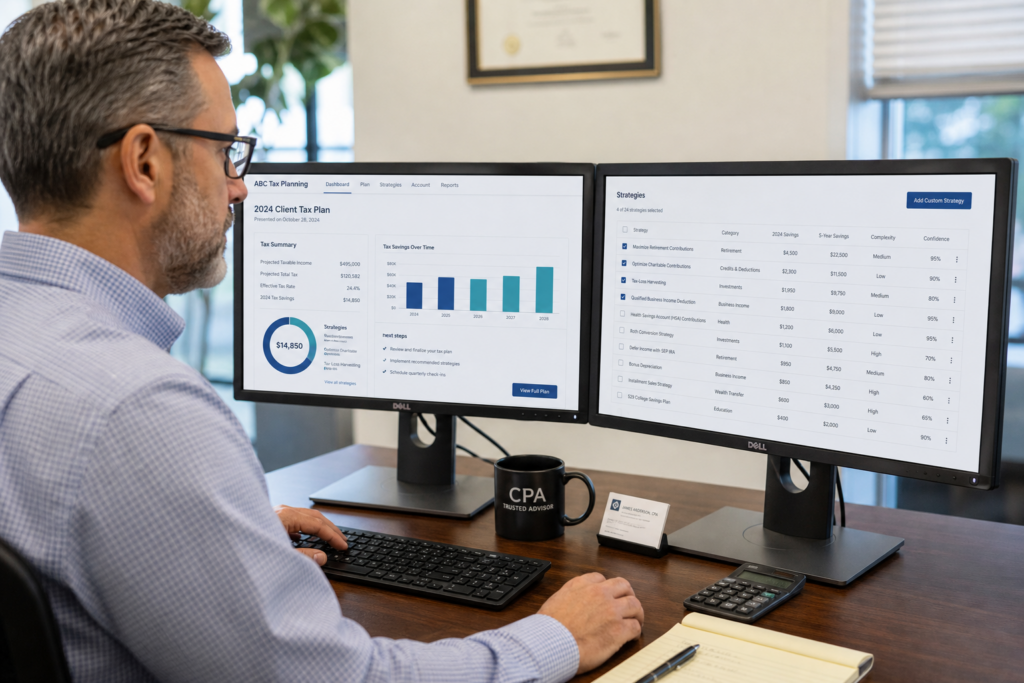
Tax Planning Software for CPAs and EAs: 2026 Guide
Choosing the right tax planning software for CPAs and EAs is now the single biggest lever for firm growth in 2026. Clients no longer want a return filed. Instead, they want proactive advice that saves real money. Moreover, the right tax strategy tools let you charge more while working less. This guide shows you how to pick, price, and profit from modern planning software this year.
Table of Contents
- Key Takeaways
- What Is Tax Planning Software for CPAs and EAs?
- Why Do CPAs and EAs Need Planning Software in 2026?
- What Features Should You Look For?
- How Much Advisory Revenue Can You Earn?
- How Do You Implement Software Without Chaos?
- Uncle Kam in Action
- Next Steps
- Related Resources
- Frequently Asked Questions

Key Takeaways
- Planning software turns one-time filings into year-round advisory income.
- In 2026, half of firms are expanding into tax planning through AI tools.
- Pick tools that model entities, scenarios, and produce client-ready plans.
- Unlimited free assessments remove the risk of wasting credits on prospects.
- A single advisory client can pay for your software many times over.
What Is Tax Planning Software for CPAs and EAs?
Quick Answer: Tax planning software for CPAs and EAs models future tax scenarios. It finds savings before returns are filed. As a result, you sell advice, not just compliance.
Tax planning software is a forward-looking tool. It projects a client’s tax liability across many scenarios. Then it flags strategies that lower the bill. Tax prep software, by contrast, only reports what already happened. In short, one looks backward while the other looks ahead.
This difference matters a lot in 2026. Clients now expect proactive guidance, not just a filed return. Furthermore, a good platform helps you model entity changes, retirement moves, and timing shifts. It shows the dollar impact of each choice clearly.
Planning vs. Preparation: A Simple Definition
Think of preparation as scorekeeping. You record the final numbers on forms like Schedule C or Form 1120-S. Planning, however, is coaching. You change the plays before the game ends. Therefore, planning software delivers value your clients cannot get from a filing tool alone.
Business owners want this kind of help. If you serve entrepreneurs and small business owners, planning tools become essential. They let you show savings in plain dollars. Consequently, your fees feel justified and easy to explain.
Where AI Fits In
Modern platforms now use AI to speed up the heavy lifting. They scan a return, spot missed strategies, and draft a plan in minutes. According to Accounting Today reporting in 2026, half of firms are using AI to move into tax planning. Meanwhile, clients rank speed as their top demand at 79%.
Pro Tip: Test any tool on a real client return first. If it cannot explain the savings clearly, your clients will not pay for it.
Why Do CPAs and EAs Need Planning Software in 2026?
Quick Answer: Fee compression is squeezing prep work in 2026. Planning software lets you charge higher fees. In turn, it protects your margins and your time.
Compliance work keeps getting cheaper. Software and offshore teams now file returns fast. As a result, prep fees keep falling year after year. Planning, however, is different. It is judgment work that clients gladly pay a premium for.
The 2026 tax landscape also creates new demand. The One Big Beautiful Bill Act (OBBBA) made the 20% Section 199A QBI deduction permanent. It also reshaped opportunity zones into a permanent regime. Clients need help navigating these rules. Therefore, planning becomes a year-round service.
Clients Expect More Than a Return
Client expectations rose sharply this year. Beyond speed, they want better advice (67%) and stronger data privacy (66%). A planning platform helps you meet all three. It answers questions fast and keeps data secure. Moreover, it proves your value in dollars, not hours.
If you build ongoing tax advisory relationships, you also stabilize revenue. Monthly planning fees smooth out the tax-season crunch. Consequently, your firm becomes more predictable and more valuable.
Security Is Now a Selling Point
Scammers increasingly target tax pros directly. The IRS Security Summit warned in 2026 about phishing aimed at PTINs and EFINs. A secure planning platform with a client portal protects everyone. Likewise, it signals professionalism to prospects.
Did You Know? Average refunds jumped 11% in the 2026 season to over $3,400, per Treasury data. Clients notice the money and want more.
What Features Should You Look For in Tax Planning Software for CPAs and EAs?
Quick Answer: Look for scenario modeling, entity-aware analysis, and client-ready deliverables. Also demand strong security and fair pricing. These features drive real advisory revenue.
Not all platforms are equal. Some only run basic projections. Others model complex, multi-entity portfolios. When you evaluate entity structuring choices, you need software that reads across 1040s, 1120-S returns, and K-1s at once. Otherwise, you miss savings hiding between entities.
The Must-Have Feature Checklist
- Scenario modeling with side-by-side dollar comparisons
- Entity-aware analysis across multiple returns
- A large, current library of tax strategies
- Client-ready, branded PDF deliverables
- Secure client portals and data encryption
- Transparent, predictable pricing
One feature stands above the rest. The biggest friction for firms is wasting expensive software credits on prospects who never buy. Many tools cap usage or charge per analysis. That fear stops pros from running assessments. Uncle Kam solves this with tax planning software with unlimited assessments. You can prove value on every prospect before any engagement is signed.
Feature Comparison at a Glance
| Feature | Compliance-Only Tools | Advisory Platforms |
|---|---|---|
| Focus | Filing returns | Future savings |
| Scenario modeling | Limited | Extensive |
| Client deliverable | The tax return | Branded plan PDF |
| Revenue type | One-time fee | Recurring advisory |
Selling advisory and delivering advisory are two different skills. Most tools just find savings. You still need a system for pricing, selling, and scaling. That is why an advisory operating system built on the MERNA method matters more than software alone.
Pro Tip: Ready to see how a real assessment looks? Book a strategy session and run one on a live client.
How Much Advisory Revenue Can You Earn?

Quick Answer: Advisory fees often run $3,000 to $10,000 per plan. A single client can cover your software cost many times over.
Let us run the math. Suppose you charge $5,000 for a tax plan. You deliver $30,000 in first-year savings for the client. That is a strong deal for them. Meanwhile, you earn far more than a $700 prep fee. This is why planning changes firm economics.
A Simple Revenue Formula
Try this basic model for your own firm. Multiply plans sold by your average fee. Then subtract your software cost. For example, 20 plans at $5,000 equals $100,000. If software costs $5,000 a year, your net is $95,000. Clearly, one tool can transform your income.
| Plans Sold | Avg Fee | Gross Revenue |
|---|---|---|
| 10 | $5,000 | $50,000 |
| 25 | $5,000 | $125,000 |
| 50 | $5,000 | $250,000 |
Who Pays the Most for Planning?
High earners value planning the most. If you serve high-net-worth individuals, fees climb higher. These clients face complex issues like opportunity zones and multi-entity structures. As a result, they happily pay premium rates for clear guidance.
The catch is finding these clients. Software without leads is just a spreadsheet. Uncle Kam offers tax planning software with a built-in client marketplace. It routes pre-qualified advisory leads to certified pros. Therefore, you can grow beyond referrals alone.
Did You Know? In 2026, 39% of firms are moving into advisory services. Early movers capture the best clients first.
How Do You Implement Software Without Chaos?
Quick Answer: Start small and pick pilot clients. Train your team, run test plans, then scale. A phased rollout prevents burnout.
Many firms buy great software and never use it. The tool sits idle because the workflow never changed. Success needs both technology and process alignment. Therefore, treat implementation as a project, not a purchase.
A Step-by-Step Rollout Plan
- Pick five ideal clients for a pilot run.
- Run assessments and review the results as a team.
- Present one plan and refine your pitch.
- Set clear pricing and a simple sales script.
- Roll out to your full book gradually.
Watch for common pitfalls during migration. Data can get messy when you connect existing systems. Likewise, staff may resist new steps. Solve this with training and clear roles. Good business systems and automation keep the process smooth.
Training Beats Technology
The best software fails without sales skills. You must learn to price and present plans. That is why structured training matters. Weekly coaching on the business of advisory closes the gap. In other words, you learn to sell, not just calculate.
Before you scale, review your local market too. Firms serving specific regions benefit from focused outreach. For a deeper dive on tools and workflows, explore this tax strategy blog resource. It connects software choices to real client wins.
Pro Tip: Verify current 2026 limits at IRS.gov before finalizing any plan. Rules shifted under OBBBA this year.
Uncle Kam in Action: How a Solo EA Doubled Revenue
Client Snapshot: Maria is a solo Enrolled Agent in a mid-size city. She ran a compliance-heavy practice for eight years. Most of her income came from tax-season prep work.
Financial Profile: Her firm earned about $140,000 a year. However, 90% came from low-margin returns. She worked brutal hours from January through April. The rest of the year felt slow and stressful.
The Challenge: Maria wanted to add advisory work. Yet she feared wasting money on software credits. She also lacked a way to price or sell plans. As a result, she kept delaying the shift.
The Uncle Kam Solution: Maria adopted the Uncle Kam advisory operating system in early 2026. She used unlimited free assessments on 15 existing clients. The MERNA framework flagged S-corp elections, retirement moves, and QBI planning. Then the AI Tax Plan Engine produced branded PDF deliverables for each client.
She presented plans to eight clients over two months. Each plan showed clear dollar savings. Because the numbers were obvious, seven clients said yes. Meanwhile, weekly coaching helped her set confident pricing.
The Results: Maria sold seven plans at an average of $4,500 each. That added $31,500 in new advisory revenue in one quarter. Her clients saved a combined $190,000 in projected taxes. Furthermore, she now earns recurring fees year-round.
- New Advisory Revenue: $31,500 in one quarter
- Investment: Roughly $5,000 for the platform and training
- First-Year ROI: More than 6x on the initial cost
Maria’s story is common among our members. See more outcomes on our firm background and mission page. The pattern repeats when software meets a real sales system.
Next Steps
You have the roadmap. Now take action this quarter. Small steps compound into major revenue gains over time.
- Choose five clients for a planning pilot this month.
- Run assessments and review the savings together.
- Explore our tax advisory services for firm support.
- Book a strategy session to build your plan.
Related Resources
- Proactive Tax Strategy Services
- In-Depth Tax Planning Guides
- Help for Self-Employed Clients
- General Tax Planning FAQs
Frequently Asked Questions
What is the difference between tax planning and tax prep software?
Prep software files past returns. Planning software projects future scenarios. As a result, planning finds savings before you file. It powers advisory fees, while prep only handles compliance.
How much does tax planning software for CPAs and EAs cost?
Prices vary widely across platforms. Some charge per analysis, while others use flat subscriptions. Uncle Kam includes unlimited free assessments at every tier. Therefore, you never fear wasting credits on prospects.
How long does it take to start selling plans?
Most firms sell their first plan within 30 days. You run assessments, refine your pitch, and present results. With training, the process moves faster. Consequently, many pros see revenue within one quarter.
Do I need to be a CPA to use planning software?
No, Enrolled Agents can use it too. Both CPAs and EAs can deliver advisory services. In fact, EAs often build strong planning practices. The software supports both credentials equally.
How did 2026 tax law changes affect planning?
OBBBA made the 20% QBI deduction permanent in 2026. It also reshaped opportunity zones into a lasting regime. These changes create fresh planning demand. Verify all current limits at IRS.gov before advising clients.
This information is current as of 7/12/2026. Tax laws change frequently. Verify updates with the IRS if reading this later.
Last updated: July, 2026

