
Small Business Accounting Software: 2026 Tax Guide for Tax Professionals
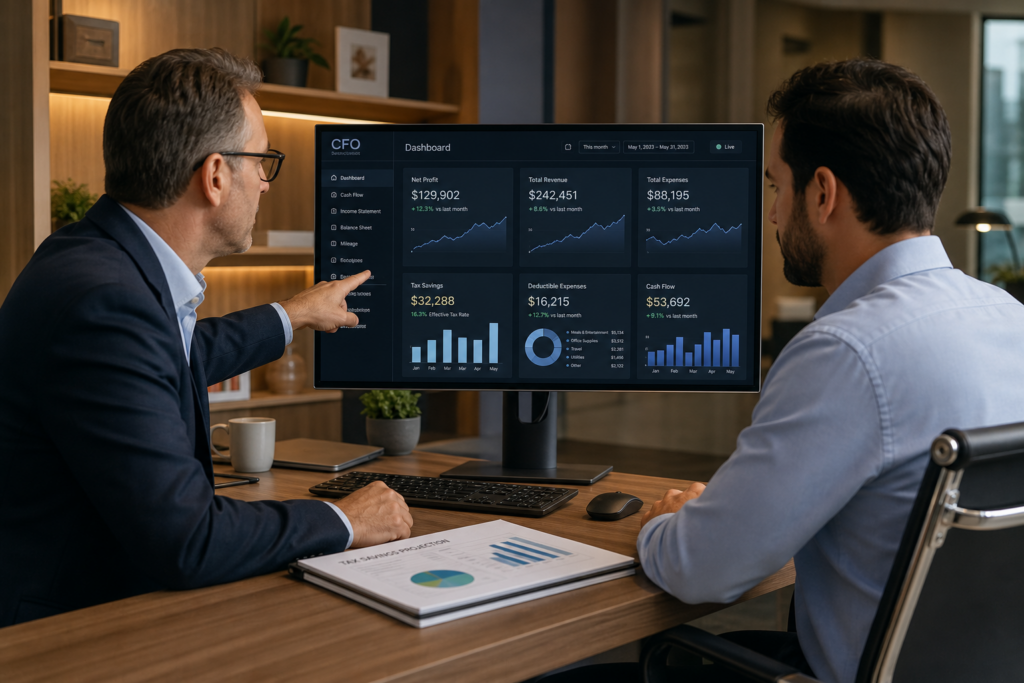
For the 2026 tax year, small business accounting software has become essential infrastructure for tax professionals serving entrepreneurial clients. Modern platforms now integrate tax planning capabilities with real-time bookkeeping, delivering proactive advisory opportunities. Tax pros who understand how to leverage accounting software features drive better client outcomes and command premium fees.
Table of Contents
- Key Takeaways
- What Tax Deductions Apply to Small Business Accounting Software?
- Why Does Software Choice Matter for Tax Advisory Services?
- How Do You Choose the Right Small Business Accounting Software for Tax Planning?
- What Compliance Features Reduce Risk for Small Business Clients?
- How Does AI Automation Impact Tax Planning for Small Businesses?
- What Integration Features Matter Most for Tax Professionals?
- Uncle Kam in Action: How One CPA Scaled Advisory Revenue Using Better Software
- Next Steps
- Frequently Asked Questions
- Related Resources

Key Takeaways
- Small business accounting software costs are fully deductible as ordinary business expenses for 2026
- AI-powered platforms now automate complex bookkeeping tasks previously requiring senior accountants
- Tax professionals using integrated software platforms report 40% higher advisory revenue per client
- Real-time data access enables proactive tax planning instead of reactive compliance work
- The R&D tax credit retroactive window closes July 6, 2026 for small businesses
What Tax Deductions Apply to Small Business Accounting Software?
Quick Answer: For the 2026 tax year, accounting software costs are fully deductible as ordinary business expenses. This includes subscription fees, implementation costs, and training expenses related to business tax preparation.
The IRS allows businesses to deduct costs for accounting software as ordinary and necessary business expenses. However, tax professionals must understand the distinction between personal and business-related software costs. For the 2026 tax year, IRS Publication 535 clarifies that software used for business, rental property, or farm tax matters qualifies for full deduction.
Deductible Software Categories
Small businesses can deduct several categories of accounting software expenses. Therefore, tax advisors should ensure clients properly categorize these costs.
- Monthly or annual subscription fees for cloud-based platforms
- Software implementation and setup costs
- Employee training expenses for accounting software
- Data migration services from legacy systems
- Integration costs with payroll and banking systems
Tax Preparation Software vs. Personal Tax Software
Personal tax preparation fees remain non-deductible for the 2026 tax year. The Tax Cuts and Jobs Act permanently eliminated the miscellaneous itemized deduction for personal tax prep. However, the business portion of tax software remains fully deductible. Consequently, tax professionals should help clients properly allocate costs between business and personal use.
A sole proprietor using tax software to prepare Schedule C can deduct the business-related portion. Similarly, rental property owners can deduct software costs related to Schedule E preparation. This distinction creates advisory opportunities for tax professionals who serve business owners and need to ensure proper expense classification.
Pro Tip: For mixed-use software, document the business percentage with usage logs. This creates audit-proof deduction support for clients.
Research and Development Software Deductions
The One Big Beautiful Bill Act restored immediate R&D expense deductions for 2026. Small businesses developing custom accounting applications can now expense these costs immediately rather than amortizing over five years. Furthermore, eligible businesses with average gross receipts under $31 million can retroactively apply this treatment through July 6, 2026.
This creates significant planning opportunities. Tax professionals should identify clients who developed custom software features or integrations between 2022 and 2024. These businesses can file amended returns to capture immediate deductions before the retroactive window closes. The IRS R&D tax credit guidance provides detailed qualification criteria.
Why Does Software Choice Matter for Tax Advisory Services?
Quick Answer: Software choice determines whether tax professionals can deliver proactive advisory services or remain stuck performing reactive compliance work. Real-time data access enables tax planning throughout the year.
Small business accounting software directly impacts the quality and profitability of tax advisory services. Modern platforms provide real-time visibility into client financial data, enabling tax professionals to identify planning opportunities before year-end. In addition, integrated systems reduce manual data entry and free up time for strategic advisory work.
From Compliance to Advisory
Traditional tax practices operate on a compliance model. Clients provide documents in March, and tax pros prepare returns in April. This reactive approach limits revenue and client value. However, small business accounting software shifts this dynamic by providing continuous access to financial data.
Tax professionals using integrated platforms can monitor client financials monthly or quarterly. This enables proactive planning conversations. For example, spotting elevated income in Q3 allows time to implement retirement plan contributions, equipment purchases, or entity structure changes before December 31. Consequently, clients achieve better tax outcomes and willingly pay advisory fees.
The shift from compliance to advisory fundamentally changes practice economics. Compliance work faces downward fee pressure and commoditization. Advisory services command premium pricing because they deliver measurable ROI. Tax professionals who master strategic tax advisory services report significantly higher per-client revenue.
Client Experience and Retention
Software choice also impacts client satisfaction and retention. Modern small business accounting software provides client portals with real-time dashboards. Business owners can view their financial position anytime without requesting reports. Moreover, automated transaction categorization reduces the documentation burden on clients during tax season.
- Automated bank feeds eliminate manual data entry errors
- Real-time dashboards provide business owners immediate financial visibility
- Mobile apps enable expense tracking from anywhere
- Automated receipt capture reduces lost deduction documentation
- Multi-user access supports collaboration between business owners and advisors
Pro Tip: Position software upgrades as client experience improvements rather than technical changes. Business owners care about convenience and better tax outcomes, not software features.
Practice Scalability
The right small business accounting software enables practice scalability. Cloud-based platforms allow tax professionals to serve clients nationwide without geographic limitations. Furthermore, standardized workflows reduce the time required to onboard new clients. This supports practice growth without proportional staff increases.
Tax professionals should evaluate software based on growth potential. Platforms that support unlimited clients, multi-entity structures, and team collaboration scale better than entry-level solutions. Additionally, robust reporting capabilities enable delegation to junior staff while maintaining quality control. This architectural decision determines whether practices can profitably grow beyond the founder’s personal capacity.
How Do You Choose the Right Small Business Accounting Software for Tax Planning?
Quick Answer: Select software based on tax planning features, not just bookkeeping capabilities. Prioritize real-time reporting, multi-entity support, and integration with tax preparation platforms.
Tax professionals need different features than business owners shopping for bookkeeping software. The evaluation criteria should center on tax planning capabilities rather than basic accounting functions. Therefore, consider how software supports proactive tax strategy delivery throughout the year.
Essential Tax Planning Features
Small business accounting software should provide the following tax-specific capabilities. These features enable tax professionals to identify planning opportunities proactively.
| Feature | Tax Planning Benefit | Advisory Application |
|---|---|---|
| Real-time P&L reporting | Identify year-to-date income trends | Recommend Q4 deduction acceleration |
| Multi-entity consolidation | Track related business structures | Optimize income allocation across entities |
| Automated tax estimates | Calculate quarterly payment obligations | Prevent underpayment penalties |
| Fixed asset tracking | Monitor depreciation schedules | Recommend Section 179 timing strategies |
| Custom reporting | Create tax-specific analysis views | Support strategy presentations to clients |
Business owners in markets like Atlanta will appreciate having concrete numbers. The Midtown Atlanta small business tax calculator is an example of a tool tax professionals can deploy to help local entrepreneurs estimate their 2026 tax position and frame the value of better software-supported planning.
Integration Requirements
Tax professionals should prioritize accounting software that integrates seamlessly with their existing technology stack. Disconnected systems create manual data transfer work and increase error risk. Moreover, integration enables automated workflows that save time during tax season.
Key integration points include tax preparation software, payroll platforms, and banking systems. Direct data transfer from accounting software to tax prep eliminates manual entry of income and expense details. Similarly, payroll integration ensures accurate wage reporting and proper retirement plan contribution tracking. The IRS e-file system requirements specify technical standards for software integration.
Evaluation Methodology
Tax professionals should use a structured evaluation process when selecting small business accounting software. This ensures the chosen platform supports both current needs and future growth.
- Define client demographic requirements (industries served, business sizes, entity types)
- Test software with actual client data during trial periods
- Evaluate customer support quality and response times
- Calculate total cost of ownership including implementation and training
- Review security certifications and data backup protocols
- Confirm software updates align with annual tax law changes
Many tax professionals make the mistake of selecting software based on brand recognition or lowest price. However, the right platform pays for itself through time savings and increased advisory revenue. Therefore, evaluate ROI based on practice growth potential rather than upfront costs.
What Compliance Features Reduce Risk for Small Business Clients?
Quick Answer: Automated audit trails, multi-level approval workflows, and built-in validation rules reduce compliance risk. Look for software that enforces proper expense categorization and flags unusual transactions.
Tax compliance risk management represents a critical value proposition for tax advisory services. Small business accounting software with robust compliance features protects clients from IRS scrutiny and reduces professional liability exposure. Furthermore, automated controls free tax professionals from manual review work.
Audit Trail Documentation
Complete audit trails are essential for IRS examination defense. Modern accounting software automatically logs all transactions, edits, and adjustments with user identification and timestamps. This creates contemporaneous documentation that substantiates deductions and income reporting. In addition, many platforms attach source documents directly to transactions for instant retrieval during audits.
Tax professionals should configure software to require receipt attachments for transactions above specific thresholds. For example, requiring documentation for expenses over $75 aligns with IRS substantiation requirements under Publication 463. This automated enforcement prevents clients from claiming inadequately documented deductions.
Transaction Categorization Controls
Proper expense categorization directly impacts tax outcome accuracy. Small business accounting software should enforce consistent categorization through customized chart of accounts and automated rules. Moreover, AI-powered platforms now suggest categories based on merchant information and historical patterns.
However, tax professionals must validate AI categorization logic. Some systems incorrectly categorize meals as fully deductible rather than applying the 50% limitation. Similarly, software may fail to distinguish between repairs (immediately deductible) and improvements (must be capitalized). Therefore, implement review workflows that flag high-risk categories for manual verification.
Pro Tip: Create custom alerts for common misclassification issues. For example, flag all transactions over $2,500 coded to repairs for capitalization review.
Separation of Duties
Fraud prevention represents another compliance dimension. Small business accounting software should support role-based access controls that enforce separation of duties. For instance, the person entering bills should not have check signing authority. Similarly, bank reconciliation should be performed by someone other than the transaction processor.
Multi-level approval workflows add additional control layers. Tax professionals can configure software to require supervisor approval for transactions exceeding specified amounts or involving related parties. These automated controls reduce embezzlement risk while creating documentation that supports reasonable compensation arguments during IRS examinations.
How Does AI Automation Impact Tax Planning for Small Businesses?

Quick Answer: AI automation in accounting software handles routine bookkeeping tasks, freeing tax professionals to focus on strategic planning. Advanced platforms now perform contextual decision-making comparable to experienced accountants.
Artificial intelligence has fundamentally transformed small business accounting software capabilities. Modern platforms now claim AI performance comparable to seasoned accountants for complex bookkeeping scenarios. This automation shift creates both opportunities and challenges for tax professionals.
Automated Transaction Processing
AI-powered small business accounting software now automates transaction categorization, reconciliation, and reporting with minimal human intervention. These systems analyze merchant data, transaction patterns, and historical categorization to accurately classify expenses. Furthermore, machine learning improves accuracy over time as the system processes more transactions.
For tax professionals, this automation eliminates thousands of hours of manual bookkeeping work annually. However, it also requires new quality control approaches. Instead of reviewing individual transactions, tax pros must validate system logic and exception handling. This shift from transaction-level work to systems oversight represents a fundamental practice evolution.
Contextual Decision Making
Advanced AI systems now handle edge cases that previously required senior accountant judgment. For example, determining whether a vehicle purchase should be capitalized or expensed. The software analyzes vehicle weight, business use percentage, and applicable depreciation limits to recommend optimal tax treatment.
Similarly, AI platforms can identify R&D activities potentially eligible for tax credits by analyzing project descriptions, labor allocation, and expense patterns. This proactive identification creates advisory opportunities tax professionals might otherwise miss. Nevertheless, human oversight remains essential to validate AI recommendations against client-specific circumstances and risk tolerance.
| AI Capability | Time Savings | Tax Professional Role |
|---|---|---|
| Automated bank reconciliation | 85% reduction in reconciliation time | Review exception reports only |
| Transaction categorization | 90% accuracy without human input | Validate high-risk categories monthly |
| Financial close process | Real-time close vs. 5–10 day manual close | Focus on variance analysis and planning |
| Tax planning alerts | Proactive opportunity identification | Develop and present strategies to clients |
The Human Advantage
Despite AI advancement, human tax professionals retain critical advantages. Software cannot understand client risk tolerance, family dynamics affecting business decisions, or long-term wealth accumulation goals. Moreover, AI lacks the relationship skills necessary to deliver difficult tax planning advice or navigate client resistance to recommended strategies.
Tax professionals who embrace AI automation gain leverage. They can serve more clients while delivering higher-quality advisory services. The key is positioning AI as a tool that enhances rather than replaces professional judgment. Clients still need human advisors to interpret tax planning recommendations within their unique circumstances and help implement complex strategies effectively.
What Integration Features Matter Most for Tax Professionals?
Quick Answer: Prioritize direct integration with tax preparation software, payroll systems, and banking platforms. Seamless data flow eliminates manual entry and reduces error risk.
Integration capabilities determine whether small business accounting software enhances or hinders tax practice efficiency. Tax professionals should evaluate integration depth rather than simply counting the number of supported connections. Moreover, bidirectional data sync ensures consistency across platforms.
Tax Preparation Software Integration
Direct integration between accounting and tax preparation platforms eliminates the most time-consuming aspect of tax season. Financial data flows automatically from bookkeeping software to tax returns without manual intervention. This integration should transfer income details, expense categories, fixed asset registers, and prior-year comparisons.
Tax professionals should verify integration completeness during evaluation. Some platforms claim integration but only transfer summary totals rather than detailed transaction-level data. Comprehensive integration includes supporting schedules, depreciation details, and multi-state allocation information. This depth enables accurate return preparation while maintaining detailed audit trail documentation.
Payroll System Connectivity
Payroll integration ensures accurate wage reporting and enables sophisticated tax planning strategies. For S corporation clients, payroll data determines reasonable compensation calculations critical to self-employment tax savings. Furthermore, retirement plan contribution tracking depends on accurate payroll integration for compliance with IRS contribution limits.
Tax professionals serving business owners benefit from real-time payroll visibility. This enables proactive conversations about retirement plan funding, bonus timing, and year-end compensation adjustments. Additionally, integrated payroll simplifies quarterly tax estimate calculations by providing actual wage data rather than projections. The tax strategy planning process becomes more accurate with reliable payroll integration.
Banking and Payment Platform Integration
Automated bank feeds form the foundation of modern accounting software functionality. Direct connections to business bank accounts and credit cards ensure transaction completeness. However, integration quality varies significantly across platforms. Tax professionals should evaluate connection stability, transaction update frequency, and historical data availability during software selection.
- Multi-bank support for businesses with multiple accounts
- Credit card integration for expense tracking and categorization
- Payment platform integration (PayPal, Stripe, Square) for complete income documentation
- Merchant services integration to track gross receipts accurately
- Investment account integration for portfolio tracking and capital gains planning
Comprehensive banking integration reduces the risk of unreported income during IRS examinations. All deposits are automatically captured and categorized, creating a complete audit trail. This protection becomes particularly important for cash-intensive businesses where income documentation presents elevated audit risk.
Uncle Kam in Action: How One CPA Scaled Advisory Revenue Using Better Software
Sarah Martinez, a CPA in Phoenix, struggled to grow her practice beyond 80 compliance clients. She spent tax season buried in data entry and document requests. Her annual revenue per client averaged $1,800, primarily for tax return preparation. However, implementing modern small business accounting software transformed her practice economics and service delivery model.
Sarah’s practice served primarily LLC and S corporation owners with $500,000 to $2 million in annual revenue. These clients needed proactive tax planning but received only reactive compliance services because Sarah lacked time for advisory work. The firm’s technology stack consisted of basic desktop accounting software without real-time access or integration capabilities.
The Challenge
Sarah identified several practice limitations stemming from inadequate accounting software. First, she had no visibility into client financial data until they provided year-end reports in March. This eliminated proactive planning opportunities. Second, manual data entry consumed 15–20 hours per client during tax season. Third, clients frequently lost receipt documentation, creating substantiation gaps.
Most critically, Sarah could not justify premium advisory fees without delivering differentiated value. Clients viewed her as a tax preparer rather than a strategic advisor. Consequently, she competed primarily on price rather than expertise, limiting revenue growth potential.
The Uncle Kam Solution
After consulting with Uncle Kam advisors, Sarah implemented a comprehensive technology upgrade. She migrated all clients to cloud-based small business accounting software with integrated bank feeds and mobile receipt capture. Additionally, she deployed quarterly financial review workflows that enabled proactive tax planning conversations throughout the year.
The new platform provided real-time dashboard access to client financials. Sarah could monitor income trends, identify elevated tax years, and recommend strategies with 6–9 months of implementation runway. Furthermore, automated transaction categorization reduced tax season data entry by 85%. She reinvested the reclaimed time into advisory service delivery.
Sarah restructured her service offerings around the MERNA™ tax planning framework available through Uncle Kam. She implemented quarterly planning sessions that addressed entity structure optimization, retirement funding strategies, and equipment purchase timing. Moreover, she began delivering professional tax planning reports generated through Uncle Kam’s AI planning engine.
The Results
Within 18 months, Sarah’s practice transformation generated measurable results. Her average client revenue increased from $1,800 to $7,200 annually. This included $1,800 for compliance work plus $5,400 for quarterly advisory services. Furthermore, client retention improved from 78% to 94% as clients recognized significant value from proactive planning.
Tax Savings Delivered: Sarah’s clients collectively saved $847,000 in federal and state taxes during the first year through implemented strategies. Investment: She paid $4,200 for software subscriptions and $3,800 for Uncle Kam advisory platform access. Return on Investment: Sarah’s practice revenue increased by $432,000 in year one, representing a 54x return on her technology investment. Individual clients achieved an average 8:1 ROI on advisory fees through tax savings.
The technology transformation also improved Sarah’s quality of life. She eliminated weekend work during tax season and took her first full vacation in five years. Most importantly, she transitioned from reactive compliance work to strategic advisory services that delivered measurable client value. The same type of transformation is what the Uncle Kam marketplace and platform is designed to create at scale for tax professionals.
Next Steps
Tax professionals ready to leverage small business accounting software for practice growth can take several concrete actions. Implementing these steps positions a firm for the shift from compliance to advisory services.
- Audit the current client technology stack to identify integration gaps and efficiency bottlenecks
- Request demos from at least three accounting software platforms focusing on tax planning features
- Calculate potential time savings using automated transaction processing for the top 10 clients
- Review client R&D activities to identify retroactive deduction opportunities before July 6, 2026
- Incorporate tools such as a localized small business tax calculator into the advisory process to quantify savings and support ROI-based pricing
Frequently Asked Questions
Can small businesses deduct accounting software as a business expense in 2026?
Yes, small businesses can fully deduct accounting software costs as ordinary business expenses for the 2026 tax year. This includes monthly subscription fees, implementation costs, training expenses, and integration services. However, the software must be used for business, rental property, or farm tax purposes rather than personal tax preparation. Tax professionals should ensure clients properly document the business use percentage for mixed-use software.
How does AI in accounting software affect tax professional employment?
AI automation eliminates routine bookkeeping tasks but creates opportunities for tax professionals to deliver higher-value advisory services. Software handles transaction categorization and reconciliation, freeing tax pros to focus on strategy, planning, and client relationships. Professionals who embrace AI as a leverage tool report higher revenue per client and improved practice profitability. The key is repositioning from compliance work to advisory services that require human judgment.
What security features should tax professionals require in accounting software?
Tax professionals should require SOC 2 Type II certification, multi-factor authentication, role-based access controls, and encrypted data transmission. Additionally, verify automatic backup protocols and disaster recovery capabilities. The software should maintain complete audit trails showing all user activity and data modifications. Cloud platforms should store data in geographically redundant data centers with regular penetration testing by independent security firms.
How much does small business accounting software typically cost in 2026?
Small business accounting software pricing ranges from $15 to $150 per month depending on features and user count. Entry-level platforms start around $15–30 monthly for basic bookkeeping. Mid-tier solutions with tax planning features cost $50–80 monthly. Enterprise platforms supporting multi-entity consolidation and advanced reporting range from $100–150 monthly. Tax professionals should evaluate total cost of ownership including implementation, training, and integration expenses rather than focusing solely on subscription fees.
Can accounting software automatically calculate quarterly estimated tax payments?
Yes, advanced small business accounting software can calculate quarterly estimated tax payments based on year-to-date income and projected annual totals. The software applies current tax rates and considers prior-year safe harbor provisions to determine required payment amounts. However, tax professionals should review automated calculations to account for client-specific factors like credits, deductions, and multi-state obligations. Software estimates provide a starting point but require professional validation for accuracy.
What happens if small business accounting software data is lost or corrupted?
Reputable cloud-based accounting platforms maintain multiple backup copies with point-in-time restoration capabilities. Data loss risk is minimal with proper cloud solutions compared to desktop software. Nevertheless, tax professionals should verify backup frequency and test data restoration during software evaluation. Additionally, it is wise to export financial data quarterly as a secondary backup. Most platforms guarantee 99.9% uptime and provide service level agreements specifying maximum data recovery time.
How do tax professionals handle clients who resist adopting new accounting software?
Position software adoption as an investment in better tax outcomes rather than a technology change. Quantify benefits in dollars saved and time recovered. Offer to manage implementation and training to reduce client burden. Additionally, demonstrate software capabilities with specific examples relevant to each client situation. Some tax professionals make modern accounting software a requirement for advisory service engagements because it enables the real-time data access necessary for proactive planning.
Does small business accounting software comply with IRS e-file requirements?
Accounting software handles bookkeeping but typically does not directly e-file tax returns. However, it should integrate with IRS-authorized e-file software to transfer financial data seamlessly. Tax professionals should verify integration compatibility with their tax preparation platform. The IRS maintains a directory of authorized e-file providers and specifies technical requirements for software integration. Proper integration eliminates manual data entry while maintaining IRS e-file compliance.
Can accounting software handle multi-state tax allocation for small businesses?
Advanced small business accounting software supports multi-state income allocation through location-based transaction tracking. The software can assign revenue and expenses to specific states based on business activity. However, state apportionment rules vary significantly and require professional interpretation. Tax professionals should use software data as source information while applying state-specific allocation formulas manually or through specialized tax preparation software. Some platforms offer state tax calculation modules as add-on features.
Related Resources
- Business Solutions: Bookkeeping and CFO Services
- Entity Structuring for Tax Optimization
- Tax Strategy Blog: Latest Planning Insights
- Free Tax Planning Calculators
This information is current as of June 18, 2026. Tax laws change frequently, so content should be cross-checked against the latest IRS releases if referenced in future years.
Last updated: June, 2026
Turn Software Into a Scalable Tax Advisory Engine
Most small business accounting platforms were built for bookkeeping, not for tax pros who want to lead with strategy. Uncle Kam flips that script. The marketplace sends warm, pre-educated business owners who are already primed for proactive tax planning, while the MERNA™ Method and AI engine handle heavy lifting on strategy design and client deliverables. Learn how the Uncle Kam marketplace helps tax pros transition to advisory using modern accounting software as the backbone.
For firms serious about scaling advisory revenue, the next step is simple. Talk through the firm profile, tech stack, and client base with a growth strategist who lives in this space every day. Clarify ideal pricing, packaging, and which software-enabled tax strategies should be offered first. Then leave with a concrete 90-day execution roadmap. Book a free strategy session to see how quickly a practice can turn small business accounting software into a predictable, high-margin advisory engine.

