
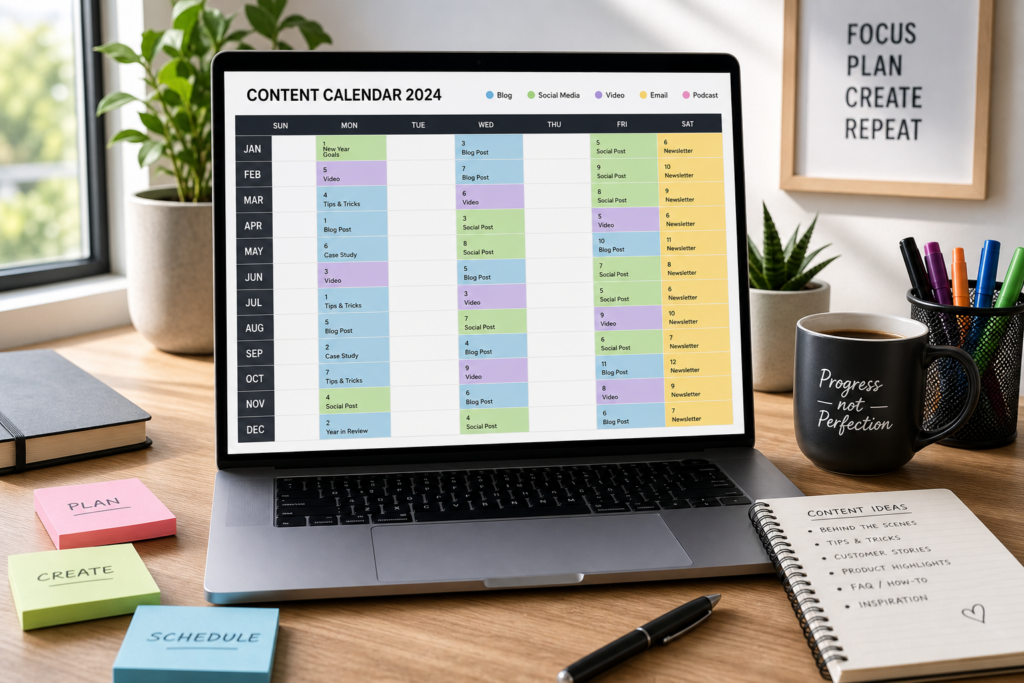
How to Create a Content Calendar for Your Blog in 2024
Maintaining a successful blog in 2024 is all about publishing consistent, quality content. A content calendar helps you stay organized, plan ahead, and achieve your blogging goals. In this guide, we’ll walk you through how to create an effective content calendar for your blog — whether you’re a solo blogger or managing a team.
What Is a Content Calendar?
Used by 2,400+ tax professionals
A content calendar (sometimes called an editorial calendar) is a visual workflow that maps out your publishing schedule. It helps bloggers and marketers plan topics, assign deadlines, organize assets, and track progress. By using a content calendar, you ensure your blog stays active, relevant, and engaging for your audience.

Why Do You Need a Content Calendar in 2024?
- Consistency: Posting regularly builds audience trust and engagement.
- Efficiency: Plan topics in advance to reduce last-minute stress.
- Strategic Planning: Align content with seasonal trends, launches, or business goals.
- Collaboration: Teams can see deadlines, responsibilities, and progress at a glance.
Step-by-Step: How to Create Your Blog Content Calendar
1. Set Your Blogging Goals
What do you want your blog to achieve in 2024? Define your objectives—whether they’re increasing traffic, building a mailing list, or establishing authority in your niche.
2. Choose Your Tools
There are plenty of ways to build your calendar:
- Simple: Google Calendar, Excel, or Trello
- Advanced: Asana, CoSchedule
- WordPress Plugins: Editorial Calendar, Strive
3. Brainstorm Content Ideas
Use keyword research, brainstorm sessions, and industry trends to plan a mix of evergreen, seasonal, and trending topics.
4. Map Out Your Posting Frequency
Will you post once a week or multiple times? Consistency is more important than frequency—choose what’s realistic for you.
5. Build Your Calendar
| Date | Topic | Format | Status |
|---|---|---|---|
| Jan 5 | 2024 Blogging Trends | Article | Drafted |
| Jan 12 | SEO Basics for Beginners | Guide | Scheduled |
| Jan 19 | How to Monetize a Blog | Article | Idea |
6. Assign Tasks and Deadlines
If you have a team, assign roles for writing, editing, and publishing. Set deadlines for each stage.
7. Track Progress and Stay Flexible
Review your calendar regularly. Adjust topics based on analytics, feedback, or industry developments.
Tips for Maintaining Your Content Calendar

- Batch-create outlines or drafts.
- Use color-coding for different content types.
- Schedule time for promotion and updates.
- Repurpose older content into new formats.
Recommended Tools & Resources
- Best Content Calendar Templates (Free Downloads)
- Top Keyword Research Tools
- CMI’s Editorial Calendar Toolkit (2024)
- HubSpot: Editorial Calendar Templates
Frequently Asked Questions
- How far in advance should I plan my content?
- Many experts recommend planning at least a month in advance, but quarterly planning can help you take a more strategic approach.
- What’s the best free content calendar tool?
- Google Sheets or Trello are great free options if you’re starting out. Both offer easy collaboration and customization.
- How often should I update my content calendar?
- Review and update your calendar weekly to account for new ideas, trends, or changes in your schedule.
- Can I use a content calendar for social media scheduling?
- Absolutely! Most bloggers use one calendar to plan blog posts and associated social content together.
- How can analytics improve my content calendar?
- Regularly reviewing analytics lets you double down on content that performs well and pivot away from less popular topics.
- What if I miss a scheduled post?
- Be flexible! Move the topic to another slot and refocus on consistency over perfection.
- Is it okay to repeat topics?
- Yes, especially with fresh data or new angles—just don’t repeat too frequently.
Conclusion
Creating a content calendar in 2024 is one of the smartest steps you can take to grow your blog. With the right tools, planning, and flexibility, you can create a workflow that saves time, improves content quality, and helps you reach your blogging goals. Ready to get started? Check out our free content calendar templates for 2024!

