
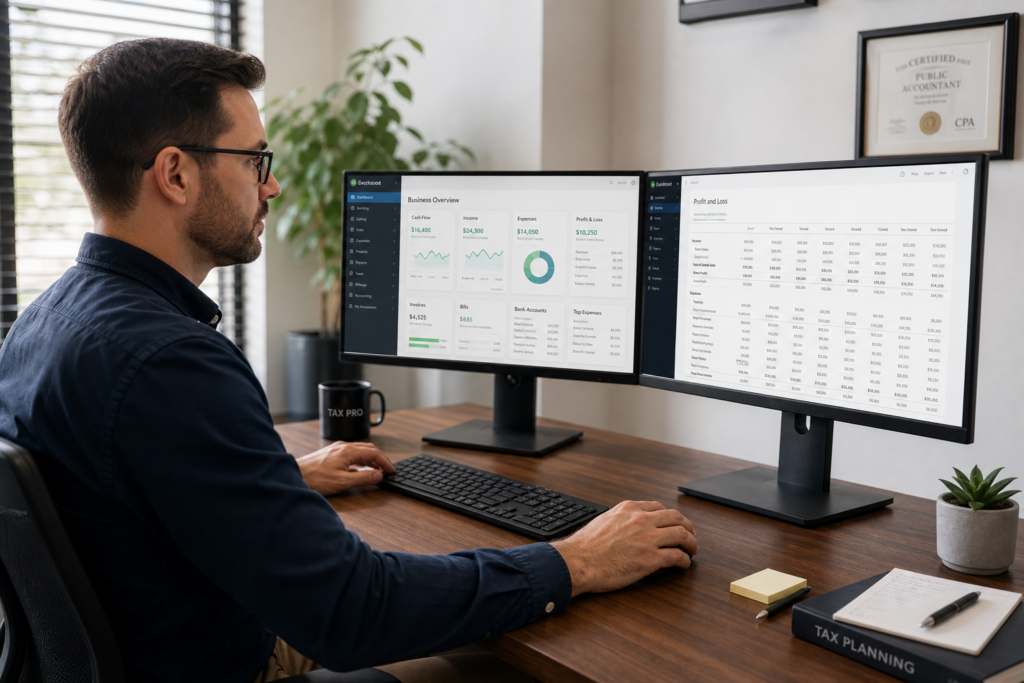
DIY Bookkeeping Software: 2026 Tax Pro Guide
For the 2026 tax year, DIY bookkeeping software has evolved from simple expense tracking to AI-powered financial operating systems that fundamentally reshape how tax professionals deliver advisory services. This article examines how tax pros can leverage these platforms to automate client workflows, scale advisory revenue, and position themselves as strategic partners rather than compliance-only providers.
Table of Contents
Used by 2,400+ tax professionals
- Key Takeaways
- What Is DIY Bookkeeping Software and Why Does It Matter for Tax Pros?
- How Does Automation Change the Tax Advisory Model?
- What Platforms Deliver Real Results for Tax Professionals?
- How Can You Integrate Bookkeeping Software With Tax Planning?
- What Are the Client Selection Criteria for DIY Software?
- How Do You Price Tech-Enabled Bookkeeping Services?
- Uncle Kam in Action: Tax Pro Scales Advisory With Automated Bookkeeping
- Next Steps
- Frequently Asked Questions
- Related Resources
Key Takeaways
- AI-powered platforms now automate 80% of bookkeeping records for digital businesses in 2026.
- Tax professionals using automation achieved 31% time savings during 2026 tax season.
- Bundling bookkeeping with tax advisory services creates recurring revenue and higher client lifetime value.
- Real-time financial data enables proactive tax planning throughout the year.
- Modern platforms integrate with payment processors, banks, and email to eliminate manual data entry.
What Is DIY Bookkeeping Software and Why Does It Matter for Tax Pros?
Quick Answer: DIY bookkeeping software automates financial record-keeping for small businesses using AI and integration. For tax professionals, these platforms create advisory opportunities by delivering real-time client data.
DIY bookkeeping software refers to cloud-based platforms that enable business owners to manage their own financial records with minimal manual intervention. In 2026, the category has evolved significantly. Modern platforms like GetBertie, which launches in Q4 2026, claim to self-assemble 80% of financial records automatically by aggregating data from banks, payment processors like Stripe, and even email platforms like Gmail.
For tax professionals, this shift represents both a threat and an opportunity. The threat is obvious: if clients can handle their own bookkeeping, why would they need you? However, the opportunity is far more significant. When clients use DIY bookkeeping software correctly, tax professionals gain access to real-time, accurate financial data throughout the year, enabling proactive tax strategy rather than reactive compliance work.
The Evolution From Manual to Intelligent Automation
Traditional bookkeeping software required users to manually categorize every transaction. Modern platforms use machine learning to recognize patterns and automatically classify expenses. According to research from FinTech Futures, platforms launching in 2026 are designed specifically for digital-first businesses like SaaS creators, ecommerce sellers, and freelancers.
The shift is profound. Instead of asking clients to send you a shoebox of receipts or messy spreadsheets in March, you now receive continuous, categorized financial data. This enables tax professionals to identify planning opportunities in real time, such as maximizing the qualified business income deduction or optimizing retirement contributions before year-end.
Key Features That Drive Tax Professional Value
When evaluating DIY bookkeeping software for your client base, focus on platforms that offer:
- Bank and payment processor integration: Automatic transaction import from checking accounts, credit cards, PayPal, Stripe, and Square.
- Receipt capture and OCR: Mobile apps that photograph receipts and extract data automatically.
- Multi-user access: Ability for you to view client books in real time without constant file exports.
- Tax form readiness: Built-in categorization that maps to Schedule C, Schedule E, or corporate return line items.
- API access: Integration with your tax preparation software for seamless data flow.
Pro Tip: Platforms with multi-entity support enable you to manage clients with holding companies or multiple LLCs from a single dashboard. This is critical for real estate investors with multiple properties.
Why Tax Professionals Should Embrace DIY Tools
Many CPAs and Enrolled Agents resist client-managed bookkeeping because they fear loss of control or data quality issues. However, firms that successfully integrate DIY bookkeeping software into their service model report significant benefits. As reported by Lancaster Eagle-Gazette, Snyder & Company launched Integral Bookkeeping LLC in June 2026 specifically to provide QuickBooks-based bookkeeping that integrates seamlessly with their tax planning services.
The key insight is this: DIY doesn’t mean “without professional oversight.” It means clients handle data entry while you provide strategic guidance, quality control, and tax optimization. This division of labor allows you to serve more clients profitably while delivering higher-value services.
How Does Automation Change the Tax Advisory Model?
Quick Answer: Automation shifts tax professionals from data entry to strategic advisory work. Firms using AI-powered bookkeeping report 31% time savings, enabling higher-value client interactions.
The traditional tax practice model relies on leveraging junior staff for data entry and routine compliance work. This model is under pressure as AI platforms eliminate much of that entry-level work. According to Forbes, Thrive Holdings invested $1 billion in AI-powered accounting specifically to automate the tedious work of inputting client documentation into tax returns.
During the 2026 tax season, firms using Tax AI processed 7,000 returns directly through AI systems, achieving up to 98% accuracy in data entry and an average time savings of 31%. One accountant who spent 180 hours on tax preparation the prior year completed the same work in just 15 hours in 2026, freeing up time to focus on client advisory calls.
The Shift From Compliance to Strategy
When bookkeeping automation eliminates 5-10 hours per client of manual data entry, tax professionals face a critical choice. You can either reduce your fees proportionally or you can reinvest those hours into higher-value activities that justify premium pricing. Progressive firms are choosing the latter, repositioning themselves from tax preparers to tax strategists.
This strategic approach involves:
- Quarterly tax planning meetings using real-time bookkeeping data
- Proactive identification of deduction opportunities and estimated tax adjustments
- Entity structure optimization based on actual financial performance
- Multi-year tax projection scenarios to guide business decisions
- Integration of retirement planning and wealth accumulation strategies
These activities command significantly higher fees than basic compliance work. While a standalone tax return might generate $500-$2,000 in revenue, year-round advisory relationships with automated bookkeeping integration typically generate $5,000-$15,000 annually per client.
Building Recurring Revenue Through Monthly Services
DIY bookkeeping software enables tax professionals to offer monthly subscription services. Instead of the traditional model where revenue concentrates in March and April, you create predictable monthly income by providing:
- Monthly bookkeeping review and reconciliation
- Quarterly estimated tax calculations and reminders
- Year-to-date tax projections with strategy recommendations
- Financial dashboard access with KPI tracking
- Unlimited email and messaging support for tax questions
This model transforms your practice from a seasonal business to a stable, predictable operation. Clients appreciate the continuous support, and you benefit from consistent cash flow and deeper client relationships that resist fee pressure and competitor poaching.
Pro Tip: Package your monthly service with annual tax preparation and filing at a bundled rate. This increases client commitment and reduces churn compared to standalone tax prep relationships.
Addressing the Talent Pipeline Challenge
One concern tax professionals raise about automation is the impact on entry-level jobs and staff development. If AI handles data entry, how do junior associates build foundational skills? According to Accounting Today, forward-thinking firms are redesigning their training programs to focus on judgment, client communication, and strategic thinking from day one.
Instead of spending two years reconciling bank statements, new staff members now learn tax strategy, entity structuring, and advisory skills immediately. This accelerated development creates more valuable team members faster and makes your firm more attractive to top talent who want to do meaningful work rather than manual data entry.
What Platforms Deliver Real Results for Tax Professionals?
Quick Answer: QuickBooks Online, Xero, FreshBooks, and emerging AI platforms like GetBertie offer different strengths. The best choice depends on your client profile and integration needs.
Not all DIY bookkeeping software platforms are created equal. Tax professionals need to evaluate options based on client industry, business complexity, technical sophistication, and integration with your existing technology stack.
Platform Comparison: Features and Best Use Cases
| Platform | Automation Level | Best For | Tax Pro Integration |
|---|---|---|---|
| QuickBooks Online | High | Service businesses, retailers, contractors | Excellent – ProAdvisor program, direct tax software integration |
| Xero | High | International clients, inventory-based businesses | Very Good – Partner program, extensive app ecosystem |
| FreshBooks | Medium | Freelancers, consultants, creative professionals | Good – Accountant access, limited tax software integration |
| Wave | Medium | Micro-businesses, side hustlers (free tier) | Limited – Basic export capabilities only |
| GetBertie (Q4 2026) | Very High (80% automation) | SaaS creators, digital businesses, indie hackers | Unknown – Platform launching Q4 2026 |
QuickBooks Online: The Industry Standard
QuickBooks Online remains the dominant platform for tax professionals serving small businesses. The ProAdvisor certification program provides training, support, and client referrals. For tax pros, the platform’s strength lies in its universal recognition—most clients have heard of QuickBooks, reducing adoption friction—and its deep integration with virtually every tax preparation software on the market.
However, QuickBooks pricing has increased significantly in recent years. The tier most appropriate for tax professional-managed clients now costs $70-$90 per month, which can be a barrier for smaller clients. Additionally, while the platform offers automation features like bank feed rules and receipt capture, it still requires more manual configuration than newer AI-first platforms.
Xero: The International Alternative
Xero has gained market share among tax professionals serving clients with international operations or complex inventory needs. The platform’s bank reconciliation interface is intuitive, and its app marketplace offers hundreds of specialized integrations for niche industries. Xero’s pricing is competitive with QuickBooks, and many tax pros appreciate its cleaner, more modern user interface.
The primary limitation for U.S. tax professionals is that Xero’s tax form mapping isn’t as robust as QuickBooks. You’ll typically need to use a third-party integration or export data to Excel before importing into your tax software. This adds friction to your workflow but may be worthwhile for clients who value Xero’s other features.
Emerging AI-First Platforms
Platforms like GetBertie represent the next generation of DIY bookkeeping software. Instead of requiring users to set up rules and categories, these systems use AI to automatically classify transactions based on context. For example, GetBertie aggregates data from Stripe, Gmail, and bank accounts to self-assemble financial records with minimal user input.
For tax professionals, these platforms are particularly appealing for digital-native clients like ecommerce sellers, SaaS founders, and content creators. These business models often have complex revenue streams across multiple platforms (Amazon, Shopify, Etsy, Stripe, PayPal) that traditional bookkeeping software struggles to handle efficiently. AI platforms excel at aggregating and categorizing these disparate data sources.
The trade-off is that these platforms are newer and less proven. Integration with tax software may be limited initially, and you’ll need to evaluate their data security and backup procedures carefully before recommending them to clients.
How Can You Integrate Bookkeeping Software With Tax Planning?

Quick Answer: Real-time bookkeeping data enables quarterly tax projections, proactive strategy implementation, and year-end optimization. Integration transforms reactive compliance into proactive planning.
The true power of DIY bookkeeping software for tax professionals lies in the continuous data stream it provides. Instead of receiving a client’s financial information once per year in March, you gain real-time visibility into their business performance throughout the year. This visibility enables proactive tax planning that generates substantially more value than traditional compliance-only services.
Quarterly Tax Projection Workflow
Establish a quarterly rhythm with clients who use DIY bookkeeping software. Each quarter, follow this workflow:
- Week 1 after quarter-end: Access client bookkeeping platform and run financial reports.
- Week 2: Calculate year-to-date tax liability and estimate full-year projection.
- Week 3: Schedule 30-45 minute client call to review projections and identify strategies.
- Week 4: Document action items and follow up on implementation.
During these quarterly reviews, you can identify opportunities such as:
- Adjusting estimated tax payments based on actual income trends
- Accelerating equipment purchases to maximize Section 179 or bonus depreciation
- Optimizing retirement plan contributions (Solo 401(k) limit: $22,500 for 2026, plus profit-sharing)
- Implementing entity structure changes mid-year when financial performance warrants it
- Timing income recognition or expense deductions across year-end
Year-End Planning Intensive
In November and December, leverage real-time bookkeeping data to conduct comprehensive year-end planning sessions. With accurate October numbers available in early November, you can model precise tax scenarios and implement strategies before December 31.
For example, if a client’s bookkeeping shows they’ll have $300,000 of qualified business income, you can model the impact of various retirement contribution scenarios on their overall tax liability. A Solo 401(k) contribution of $22,500 plus profit-sharing up to the $69,000 total limit (2026 amounts) could reduce both ordinary income tax and the net investment income tax for high earners.
The key differentiator is precision. Without real-time bookkeeping, you’re guessing based on last year’s numbers or client estimates. With integrated DIY software, you’re working from actual financial data, making your recommendations far more credible and actionable.
Pro Tip: Use tax planning software to model multiple scenarios during year-end planning calls. Show clients side-by-side comparisons of different strategies to help them make informed decisions.
Integration With Business Financial Metrics
Advanced tax professionals use DIY bookkeeping data to provide business advisory services beyond pure tax planning. When you understand a client’s cash flow patterns, profit margins, and growth trends, you can advise on topics like pricing strategy, hiring decisions, and expansion timing from a tax-optimized perspective.
For instance, if a client’s bookkeeping shows they consistently maintain $100,000 in their business checking account, you might recommend implementing an S Corporation structure and paying themselves a reasonable salary, then distributing excess cash to minimize self-employment tax. According to IRS.gov, S Corporation distributions are not subject to the 15.3% self-employment tax that applies to sole proprietor and partnership income.
What Are the Client Selection Criteria for DIY Software?
Quick Answer: DIY bookkeeping software works best for tech-savvy clients with straightforward business models. Complex inventory, job costing, or multi-entity structures may require full-service bookkeeping.
Not every client is a good candidate for DIY bookkeeping software. Tax professionals must evaluate each client’s technical capability, business complexity, and willingness to engage with financial software before recommending a DIY approach.
Ideal Candidate Profile
Clients who thrive with DIY bookkeeping software typically share these characteristics:
- Digital-first business model: Primarily online revenue through payment processors like Stripe, PayPal, or Square
- Simple revenue streams: Service businesses, consultants, or single-product businesses
- Tech-comfortable: Uses smartphones, cloud apps, and is willing to learn new software
- Engaged owner: Wants to understand their numbers and is willing to review reports monthly
- Appropriate scale: Revenue between $50,000 and $500,000 annually
Examples of ideal clients include freelance consultants, ecommerce sellers with dropshipping models, SaaS founders, digital marketing agencies, and real estate agents. These businesses typically have straightforward income and expenses that map cleanly to tax form categories.
When to Recommend Full-Service Bookkeeping
Some situations require professional bookkeeping rather than DIY software:
- Inventory management: Product-based businesses with cost-of-goods-sold tracking
- Job costing: Contractors or agencies that need project-level profitability analysis
- Multi-entity structures: Holdings companies with multiple operating entities
- Accounts receivable management: B2B businesses with net-30 or net-60 payment terms
- Technical complexity: Clients who struggle with basic software or email
For these clients, consider offering or partnering with a full-service bookkeeping provider. The approach taken by Snyder & Company—launching a dedicated bookkeeping entity that integrates with tax planning—represents a model worth considering for larger firms.
The Hybrid Approach
Many tax professionals find success with a hybrid model. Clients handle day-to-day transaction entry using DIY software, while you or your staff perform monthly reconciliation, cleanup, and financial reporting. This division of labor keeps costs reasonable while maintaining data quality.
For example, a client might spend 1-2 hours per month uploading receipts and categorizing unusual transactions, while you spend 1 hour monthly reviewing their books, fixing errors, and generating reports. This 2-3 hour total monthly commitment is far more efficient than full-service bookkeeping while still ensuring accuracy.
How Do You Price Tech-Enabled Bookkeeping Services?
Quick Answer: Value-based pricing focused on outcomes generates higher margins than hourly billing. Package bookkeeping oversight, tax planning, and compliance into annual subscriptions priced $3,000-$15,000.
Pricing technology-enabled services requires shifting from hourly billing to value-based subscriptions. When automation reduces your time investment, billing by the hour penalizes your efficiency. Instead, price based on the value delivered to clients.
Service Package Structure
Consider offering tiered packages that bundle bookkeeping oversight, tax planning, and compliance:
| Package | Services Included | Annual Price | Target Client |
|---|---|---|---|
| Essential | Monthly bookkeeping review, quarterly tax estimates, annual return | $3,000-$5,000 | Side business, $50K-$100K revenue |
| Growth | All Essential plus quarterly planning calls, entity structure review | $6,000-$10,000 | Full-time business, $100K-$300K revenue |
| Premium | All Growth plus monthly advisory, multi-year projections, unlimited support | $12,000-$20,000 | Established business, $300K+ revenue |
Communicating Value Over Cost
When presenting pricing to clients, focus on value delivered rather than time spent. Instead of saying “I’ll spend X hours on your bookkeeping,” frame it as “You’ll receive accurate financials by the 10th of each month, quarterly tax planning to minimize surprises, and proactive strategies that typically save clients 2-5x our fee.”
The most effective pricing conversations include a specific example of tax savings you’ve generated for similar clients. For instance, “Last year I helped a consultant similar to you implement an S Corporation structure and home office deduction that saved $8,500 in taxes. My annual fee was $4,000, so she netted $4,500 in savings after my fee—and she’ll see similar savings every year going forward.”
Monthly Payment Plans
Offer monthly payment plans even if you’re pricing the service as an annual package. A $6,000 annual fee feels more manageable as $500 per month. Monthly payments also improve your cash flow and make the service feel like an ongoing relationship rather than a once-per-year transaction.
Many tax professionals require the first month plus enrollment fee upfront, then spread the remaining balance over 11 months. This structure ensures you’re compensated for setup work while providing clients with predictable monthly expenses.
Uncle Kam in Action: Tax Pro Scales Advisory With Automated Bookkeeping
Client Profile: Jennifer is an Enrolled Agent with a 15-year practice serving about 200 tax preparation clients. Her revenue was stagnant at around $150,000 annually, and she was burning out from the seasonal grind of tax season.
The Challenge: Jennifer wanted to transition from pure compliance work to year-round advisory services, but she lacked the infrastructure to monitor client financials throughout the year. She tried to get clients to send her quarterly reports, but fewer than 20% complied. Without current financial data, she couldn’t provide proactive planning advice.
The Uncle Kam Solution: Jennifer identified 50 of her best clients who were tech-comfortable and had digital-first businesses. She introduced a new “Tax Advisory Plus” service that required clients to use QuickBooks Online with Jennifer as a ProAdvisor user. She implemented a quarterly review process supported by automated reporting and scenario modeling.
Jennifer used Uncle Kam’s tax planning software with unlimited assessments to run year-round tax projections for these advisory clients. The unlimited assessment feature was critical—she could model multiple scenarios during quarterly calls without worrying about per-analysis costs. For example, when a client asked about hiring their first employee versus using contractors, Jennifer ran both scenarios on the spot during their call.
The Results: Within 18 months, Jennifer converted 35 of the 50 targeted clients to the Tax Advisory Plus service at an average fee of $7,200 per year (up from her previous $1,500 average for tax prep only). This generated an additional $200,000 in annual revenue while actually reducing her March-April workload since much of the tax return work was completed through quarterly reviews.
One client, a freelance software developer, saved $11,400 in 2026 taxes through an S Corporation election that Jennifer recommended during a Q2 planning call based on the client’s QuickBooks data. The client’s net savings after Jennifer’s fee was $4,200 in the first year, with ongoing annual savings of similar magnitude going forward. Jennifer documented this case study on her website and used it to close five additional advisory clients within three months.
Key Takeaway: By combining DIY bookkeeping software (which clients managed) with strategic oversight and unlimited tax planning modeling, Jennifer transformed her practice from a seasonal tax prep shop into a year-round advisory firm with stable cash flow and higher per-client revenue. She now works fewer hours during tax season but earns more than double her previous income.
Want to implement a similar model in your practice? Book a strategy session to discuss how Uncle Kam’s platform can support your transition to advisory services.
Next Steps
Ready to leverage DIY bookkeeping software to scale your advisory practice? Take these actions:
- Audit your current client base to identify 10-20 ideal candidates for technology-enabled advisory services.
- Select a primary bookkeeping platform and earn the relevant certification (QuickBooks ProAdvisor or Xero Partner).
- Design your service packages and pricing using the value-based framework discussed above.
- Implement tax planning software that integrates with your bookkeeping platform for seamless scenario modeling.
- Schedule discovery calls with your target clients to introduce the new service model.
- Book a strategy session with Uncle Kam to build your advisory practice roadmap.

