
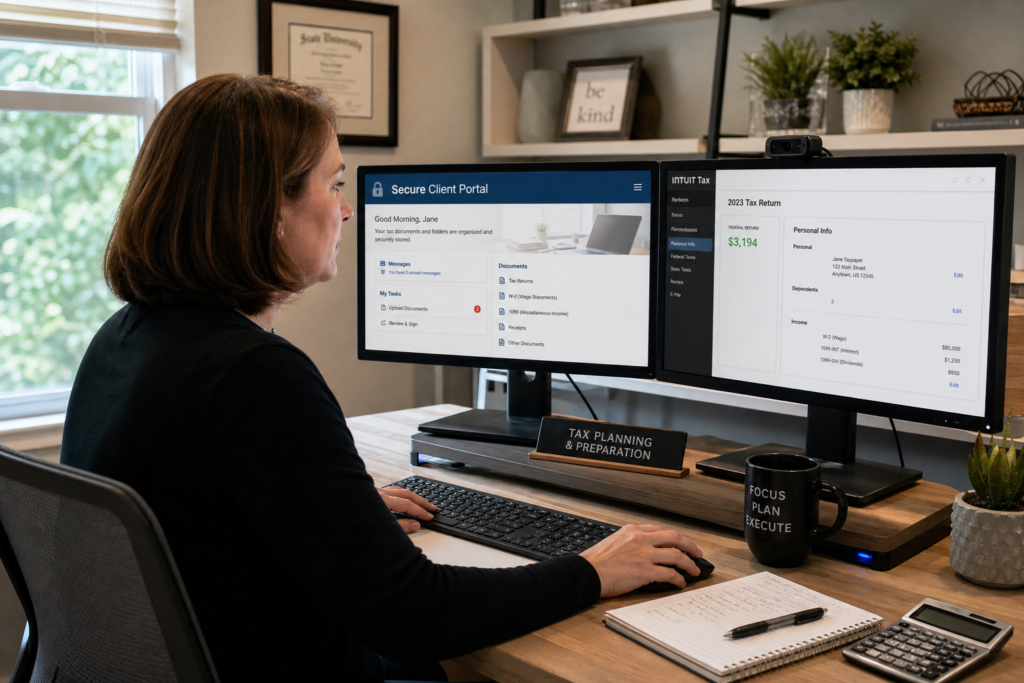
Digital Workflow for Tax Preparation: 2026 Firm Guide
A strong digital workflow for tax preparation is now the difference between a firm that scales and one that stalls. If you run a solo tax practice, you wear every hat. You prep returns, chase documents, and answer client emails at midnight. A modern automated tax firm workflow gives you leverage. This 2026 guide shows you how to build one, protect client data, and free time for high-value advisory work. Let’s get started.
Table of Contents
- Key Takeaways
- What Is a Digital Workflow for Tax Preparation?
- Why Do Solo Practitioners Need a Digital Workflow in 2026?
- What Are the Core Stages of a Digital Tax Workflow?
- How Do You Protect Client Data in a Digital Workflow?
- How Do You Turn a Digital Workflow Into Advisory Revenue?
- Uncle Kam in Action
- Next Steps
- Related Resources
- Frequently Asked Questions

Key Takeaways
- A digital workflow for tax preparation removes manual steps and frees hours each week.
- Solo firms in 2026 must automate to compete with larger, tech-driven firms.
- Data security is now a core part of any tax workflow, not an afterthought.
- Time saved from automation should fund high-margin advisory services.
- Advisory revenue scales far better than seasonal, commoditized tax prep.
What Is a Digital Workflow for Tax Preparation?
Quick Answer: A digital workflow for tax preparation is a connected system of software steps that moves a return from intake to filing without manual handoffs.
A digital workflow for tax preparation replaces paper folders and email chains with linked software. Each stage feeds the next. Client data flows from intake to review to e-file. As a result, you touch each return fewer times. Moreover, nothing falls through the cracks.
Think of it as an assembly line for returns. However, the goal is not speed alone. The goal is consistency, accuracy, and free time. Furthermore, a good workflow scales as your client count grows. You can learn more about building efficient systems on our business solutions and automation page.
The Key Components of a Modern Workflow
A complete digital workflow ties several tools together. Each tool handles one job well. Then it passes work to the next tool automatically. Common parts include the following:
- A secure client portal for document upload and e-signatures.
- Automated document requests and reminder emails.
- Tax prep software that imports scanned data directly.
- A project tracker showing every return’s status at a glance.
- Cloud storage with strong encryption and access controls.
Why the Term Matters for E-A-T
Clients notice when your process feels smooth. In addition, they notice when it feels messy. A clean digital workflow signals expertise and trust. Therefore, it protects your reputation. It also makes referrals easier to earn. The IRS pushes e-filing for most preparers, so digital tools are the baseline. Review the official rules on the IRS e-file for tax professionals page.
Pro Tip: Map your current process on paper first. Then find the steps that repeat every year. Those repeat steps are your best automation targets.
Why Do Solo Practitioners Need a Digital Workflow in 2026?
Quick Answer: Solo firms need a digital workflow in 2026 to compete on efficiency, avoid burnout, and free time for profitable advisory work.
The pressure on solo firms is real. Larger firms now invest heavily in artificial intelligence and automation. In fact, nearly every regional firm named tech as a top 2026 priority in an industry survey of growth strategies. If you rely on manual steps, you fall behind. However, the right systems let a one-person shop punch far above its weight.
Burnout is another driver. You cannot bill more hours than you have. Therefore, growth from raw effort has a hard ceiling. A digital workflow breaks that ceiling. Consequently, you serve more clients without working more nights. This matters most for self-employed and 1099 preparers running lean.
The Cost of Staying Manual
Manual work is expensive in hidden ways. For example, chasing missing documents by phone eats hours. Re-keying data invites errors. Errors invite amended returns and lost trust. In short, manual firms leak money and time all season long.
A Simple Time-Savings Example
Say you prepare 300 returns each season. Suppose automation saves 20 minutes per return. That equals 100 hours saved. At a $250 advisory rate, those hours are worth $25,000. Clearly, the math favors automation. Furthermore, that freed time can fund a whole new service line.
Did You Know? The IRS raised the 2026 standard business mileage rate to 76 cents per mile, up from 72.5 cents. Small figures like this change yearly, so automated software updates protect you from stale data.
What Are the Core Stages of a Digital Tax Workflow?
Quick Answer: The core stages are intake, document collection, preparation, review, client delivery, and e-filing, all linked in one connected system.
Every return follows the same path. A digital workflow for tax preparation makes that path repeatable. As a result, quality stays high even when volume spikes. Below is a simple stage-by-stage map. You can adapt it to your own firm and software stack.
Stage-by-Stage Breakdown
| Stage | Manual Method | Digital Method (2026) |
|---|---|---|
| Intake | Paper organizer mailed | Online questionnaire in portal |
| Documents | Email or drop-off | Secure upload with auto-reminders |
| Preparation | Manual data entry | Scan-and-import automation |
| Review | Printed checklist | Built-in diagnostic flags |
| Delivery | In-person signing | E-signature and portal delivery |
Notice how each digital step removes a delay. In addition, each step creates a record. That record helps with compliance and audits. For filing rules, the IRS keeps current guidance on its official e-file options page.
Building Handoffs That Do Not Break
The weak point in most firms is the handoff. Work stalls when it moves between tools. Therefore, pick tools that connect natively or through integrations. Likewise, use one status tracker as your single source of truth. Our team covers this in the tax prep and filing service overview.
Pro Tip: Assign a status to every return, such as “waiting on client” or “in review.” Update it daily. This one habit ends most status-check emails.
How Do You Protect Client Data in a Digital Workflow?

Quick Answer: Protect client data with encryption, multi-factor login, a written security plan, and vendors that meet IRS safeguard rules.
Going digital raises the stakes for security. The IRS pushed hard to digitize documents under its Zero Paper Initiative. That program spans four contracts worth $2.3 billion over five years. However, watchdogs flagged staffing and security gaps in 2026. You can read one analysis from the National Taxpayers Union Foundation. The lesson is clear. Digital scale needs strong safeguards.
Your firm faces the same risk on a smaller scale. As a result, security must be built into every stage. It cannot be a bolt-on afterthought. Moreover, the IRS requires paid preparers to maintain a written security plan.
Your Required Written Information Security Plan
Every paid preparer must keep a Written Information Security Plan, or WISP. This is not optional. The IRS offers a free template and guidance. Review it in IRS Publication 5708. A strong plan includes these core parts:
- A named person responsible for data security.
- A list of all systems that store client data.
- Encryption for data at rest and in transit.
- Multi-factor authentication on every login.
- A response plan for any data breach.
Vetting Your Software Vendors
Your workflow is only as safe as its weakest tool. Therefore, vet each vendor before you sign up. Ask about encryption standards and data centers. Also confirm they support multi-factor login. The Federal Trade Commission offers helpful guidance on the Gramm-Leach-Bliley safeguards rule.
Pro Tip: Turn on multi-factor login for every tool today. It blocks most account takeovers. Furthermore, it takes only minutes to set up.
How Do You Turn a Digital Workflow Into Advisory Revenue?
Quick Answer: Reinvest the time your workflow saves into proactive tax planning, which commands far higher fees than seasonal prep.
Here is the real payoff. A digital workflow for tax preparation frees your calendar. Then you fill that calendar with advisory work. Advisory means proactive tax strategy and planning, not just filing. In addition, advisory pays year-round, not just in spring.
The industry is moving this way fast. Firm leaders now point to advisory and cross-selling as top growth drivers. They want to become “indispensable advisors rather than transactional service providers.” You can match them as a solo firm. However, you need systems and a plan. Learn how the Uncle Kam marketplace helps tax pros transition to advisory with AI software, MERNA certification, and warm leads.
San Diego preparers helping self-employed clients can use our San Diego self-employment tax calculator to show quick 2026 savings during planning calls.
From Prep Fee to Planning Fee
Compare the two models below. Prep is a one-time, price-sensitive fee. Planning is a recurring, value-based fee. Clearly, planning wins for a growing firm.
| Factor | Tax Prep Only | Tax Advisory |
|---|---|---|
| Typical fee | $300 to $800 | $3,000 to $10,000+ |
| Timing | Seasonal spike | Year-round revenue |
| Client value | Compliance only | Real tax savings |
The Software That Powers the Shift
The biggest friction point for solo pros is proving value before a client pays. Many planning tools cap usage or charge per analysis. That makes you ration assessments on prospects who may not buy. By contrast, Uncle Kam offers tax planning software with unlimited assessments. You can run a free, client-ready plan for every prospect. As a result, you prove savings before the engagement is signed. This turns your freed-up time into booked advisory clients. Ready to see how it fits your firm? Book a Free Strategy Session to map your advisory launch with a growth strategist.
Pro Tip: Offer one planning meeting to your top 10 clients this year. Most will say yes. A few will become high-fee advisory clients.
Uncle Kam in Action: The Solo CPA Who Scaled Without Hiring
Client Snapshot: Maria is a 44-year-old solo CPA in San Diego. She ran a one-person firm and prepared roughly 320 returns each season. She wore every hat and worked long nights each spring.
Financial Profile: Her firm earned about $210,000 in annual revenue. Nearly all of it came from seasonal tax prep. Consequently, cash flow dropped sharply after April.
The Challenge: Maria felt stuck. She could not add clients without adding hours. However, hiring felt too risky on thin margins. Meanwhile, larger firms nearby leaned into automation and advisory. She feared falling behind.
The Uncle Kam Solution: We helped Maria rebuild her digital workflow for tax preparation from intake to e-file. First, we set up a secure portal and auto-reminders. Then we added scan-and-import prep and a status tracker. As a result, she cut about 22 minutes off each return. That freed roughly 115 hours across the season.
Next, we helped her launch a tax planning service. Using our software, she ran free assessments for her top clients. She showed each one clear, projected 2026 savings. Therefore, the value felt real before they paid. Twelve clients signed advisory engagements that year.
The Results: Those advisory clients added $84,000 in new recurring revenue. Her investment with Uncle Kam was $12,000 for the year. That equals a first-year ROI of seven times her fee. Furthermore, her spring hours dropped, and her income now spans the whole year. See more outcomes on our client results page.
Next Steps
You now know how a digital workflow drives both efficiency and growth. Before the next busy season, take these concrete steps. Each one moves your firm toward scalable, profitable advisory work. Explore our resources for business owners and firm owners as you plan. When you are ready to scale, apply to join the network and get a personalized roadmap.
- Map your current workflow and mark every manual step.
- Write or update your required WISP this month.
- Turn on multi-factor login for every tool today.
- Pick 10 clients to offer a planning meeting.
- Book a strategy session to launch your advisory model.
This information is current as of 7/28/2026. Tax laws change frequently. Verify updates with the IRS if reading this later.
Related Resources
- Tax Advisory Services for Growing Firms
- The MERNA Method for Tax Planning
- Uncle Kam Tax Strategy Blog
- Free Tax Calculators and Tools
Frequently Asked Questions
How long does it take to build a digital workflow?
Most solo firms build a working system in four to eight weeks. Start with a portal and status tracker. Then add automation over time. As a result, you avoid overwhelm and see fast wins.
Does a digital workflow raise my software costs?
Yes, tool costs may rise slightly. However, the time savings far outweigh the fees. For example, saving 100 hours easily covers several subscriptions. Therefore, most firms see a strong net gain.
Is a written security plan really required?
Yes, every paid preparer must keep a WISP. The IRS requires it under federal safeguard rules. Furthermore, it protects you if a breach occurs. Use IRS Publication 5708 as your free starting template.
Can automation replace my tax expertise?
No, automation handles busywork, not judgment. It frees you to focus on strategy and advice. In other words, your expertise becomes more valuable, not less. Clients pay for that judgment through advisory work.
How does a workflow help me sell advisory services?
A workflow frees time and surfaces client data. That data reveals planning opportunities. Then you show projected savings before the client pays. As a result, closing advisory work becomes far easier.
Should I automate everything at once?
No, automate in phases instead. Start with your biggest time drain first. Then build outward step by step. This approach keeps quality high and stress low.
Last updated: July, 2026

