
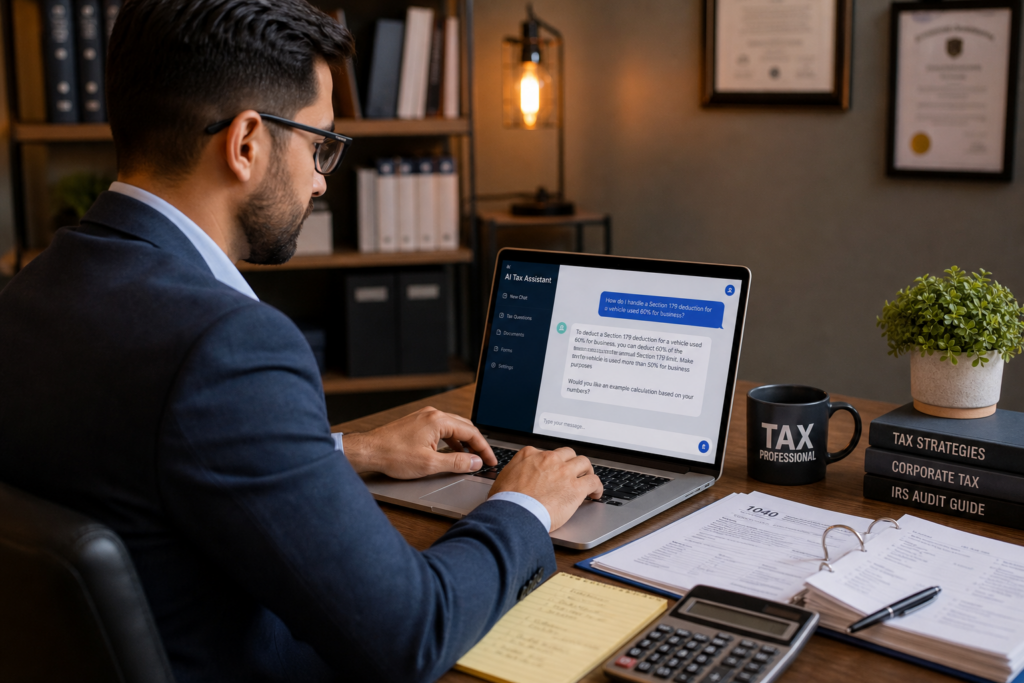
AI Chatbot for Accounting: The 2026 Guide for Tax Pros
An AI chatbot for accounting is now a must-have tool, not a novelty. In 2026, clients expect faster answers, sharper advice, and airtight security. If you feel anxious about AI, you are not alone. However, the right AI chatbot for accounting can free your time, boost your value, and grow your revenue. This guide shows you exactly how to use one. Florida tax pros can start with our Florida tax preparation services team.
Table of Contents
- Key Takeaways
- What Is an AI Chatbot for Accounting?
- Why Do Tax Pros Need an AI Chatbot in 2026?
- How Do You Choose the Right AI Chatbot for Accounting?
- How Do You Implement an AI Chatbot in Your Firm?
- What Are the Security Risks and How Do You Manage Them?
- How Does an AI Chatbot Help You Scale Advisory Services?
- Uncle Kam in Action
- Next Steps
- Related Resources
- Frequently Asked Questions

Key Takeaways
- An AI chatbot for accounting handles routine questions, so you focus on high-value advice.
- In 2026, 82% of accounting leaders say AI has raised client expectations.
- Clients now demand faster service, better advice, and stronger data security.
- Pick tools with strong security to protect client data and stay compliant.
- Use AI to scale advisory work and grow high-ticket revenue.
What Is an AI Chatbot for Accounting?
Quick Answer: An AI chatbot for accounting is software that answers questions, drafts documents, and automates routine tasks using conversational AI.
An AI chatbot for accounting uses natural language to help you work faster. You type a question, and it responds in seconds. Think of tools like ChatGPT, Claude, or Microsoft Copilot. Big firms use branded versions too. For example, EY built EYQ for its tax teams. These tools read data, spot patterns, and draft replies.
Moreover, these chatbots do more than chat. They summarize documents, flag errors, and pull answers from tax rules. As a result, you spend less time on busywork. Instead, you focus on strategy. That shift matters most for firms moving into proactive tax strategy and planning.
Common Tasks an AI Chatbot Handles
These tools cover a wide range of daily work. Therefore, they reduce your team’s manual load. Here are common uses:
- Answering routine client questions instantly
- Drafting emails, memos, and engagement letters
- Summarizing long IRS notices and rulings
- Explaining complex tax topics in plain words
- Sorting receipts and flagging missing documents
Chatbot vs. Full AI Platform
A basic chatbot answers questions. However, a full AI platform does much more. It models tax scenarios and builds client-ready plans. For instance, an AI tax planning software can evaluate a client’s 1040, 1120-S, and K-1 at once. That gives you deeper insight than a simple chat window. Consequently, you deliver better advice at scale.
Pro Tip: Never paste raw client Social Security numbers into a public chatbot. Use secure, firm-approved tools only.
Why Do Tax Pros Need an AI Chatbot in 2026?
Quick Answer: Clients now expect instant, expert service. An AI chatbot for accounting helps you meet that bar without burning out.
Client expectations have jumped in 2026. A recent industry survey found that 82% of accounting leaders say AI has raised the bar. Clients see AI give instant answers elsewhere. Therefore, they want the same speed from you. Firms that lag face more churn and fee pushback.
The data tells a clear story. Speed topped the list of rising demands. Furthermore, clients want better advice and stronger security. The table below breaks it down. These numbers come from Accounting Today reporting on AI expectations.
What Clients Want Most in 2026
| Client Demand | % of Firms Reporting It |
|---|---|
| Faster service | 79% |
| Better advice | 67% |
| Stronger data privacy | 66% |
| Better cybersecurity | 65% |
| Improved compliance | 63% |
| More transparency | 51% |
The Real Cost of Doing Nothing
Ignoring AI carries a price. Rush requests pile up during busy season. Meanwhile, competitors answer clients in minutes. As a result, slow firms lose clients and margin. An AI chatbot for accounting closes that gap. It also frees your team for ongoing advisory relationships that pay more. Business owners especially value quick, clear guidance.
Did You Know? In 2026, firms are adding AI-driven client advisory services faster than any other service line.
Want a faster path? Book a strategy session at unclekam.com/book-strategy-session and map your AI plan today.
How Do You Choose the Right AI Chatbot for Accounting?
Quick Answer: Choose a tool with strong security, tax accuracy, and clear workflows that fit your firm.
Not every AI chatbot for accounting fits your needs. Some excel at general writing. Others focus on tax logic and data. Therefore, match the tool to your goals. Ask smart questions before you buy. This protects both your firm and your clients.
Key Questions to Ask Any Vendor
Use this checklist during every demo. Consequently, you avoid costly mistakes:
- Where is my client data stored and processed?
- Does the tool train on my inputs? Can I opt out?
- How accurate is it on current tax rules?
- Does it integrate with my current software?
- What compliance standards does it meet?
Comparing Popular Tool Types
Different tools serve different roles. The table below compares three common types. Pick based on your firm’s stage and goals.
| Tool Type | Best For | Main Strength |
|---|---|---|
| General chatbot (ChatGPT, Claude) | Writing and research | Fast drafting |
| Office assistant (Copilot) | Email and documents | Deep app integration |
| Tax planning platform | Advisory and strategy | Client-ready plans |
Florida self-employed clients often ask about their tax bill. Offer your clients our Florida Self-Employment Tax Calculator to estimate 2026 obligations quickly. Remember, the self-employment tax rate stays at 15.3% for 2026. That covers 12.4% Social Security and 2.9% Medicare. The Social Security wage base is $184,500 in 2026.
Pro Tip: Test any AI chatbot on a known tax question first. Check its answer against IRS.gov before you trust it.
How Do You Implement an AI Chatbot in Your Firm?
Quick Answer: Start small, train your team, set clear rules, and expand once you see wins.
Rolling out an AI chatbot for accounting takes a plan. Do not deploy it firmwide on day one. Instead, start with one workflow. Then measure the results. This approach reduces risk and builds trust with staff.
A Simple 5-Step Roadmap
Follow these steps in order. As a result, your rollout stays smooth:
- Pick one task, like drafting client emails.
- Choose a secure, firm-approved tool.
- Train two or three team members first.
- Write clear rules for safe use.
- Review results, then expand to more tasks.
Training Your Team the Right Way
Your team drives success or failure. Therefore, invest in real training. Show staff how to write clear prompts. Also teach them to check every AI answer. AI can make mistakes, so a human must review output. This step keeps your work accurate and safe. Good business systems and automation make this easier.
Setting Firm-Wide Rules
Clear rules prevent problems. For example, ban public tools for sensitive data. Likewise, require human review before client delivery. Document these rules in a written policy. Consequently, everyone stays on the same page. This also supports your tax prep and filing compliance obligations.
Did You Know? The IRS requires tax pros to keep a written data security plan under federal law.
What Are the Security Risks and How Do You Manage Them?

Quick Answer: The main risks are data leaks and weak controls. Use secure tools and clear rules to stay safe.
Security tops every tax pro’s mind in 2026. Client data is highly sensitive. Moreover, scammers now target tax preparers directly. The IRS runs a summer campaign called “Protect Your Clients; Protect Yourself.” It warns pros about phishing and stolen credentials. You can review the full IRS guidance for tax professionals online.
Top AI Security Risks
Know the risks before you deploy. Here are the biggest ones:
- Staff pasting client data into public tools
- “Shadow AI” apps with no oversight
- Weak access controls exposing files
- Phishing attacks aimed at your logins
How to Protect Client Data
Strong habits stop most breaches. First, use only secure, business-grade tools. Second, turn off data training where possible. Third, use multi-factor login on every account. The FTC data breach response guide also helps you plan ahead. Finally, report any breach to the IRS at once.
Pro Tip: Keep a written security plan updated each year. It protects clients and meets IRS rules.
How Does an AI Chatbot Help You Scale Advisory Services?
Quick Answer: AI handles the grunt work, so you deliver more high-value plans to more clients.
Tax prep pays once a year. Advisory pays all year long. An AI chatbot for accounting makes that shift possible. It automates routine work and frees your calendar. Therefore, you spend more time on strategy. That strategy is where real profit lives.
Selling advisory and delivering advisory differ greatly. Most tools only spot savings. However, you need a full system to sell, deliver, and grow. Uncle Kam offers a complete advisory operating system with software, training, and leads. It uses the MERNA framework to evaluate a client’s full portfolio. As a result, you turn scattered data into clear, paid plans. Learn how the Uncle Kam marketplace helps tax pros transition to advisory at unclekam.com/become-a-tax-pro.
From Compliance to Advisory
Compliance work creates data. Advisory turns that data into guidance. AI closes the gap between the two. For example, it can flag a client who would benefit from an S-Corp election. Then you build a plan and charge for it. The MERNA method framework keeps your strategies organized.
Turning Time Savings Into Revenue
Say AI saves you 10 hours a week. That equals 40 hours a month. You could bill those hours at $250 each. Therefore, you gain $10,000 in monthly capacity. Even at half that, the math works. High-income clients pay well for real savings, so high-net-worth planning often yields the best return.
Did You Know? Firms using AI to power advisory report higher retention and stronger fee growth in 2026.
Ready to grow your advisory revenue? Book a call at unclekam.com/book-strategy-session and see the system in action.
Uncle Kam in Action: A Solo CPA Beats AI Anxiety
Client Snapshot: Maria runs a solo CPA firm in Tampa, Florida. She serves 90 small business clients. For years, she feared AI would replace her. As a result, she avoided it entirely.
Financial Profile: Her firm earned about $310,000 in yearly revenue. However, most of that came from low-margin tax prep. She worked 70-hour weeks during busy season. Meanwhile, her clients kept asking for faster answers.
The Challenge: Maria could not scale. She had no time for advisory work. Clients wanted strategy, but she could only offer filing. Consequently, she lost three clients to a faster local firm.
The Uncle Kam Solution: Maria booked a strategy session. Our team introduced her to an AI chatbot for accounting workflow. We paired it with the MERNA planning framework. First, she used AI to draft client emails and summarize IRS notices. Next, she used the planning platform to model client scenarios. This let her build client-ready tax plans in hours, not days.
The Results: Within one year, Maria added 22 advisory clients. She charged an average of $4,500 per plan. That produced roughly $99,000 in new advisory revenue. Her tax savings delivered to clients topped $340,000 across her book. Her investment in Uncle Kam was about $12,000 for the year. That created a first-year ROI above 8x on her fee alone. Moreover, her workweek dropped by 15 hours. See more stories on our client results page.
Maria no longer fears AI. Instead, she uses it as her top employee. Her firm now grows through advisory, not just filing.
Next Steps
You do not need to fear AI. Instead, put it to work with a clear plan. Our Florida-based tax professionals can help you start. Take these steps now:
- Pick one task to automate with an AI chatbot this week.
- Write a simple data security rule for your team.
- Explore an advisory service model for growth.
- Book a strategy session at unclekam.com/book-strategy-session.
Related Resources
Frequently Asked Questions
Will an AI chatbot for accounting replace tax professionals?
No. AI handles routine tasks, but it cannot replace your judgment. Clients still need human trust and strategy. Therefore, AI makes you more valuable, not less. It frees your time for high-value advice.
Is it safe to use AI with client tax data?
Yes, if you use secure, business-grade tools. Never paste sensitive data into public chatbots. Also turn off data training and use strong logins. Keep a written security plan as the IRS requires.
How much does an AI chatbot for accounting cost?
Costs vary widely by tool. Basic chatbots start around $20 per month. Full advisory platforms cost more but deliver more. However, the time savings often pay for the tool quickly.
How long does it take to see results?
Most firms see time savings within weeks. Advisory revenue grows over a few months. Start with one workflow, then expand. As a result, you build confidence and momentum fast.
Do I need coding skills to use these tools?
No coding skills are needed for most tools. You simply type questions in plain language. Furthermore, good vendors offer training and support. That makes adoption easy even for AI-anxious pros.
This information is current as of 7/10/2026. Tax laws change frequently. Verify updates with the IRS if reading this later.
Last updated: July, 2026

