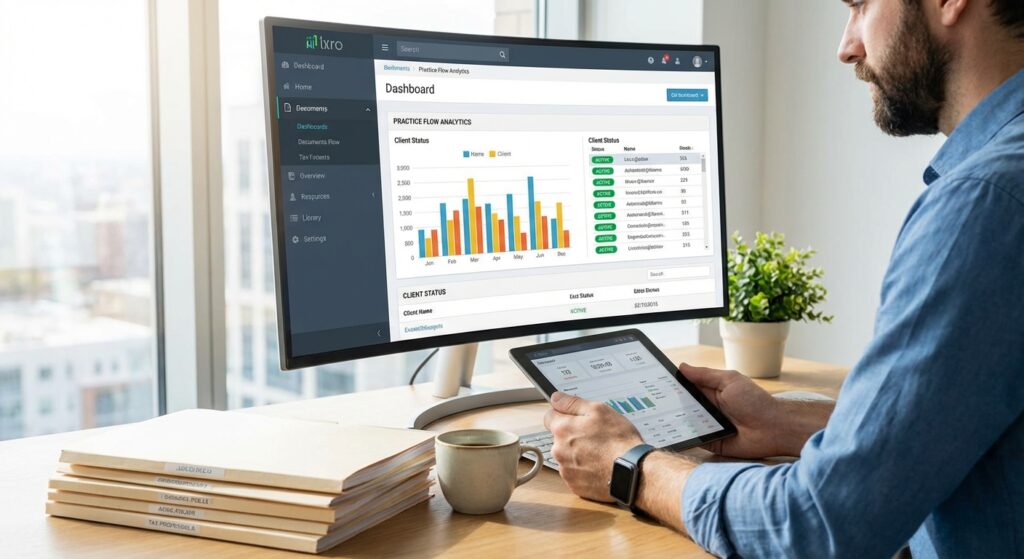
Practice Management Software: 2026 Guide for Tax Professionals
For the 2026 tax season, practice management software has become essential infrastructure for solo practitioners and small firms. Modern platforms integrate AI-powered automation, client communication portals, document management, and workflow tracking into unified systems. Tax professionals now prioritize seamless integration over standalone tools, choosing solutions that consolidate scheduling, billing, analytics, and e-file capabilities. As regulatory complexity increases and client expectations evolve, the right practice management software determines whether firms scale efficiently or struggle with fragmented processes.
Table of Contents
- Key Takeaways
- What Is Practice Management Software for Tax Professionals?
- Why Is Integration Critical in 2026 Practice Management Software?
- How Does AI Transform Workflow Automation in Tax Practices?
- What Features Should CPAs Prioritize When Selecting Software?
- How Do Security and Compliance Requirements Shape Software Choices?
- What ROI Metrics Matter for Practice Management Investment?
- Uncle Kam in Action: Scaling a Solo CPA Practice
- Next Steps
- Frequently Asked Questions
- Related Resources
Key Takeaways
- Modern practice management software consolidates client communication, document management, billing, and workflow automation into unified platforms
- AI-powered features now automate routine tasks, reducing manual data entry by up to 70% for tax professionals
- Integration depth with accounting software and e-file systems determines platform effectiveness more than standalone features
- Security compliance standards including encryption and two-factor authentication are mandatory for protecting client tax data
- ROI typically materializes within 6-12 months through time savings, increased client capacity, and reduced administrative overhead
What Is Practice Management Software for Tax Professionals?
Quick Answer: Practice management software is an integrated platform that centralizes client intake, document management, workflow tracking, billing, scheduling, and communication for tax practices. These systems replace fragmented point solutions with unified operational infrastructure.
Practice management software serves as the operational backbone for modern tax practices. Unlike standalone tools that address single functions, these platforms integrate multiple business processes into cohesive systems. For tax professionals managing 100-500 clients annually, comprehensive tax preparation workflows require coordination across intake, data collection, review cycles, approval workflows, and client delivery.
The 2026 landscape reflects a shift toward platforms that embed AI capabilities directly into core workflows. Rather than adding AI as a separate feature, leading solutions use machine learning to automate document classification, extract data from tax forms, flag potential errors, and prioritize task queues. This integration distinguishes modern practice management software from legacy systems built before cloud computing and artificial intelligence.
Core Components of Modern Practice Management Platforms
Effective practice management software for tax professionals includes several essential modules that work together seamlessly. Each component addresses specific operational needs while feeding data to other system areas.
- Client Relationship Management (CRM): Tracks client history, engagement status, service agreements, and communication logs in centralized databases
- Document Management: Provides secure cloud storage with version control, electronic signatures, and automated retention policies
- Workflow Automation: Defines multi-step processes with task assignments, deadline tracking, and automatic escalation rules
- Client Portals: Offers secure self-service access for document uploads, message exchanges, and return status visibility
- Billing and Invoicing: Generates invoices, processes payments, tracks accounts receivable, and integrates with accounting systems
- Scheduling and Calendar: Manages appointments, sets reminders, and synchronizes with popular calendar applications
How Practice Management Software Differs From Tax Preparation Software
Many tax professionals confuse practice management platforms with tax preparation software. However, these serve distinct purposes. Tax prep software like Drake, Lacerte, or ProSeries focuses on preparing accurate returns and e-filing to the IRS. Practice management software handles everything else—client onboarding, engagement letters, organizer distribution, document collection, review workflows, billing cycles, and year-round client communication.
The most successful 2026 implementations integrate both systems. When your practice management software connects directly to your tax preparation platform, data flows automatically between systems. Client information entered once populates both databases. Completed returns trigger automated delivery workflows. This integration eliminates duplicate data entry and reduces errors caused by manual transfers.
Pro Tip: When evaluating practice management software, verify that it offers native integrations with your current tax preparation platform. API-based connections provide deeper functionality than manual import/export workflows.
Why Is Integration Critical in 2026 Practice Management Software?
Quick Answer: Integration eliminates data silos, reduces manual entry errors, and creates seamless workflows across tax preparation, accounting, and client management systems. Integrated platforms can reduce administrative time by 40-60% compared to disconnected tools.
The 2026 market demonstrates clear differentiation between vendors offering surface-level integrations versus those achieving deep platform connectivity. Surface integrations typically involve CSV exports, manual uploads, or basic API connections that transfer limited data fields. Deep integrations enable bidirectional data synchronization, shared authentication, embedded interfaces, and real-time updates across systems.
For tax professionals, integration quality directly impacts operational efficiency. Consider a typical tax season workflow: Client uploads documents through your portal, your practice management software extracts key data, that information flows into your tax preparation system, the completed return routes through internal review queues, final approval triggers electronic signature requests, and payment processing updates your accounting records. Without integration, each step requires manual intervention and creates opportunities for errors.
Key Integration Categories for Tax Practices
Modern business solution platforms prioritize connections with tools tax professionals already use daily. The most valuable integrations fall into several categories.
| Integration Category | Purpose | Examples |
|---|---|---|
| Tax Preparation | Bidirectional client data flow, return status tracking | Drake, Lacerte, ProSeries, UltraTax |
| Accounting/Bookkeeping | Invoice synchronization, payment tracking, financial reporting | QuickBooks Online, Xero, FreshBooks |
| Document Management | Centralized file storage, version control, secure access | ShareFile, SmartVault, Box |
| Communication | Email archiving, appointment scheduling, video conferencing | Microsoft 365, Google Workspace, Zoom |
| Payment Processing | Credit card acceptance, ACH transfers, payment plans | Stripe, CPACharge, LawPay |
Evaluating Integration Depth: Five Critical Questions
When assessing practice management software vendors, tax professionals should ask specific questions about integration capabilities. Vendor marketing materials often overstate integration quality, so direct technical questioning reveals actual functionality.
- Is the integration native or third-party? Native integrations built by the software vendor typically offer more features and better reliability than third-party connectors
- Does data sync in real-time or on schedules? Real-time synchronization prevents version conflicts and keeps all systems current automatically
- Which data fields transfer between systems? Comprehensive field mapping enables richer automation than limited field transfers
- Can the integration trigger automated workflows? Advanced integrations use data changes to initiate multi-step processes across platforms
- What happens during system updates? Verify whether vendor maintains integration compatibility when either platform updates
How Does AI Transform Workflow Automation in Tax Practices?
Quick Answer: AI in practice management software automates document classification, data extraction, intelligent task routing, and predictive analytics. These capabilities reduce manual processing time by 50-70% while improving accuracy and consistency across tax workflows.
Artificial intelligence represents the most significant advancement in practice management software since cloud computing adoption. However, not all AI implementations deliver equal value. The 2026 market includes vendors adding superficial AI features primarily for marketing purposes alongside those embedding machine learning deeply into operational workflows.
Effective AI implementation in tax practice management focuses on three core capabilities: intelligent document processing, predictive workflow optimization, and natural language understanding. These technologies work together to eliminate repetitive manual tasks while maintaining the accuracy and compliance standards required for professional tax services.
Intelligent Document Processing and Data Extraction
Document processing consumes substantial time during tax season. Clients upload W-2s, 1099s, mortgage statements, brokerage reports, and dozens of other forms. Traditional workflows require staff to manually review each document, determine its type, extract relevant data, and enter information into tax preparation systems.
AI-powered practice management software uses optical character recognition (OCR) combined with machine learning models to automate this process. The system identifies document types with high accuracy, extracts structured data from forms, validates information against expected patterns, and flags anomalies for human review. Advanced implementations learn from corrections, continuously improving accuracy over time.
For a solo practitioner managing 300 individual returns annually, intelligent document processing can save 200-300 hours per tax season. This time savings directly increases capacity without requiring additional staff. Moreover, automated extraction reduces transcription errors that trigger IRS notices or require amended returns.
Predictive Workflow Optimization
AI analyzes historical workflow data to optimize task routing and resource allocation. The system identifies patterns in how long specific return types take, which staff members handle particular client segments most efficiently, and when bottlenecks typically occur during tax season.
Using these insights, strategic tax planning platforms can automatically assign incoming work to appropriate team members, predict completion dates with greater accuracy, and alert managers to potential capacity constraints before they impact deadlines. This proactive approach replaces reactive management that addresses problems after they create client service issues.
Pro Tip: Request vendor demonstrations showing actual AI functionality with real client scenarios rather than staged demos. Many vendors claim AI capabilities that amount to simple rules-based automation.
Natural Language Processing for Client Communication
Natural language processing (NLP) enables practice management software to understand and respond to client inquiries automatically. When clients message through portals asking about return status, missing documents, or payment schedules, AI-powered systems can provide immediate answers by accessing case data and generating contextually appropriate responses.
This capability extends beyond simple chatbots that follow scripted decision trees. Advanced NLP understands intent even when questions use varied phrasing, accesses multiple data sources to construct accurate answers, and escalates complex inquiries to human staff with full context. The result is faster client service without increasing staff workload during peak periods.
 Free Tax Write-Off Finder
What Features Should CPAs Prioritize When Selecting Software?
Quick Answer: Tax professionals should prioritize robust client portals, flexible workflow customization, comprehensive reporting analytics, mobile accessibility, and white-label branding capabilities. These features deliver immediate operational value and support sustainable practice growth.
The practice management software market offers hundreds of features across dozens of platforms. However, not all capabilities deliver equal value for tax professionals. Focusing evaluation on features that directly address common pain points ensures better implementation outcomes and faster return on investment.
Client Portal Functionality
Client portals serve as the primary interface between tax practices and their clients. Strong portal implementations reduce phone calls, email volume, and administrative burden while improving client satisfaction through convenient self-service access.
Essential portal features include secure document upload with drag-and-drop functionality, real-time status visibility showing where returns are in the preparation process, integrated messaging that archives all client communication, electronic signature capabilities for engagement letters and other required forms, and mobile-responsive design that works across devices. Additionally, portals should send automated notifications when new documents are available or action is required.
Workflow Customization and Automation
Tax practices operate differently based on client mix, service offerings, and team structure. Practice management software should accommodate these variations through customizable workflow templates. Look for platforms that allow you to define multi-step processes, set conditional branching based on client attributes or return characteristics, assign tasks automatically based on rules, and track completion status at each stage.
Advanced workflow capabilities include deadline escalation that alerts supervisors when tasks run behind schedule, parallel processing where multiple team members work on different aspects simultaneously, and dependency management that prevents downstream tasks from starting before prerequisites complete. These features transform practice management software from simple task lists into sophisticated operational management systems.
Reporting and Analytics Dashboard
Data-driven decision making separates growing practices from stagnant ones. Comprehensive reporting capabilities should provide visibility into key performance indicators including work-in-progress status, staff utilization rates, client profitability analysis, revenue forecasting, collection metrics, and service mix breakdown.
The most valuable analytics platforms offer customizable dashboards where you define relevant metrics, automated report distribution that emails summaries to stakeholders on schedules, historical trending that compares current performance to prior periods, and drill-down capabilities that let you investigate summary numbers by viewing underlying details. For business owners running tax practices, these insights inform strategic decisions about staffing, pricing, and service expansion.
| Feature Category | Must-Have | Nice-to-Have |
|---|---|---|
| Client Portal | Document upload, e-signatures, status tracking | Mobile app, video conferencing, client surveys |
| Workflow | Custom templates, task assignment, deadline alerts | AI task routing, capacity planning, bottleneck detection |
| Reporting | WIP reports, revenue tracking, staff utilization | Profitability analysis, forecasting, benchmarking |
| Integration | Tax software, accounting software, email | CRM platforms, marketing automation, telephony |
| Security | Encryption, 2FA, access controls, audit logs | SOC 2 certification, penetration testing, insurance |
How Do Security and Compliance Requirements Shape Software Choices?
Quick Answer: Tax professionals handle sensitive financial data subject to IRS security requirements and state privacy laws. Practice management software must provide enterprise-grade encryption, role-based access controls, comprehensive audit trails, and compliance documentation to meet professional standards.
Security considerations cannot be optional when evaluating practice management software. Tax professionals serve as custodians for clients’ most sensitive information including Social Security numbers, financial account details, income documentation, and personal identification. Data breaches create liability exposure, regulatory penalties, reputational damage, and potential malpractice claims.
The IRS Publication 4557 outlines safeguarding requirements for tax professionals, establishing minimum standards for data security. Compliance with these guidelines is not merely best practice—it’s professional obligation. Practice management software vendors should demonstrate adherence to these standards through documentation, certifications, and transparent security disclosures.
Essential Security Features for Tax Practice Software
Multiple security layers protect client data throughout its lifecycle—during transmission, at rest in storage, and when accessed by authorized users. Evaluate potential vendors against these security requirements.
- Encryption Standards: Minimum 256-bit AES encryption for data at rest and TLS 1.2 or higher for data in transit
- Multi-Factor Authentication: Mandatory 2FA or MFA for all user access, not optional enhancement
- Role-Based Access Control: Granular permissions that restrict data visibility based on job function
- Audit Logging: Comprehensive tracking of all system access, document views, and data modifications
- Automatic Logout: Session timeouts that require re-authentication after inactivity periods
- Data Backup: Regular automated backups with geographically distributed storage and tested recovery procedures
Compliance Certifications and Standards
Independent security certifications provide third-party validation of vendor claims. SOC 2 Type II certification demonstrates that vendors have implemented appropriate controls and undergone audits verifying their effectiveness. This certification specifically examines security, availability, processing integrity, confidentiality, and privacy controls.
Additionally, vendors serving tax professionals should maintain compliance with relevant privacy regulations. While tax data isn’t directly subject to HIPAA, similar confidentiality standards apply. State privacy laws including California’s CCPA and other emerging regulations create additional compliance obligations that practice management software must accommodate.
Pro Tip: Request copies of recent SOC 2 reports and penetration test results during vendor evaluation. Legitimate vendors willingly share this documentation under non-disclosure agreements. Refusal to provide security documentation is a red flag.
Data Ownership and Portability
Beyond security during active use, tax professionals must consider data ownership rights and exit procedures. Vendor contracts should explicitly state that you retain ownership of all client data entered into the system. Additionally, vendors should provide straightforward data export capabilities that allow complete practice information extraction in standard formats if you switch platforms.
Examine contract terms regarding data retention after subscription termination. Responsible vendors maintain data access for defined periods following cancellation, giving you adequate time to migrate information. Conversely, verify when and how vendors delete data to ensure client information doesn’t remain indefinitely on systems you no longer control.
What ROI Metrics Matter for Practice Management Investment?
Quick Answer: ROI for practice management software manifests through time savings, increased capacity, improved collections, reduced errors, and enhanced client retention. Most practices achieve positive ROI within 6-12 months when properly implemented.
Practice management software represents significant investment—annual subscriptions typically range from $1,200-$6,000 per user depending on feature sets and firm size. However, these costs pale compared to productivity gains and revenue increases that effective implementations deliver. Understanding which metrics to track ensures you can quantify value and make data-driven decisions about platform selection.
Time Savings and Efficiency Gains
The most immediate ROI comes from eliminated manual tasks. Calculate current time spent on activities that software automates: document organization, status update emails, payment processing, appointment scheduling, and workflow tracking. Even conservative estimates show solo practitioners saving 10-15 hours weekly during tax season.
At an effective billing rate of $200 per hour, 10 hours of saved time per week over a 14-week tax season equals $28,000 in recaptured capacity. This represents either revenue from additional clients you can serve or personal time freed for business development, technical training, or work-life balance.
Client Capacity Increase
Streamlined workflows directly increase the number of clients you can serve with existing resources. Many practitioners report 20-30% capacity increases in the first year after implementing comprehensive practice management software. For a solo CPA currently serving 250 individual clients, this translates to 50-75 additional clients without hiring staff.
At an average fee of $450 per return, serving 60 additional clients generates $27,000 in incremental revenue. After accounting for software costs of approximately $3,000 annually, the net benefit exceeds $24,000—representing 800% first-year ROI on software investment alone.
Improved Collections and Cash Flow
Practice management software with integrated billing features significantly improves collection rates and accelerates cash flow. Automated invoice generation, payment reminders, and online payment processing reduce accounts receivable aging. Many practices see days sales outstanding (DSO) decrease by 15-25 days after implementation.
For a practice generating $300,000 annual revenue, reducing DSO by 20 days accelerates approximately $16,400 in cash receipts. Beyond the direct cash flow benefit, automated payment processing reduces write-offs from uncollectible accounts, as convenient payment options encourage prompt settlement.
| ROI Metric | Measurement Method | Typical Impact |
|---|---|---|
| Time Savings | Hours eliminated × effective rate | 10-15 hours/week recovered |
| Capacity Increase | Additional clients × average fee | 20-30% more clients served |
| Collection Rate | Reduction in DSO × daily revenue | 15-25 day DSO improvement |
| Error Reduction | Avoided rework costs + penalties | 50-70% fewer data entry errors |
| Client Retention | Retained revenue × profit margin | 5-10% retention improvement |
Client Satisfaction and Retention
While harder to quantify, improved client experience drives retention and referrals. Client portals providing transparency, convenient communication, and self-service capabilities create competitive advantages. Studies consistently show that responsive communication and process visibility rank among top factors influencing client satisfaction with professional services.
Acquiring new clients costs 5-7 times more than retaining existing ones. Even modest retention improvements—reducing annual churn from 10% to 5%—create substantial long-term value. For a practice with 200 clients averaging $500 annual fees, improving retention by 5 percentage points preserves $5,000 in revenue annually, compounding over multiple years as the retained client base grows.
Uncle Kam in Action: Scaling a Solo CPA Practice
Marcus Chen, a solo CPA in Sacramento, struggled to manage 280 individual tax clients using spreadsheets and email. Every tax season brought overwhelming administrative burden—tracking which clients submitted documents, following up on missing forms, manually routing returns through review, and processing payments individually. Marcus worked 70-hour weeks from February through April yet turned away prospective clients because he’d reached capacity limits.
His annual practice revenue approximated $180,000 from tax preparation and basic bookkeeping services. However, Marcus recognized he was trapped in an unsustainable workflow. He couldn’t scale without hiring staff, but profit margins didn’t support employee costs. The practice needed systematic improvements before personnel expansion made sense.
Marcus engaged Uncle Kam’s tax advisory team to evaluate his practice operations and develop a technology roadmap. After comprehensive workflow analysis, Uncle Kam recommended implementing integrated practice management software connected to Marcus’s existing tax preparation platform. The solution included client portals for document upload, automated workflow tracking, AI-powered document classification, integrated billing with online payment processing, and comprehensive analytics dashboards.
Uncle Kam managed the implementation process, including data migration, staff training, client communication templates, and workflow optimization. The advisory engagement cost $4,800, with annual software expenses of $3,200. Total first-year investment reached $8,000.
Results exceeded expectations. During the following tax season, Marcus served 340 clients—a 21% capacity increase—while working 55-hour weeks rather than 70. Client portal adoption reached 85%, dramatically reducing email volume and phone calls. Automated document processing saved approximately 180 hours over the season. Online payment processing accelerated collections, reducing average payment time from 45 days to 18 days.
The 60 additional clients at an average $475 fee generated $28,500 in incremental revenue. Improved collections accelerated $12,000 in cash flow. After accounting for the $8,000 implementation investment, Marcus achieved $20,500 in first-year net benefit—representing 256% ROI. More importantly, the streamlined practice positioned Marcus to hire his first staff member the following year, enabling further growth toward his goal of a $500,000 practice.
Marcus continues working with Uncle Kam for ongoing strategic tax planning as his practice evolves. The case demonstrates how technology infrastructure investments, guided by expert advisory, transform practice economics and create sustainable growth trajectories for self-employed professionals.
Next Steps
If you’re ready to transform your tax practice with modern practice management software, take these concrete actions:
- Document your current workflow including time spent on administrative tasks, common bottlenecks, and client pain points
- Create a requirements matrix listing must-have features, integration needs, and budget parameters
- Request demonstrations from 3-5 vendors, asking specific technical questions about integration depth and AI capabilities
- Verify security certifications and request SOC 2 reports before finalizing vendor selection
- Schedule a consultation with Uncle Kam’s practice optimization team to develop your technology implementation roadmap
This information is current as of 2/18/2026. Technology platforms and features change frequently. Verify current capabilities directly with vendors when making purchase decisions.
Frequently Asked Questions
What is the difference between practice management software and tax preparation software?
Tax preparation software focuses on preparing and filing tax returns. Practice management software handles all other business operations including client intake, document management, workflow tracking, billing, scheduling, and communication. The most effective implementations integrate both systems so data flows automatically between platforms. Think of tax prep software as the engine producing returns, while practice management software is the operational framework surrounding that core function.
How long does practice management software implementation typically take?
Implementation timelines vary based on practice size and system complexity. Solo practitioners can complete basic setup in 2-4 weeks. Firms with multiple staff members and complex workflows typically require 6-12 weeks for full implementation. The process includes data migration, workflow configuration, staff training, client communication, and testing before going live. However, you don’t need to wait for complete implementation to see benefits—phased rollouts allow you to activate features incrementally while continuing operations.
Should I implement practice management software during tax season or wait until after?
Avoid major system changes during peak tax season. The optimal implementation window is May through November, allowing several months for configuration, testing, and staff training before volume increases. This timeline ensures your team becomes comfortable with new workflows before facing deadline pressure. If you’re currently in tax season and considering software, use the time to evaluate options, request demonstrations, and develop requirements. Make the purchase decision in March or April with implementation scheduled for summer.
What happens to my client data if I switch practice management software vendors?
Reputable vendors provide data export capabilities in standard formats like CSV or Excel. Your client information, documents, and historical records should be fully exportable. Before purchasing, verify that contracts explicitly state you retain data ownership and the vendor will facilitate migration upon request. Also confirm how long the vendor maintains data access after subscription cancellation—responsible vendors typically provide 30-90 days of continued access for migration purposes.
How do I convince clients to use a new client portal?
Client adoption requires clear communication about benefits and simple onboarding processes. Emphasize convenience—24/7 document upload, real-time status visibility, and secure messaging. Create short video tutorials showing exactly how to log in, upload documents, and access returns. Offer assistance for first-time login, perhaps through scheduled onboarding calls. Most resistance stems from unfamiliarity rather than technical difficulty. Once clients experience portal convenience, they typically prefer it to email attachments and phone tag.
Is practice management software worth the cost for solo practitioners with small client bases?
Yes, even small practices benefit from workflow automation and client portal functionality. The threshold for positive ROI is approximately 50-75 active clients for solo practitioners. Below that threshold, basic tools may suffice. However, if you plan to grow beyond 100 clients, implementing practice management software early establishes scalable infrastructure. The alternative—waiting until manual processes become completely overwhelming—forces stressful transitions during busy periods. Early implementation also creates competitive advantages through superior client experience before capacity constraints force rushed decisions.
What AI features provide the most value for tax practices in 2026?
The highest-value AI capabilities for tax professionals are intelligent document processing and automated workflow optimization. Document processing uses OCR and machine learning to classify uploaded forms, extract data automatically, and flag anomalies for review—saving hours of manual data entry. Workflow optimization analyzes historical patterns to route tasks efficiently, predict completion times accurately, and alert managers to potential bottlenecks before they impact deadlines. These features deliver immediate, measurable time savings compared to experimental AI capabilities that vendors market but provide limited practical value.
Related Resources
- Comprehensive Tax Strategy Planning Services
- Business Solutions: Automation and Systems Integration
- Expert Tax Advisory for Practice Growth
- Entity Structuring for Tax Professionals
- Tax Strategy Blog: Latest Insights and Trends
Last updated: February, 2026

