Best Accounting Apps for iPhone: 2026 Guide for CPAs
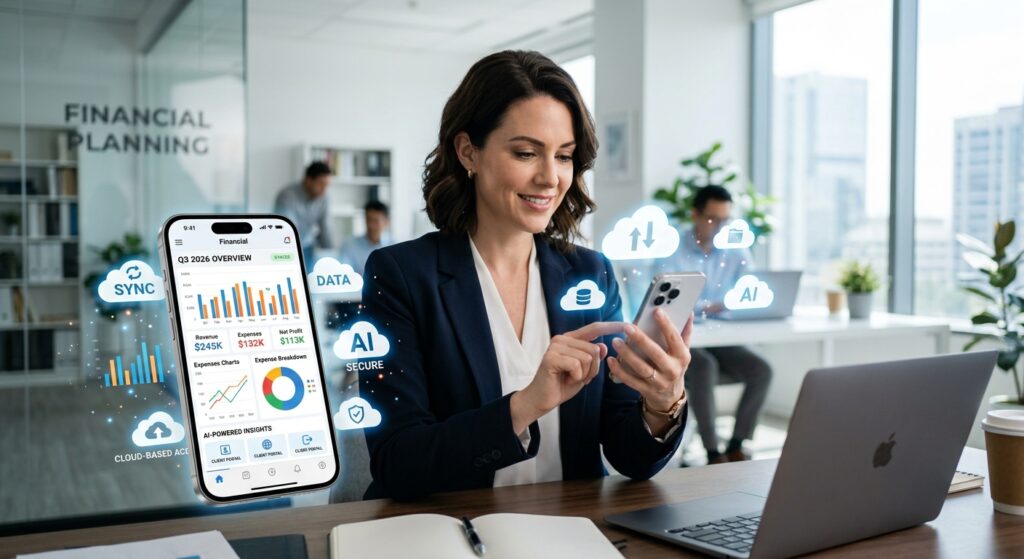
Tax professionals and CPAs are increasingly managing client work from mobile devices in 2026. The best accounting apps for iPhone now offer powerful cloud-based features including AI-driven automation, real-time collaboration, and bank-level security. This guide examines top iPhone accounting solutions that help tax professionals work efficiently whether they’re at the office, meeting clients, or working remotely.
Table of Contents
- Key Takeaways
- What Features Should Tax Professionals Prioritize in iPhone Accounting Apps?
- Which Accounting Apps Work Best on iPhone for CPAs in 2026?
- How Secure Are iPhone Accounting Apps in 2026?
- What AI Features Are Available in 2026 iPhone Accounting Apps?
- How Do Mobile Apps Integrate with Desktop Accounting Software?
- What Pricing Models Should CPAs Expect for iPhone Accounting Apps?
- Uncle Kam in Action: Mobile Accounting Success Story
- Next Steps
- Frequently Asked Questions
- Related Resources
Key Takeaways
- Cloud-based accounting apps now offer full-featured iPhone interfaces for managing client work remotely in 2026
- AI automation reduces manual data entry time by up to 90 minutes per return for tax professionals
- Security updates like iOS 26.3.1 protect sensitive financial data from emerging threats
- Mobile apps integrate seamlessly with desktop software like QuickBooks, Xero, and UltraTax CS
- Pricing ranges from free basic plans to enterprise solutions at competitive monthly rates
What Features Should Tax Professionals Prioritize in iPhone Accounting Apps?
Quick Answer: Tax professionals should prioritize cloud sync, AI automation, bank-level security, client portal access, and seamless desktop integration when choosing iPhone accounting apps for 2026.
The best accounting apps for iPhone in 2026 have evolved far beyond basic expense tracking. Today’s professional-grade solutions offer comprehensive features specifically designed for CPAs, enrolled agents, and tax advisory practices managing multiple clients simultaneously.
Cloud Synchronization and Real-Time Access
Cloud-based architecture is essential for modern tax practices. Applications like Xero and QuickBooks Online provide instant synchronization across all devices. When you update a client record on your iPhone during a meeting, those changes appear immediately on your desktop workstation.
Real-time access means tax professionals can respond to client questions instantly. You can review profit and loss statements, check account balances, or verify deductions without returning to the office. This responsiveness improves client satisfaction and accelerates decision-making during critical tax season periods.
AI-Powered Automation Features
Artificial intelligence has transformed accounting workflows in 2026. According to the Thomson Reuters 2026 Corporate Tax Department Technology Report, 67% of tax professionals report that technology investment has enabled more proactive tax work within their departments.
Modern iPhone accounting apps now include AI capabilities such as:
- Automatic transaction categorization that learns from your firm’s historical coding patterns
- Receipt scanning with optical character recognition (OCR) that extracts vendor, date, and amount information
- Predictive cash flow analysis that forecasts client liquidity issues before they occur
- Anomaly detection that flags unusual transactions for review
- Smart document matching that automatically links invoices to bank transactions
Pro Tip: Tax professionals using AI-powered automation report saving 90 minutes per tax return on average. This efficiency gain allows firms to serve more clients without increasing staff.
Client Portal and Collaboration Tools
Effective client communication requires secure document sharing and real-time collaboration. The best accounting apps for iPhone provide dedicated client portals where business owners can upload source documents, review financial statements, and approve transactions.
Look for apps that offer multi-user access with customizable permission levels. Your staff accountants should access different features than managing partners. Clients need view-only access to their specific accounts without seeing other client data or firm-wide information.
Multi-Currency and Multi-Entity Support
Tax professionals serving international clients or multi-state businesses require sophisticated features. Applications like Sage Intacct offer multicurrency support, allowing you to manage transactions in multiple currencies with automatic exchange rate updates. This capability is essential for CPAs advising business owners with overseas operations or foreign investments.
Which Accounting Apps Work Best on iPhone for CPAs in 2026?
Quick Answer: QuickBooks Online, Xero, FreshBooks, Sage Intacct, and ANNA Money lead the iPhone accounting market for tax professionals in 2026. Each platform offers unique strengths depending on practice size and client needs.
Selecting the right accounting app depends on your practice’s specific requirements. Here’s a detailed comparison of leading platforms optimized for iPhone use in 2026:
QuickBooks Online: Industry Standard
QuickBooks Online remains the most widely adopted accounting platform among small business clients. The iPhone app provides comprehensive functionality including invoicing, expense tracking, mileage logging, and financial reporting. Tax professionals appreciate the seamless integration with IRS tax forms and the ability to export data directly to tax preparation software.
The 2026 version includes enhanced AI features that automatically categorize transactions based on your firm’s historical patterns. The mobile receipt capture tool uses OCR technology to extract vendor details, amounts, and dates with impressive accuracy. QuickBooks also offers robust bank feed connectivity with over 14,000 financial institutions.
Xero: Cloud-Native Design
Xero’s iPhone app excels in user interface design and cloud-native architecture. The platform was built specifically for cloud deployment, resulting in faster synchronization and more reliable mobile performance compared to desktop-first competitors. Tax professionals value Xero’s comprehensive API ecosystem, which enables integration with specialized tax preparation and filing tools.
The 2026 Xero mobile app includes advanced project tracking features ideal for CPAs managing client engagements. You can track time against specific projects, monitor budgets, and generate detailed profitability reports directly from your iPhone. The platform also offers unlimited users on most plans, making it cost-effective for growing practices.
FreshBooks: Service-Based Business Focus
FreshBooks specializes in serving service-based businesses, making it particularly suitable for accounting firms managing their own practice finances. The iPhone app emphasizes time tracking, project management, and professional invoicing. Tax professionals can track billable hours during client meetings and instantly convert that time into invoices.
The platform’s expense management features allow you to photograph receipts, categorize expenses by client or project, and mark items as billable. This granular tracking simplifies year-end tax preparation for both your firm and your clients. FreshBooks also provides detailed profitability reporting that shows which clients and services generate the highest margins.
Sage Intacct: Enterprise-Grade Solution
Sage Intacct targets mid-market and enterprise clients with sophisticated accounting requirements. The iPhone app provides full-featured mobile access to advanced capabilities like multi-entity consolidation, dimensional reporting, and complex revenue recognition. For 2026, Sage Intacct pricing starts at approximately £19 per month ($24 USD equivalent) with competitive rates for larger deployments.
Tax professionals working with multi-location businesses or international operations benefit from Sage Intacct’s robust consolidation features. The platform handles intercompany transactions, currency translation, and segment reporting with ease. However, the interface appears somewhat dated compared to newer cloud-native competitors.
ANNA Money: AI-Powered Tax Compliance
ANNA Money represents the next generation of accounting technology with its AI-powered “Auto Accountant” feature. Approved by HMRC for Making Tax Digital compliance, ANNA Money automatically categorizes transactions, maintains digital records, and prepares quarterly tax filings. For the 2026/27 tax year, the platform offers free MTD Self Assessment filing for sole traders and small businesses.
This app is particularly valuable for tax professionals serving self-employed clients who must comply with Making Tax Digital requirements starting April 6, 2026. The iPhone interface provides streamlined access to all compliance features, allowing CPAs to review client submissions before filing.
| Platform | Best For | Key Strength | Starting Price (2026) |
|---|---|---|---|
| QuickBooks Online | Small business clients | Market dominance, integrations | $30/month |
| Xero | Cloud-first practices | User experience, unlimited users | $13/month |
| FreshBooks | Service businesses | Time tracking, project management | $19/month |
| Sage Intacct | Enterprise clients | Multi-entity, consolidation | $24/month |
| ANNA Money | MTD compliance | AI automation, free tax filing | Free basic plan |
How Secure Are iPhone Accounting Apps in 2026?
Quick Answer: iPhone accounting apps in 2026 employ bank-level encryption, biometric authentication, and regular security updates. Keeping iOS updated to version 26.3.1 or later protects against emerging threats like the DarkSword exploit.
Security remains the top concern for tax professionals managing sensitive client financial data on mobile devices. Fortunately, modern iPhone accounting apps implement multiple layers of protection that meet or exceed industry security standards.
iOS 26.3.1 Security Updates
Apple released iOS 26.3.1 on March 19, 2026, addressing a critical WebKit vulnerability (CVE-2026-20643) that could allow attackers to bypass same-origin policy and access sensitive data. This background security improvement requires manual installation through Settings > Privacy & Security > Background Security Improvements.
Tax professionals must ensure their iPhones run the latest iOS version. Cybersecurity researchers identified the DarkSword hacking toolkit in March 2026, which exploits infected websites to compromise device data. Updating to iOS 26.3.1 protects against this and similar threats. Schedule automatic updates to maintain security without interrupting your workflow.
End-to-End Encryption and Data Protection
Leading accounting platforms employ 256-bit AES encryption for data at rest and TLS 1.3 encryption for data in transit. This bank-level security ensures that even if unauthorized individuals intercept your communications, they cannot read the encrypted content. Data centers hosting these applications typically maintain SOC 2 Type II certification, demonstrating compliance with rigorous security standards.
Modern apps also implement data segregation, meaning each client’s financial information exists in isolated database partitions. This architecture prevents data leakage between clients even if a security breach occurs. Additionally, reputable platforms conduct regular third-party security audits and penetration testing to identify vulnerabilities before malicious actors can exploit them.
Biometric Authentication and Access Controls
iPhone accounting apps leverage Face ID and Touch ID for secure biometric authentication. These features provide stronger security than traditional passwords while improving user convenience. Tax professionals can access client data with a glance or fingerprint scan, eliminating the need to remember complex passwords or risk writing them down.
Configure multi-factor authentication (MFA) for an additional security layer. MFA requires two forms of verification before granting access—typically something you know (password) and something you have (authentication code sent to your phone). This approach dramatically reduces the risk of unauthorized access even if someone obtains your password.
Pro Tip: Enable automatic session timeouts that require re-authentication after periods of inactivity. This setting protects client data if you leave your iPhone unattended during meetings or while traveling.
Compliance and Regulatory Standards
Professional accounting apps maintain compliance with industry regulations including GDPR (General Data Protection Regulation), SOC 2, and IRS Publication 1075 guidelines for protecting federal tax information. These certifications require rigorous security controls, regular audits, and documented procedures for handling sensitive data.
When evaluating accounting apps, verify that vendors provide detailed security documentation and maintain current compliance certifications. Reputable providers publish annual transparency reports outlining their security practices, data handling procedures, and any security incidents that occurred during the reporting period.
What AI Features Are Available in 2026 iPhone Accounting Apps?
Quick Answer: 2026 iPhone accounting apps include AI-powered receipt scanning, automatic transaction categorization, predictive cash flow analysis, anomaly detection, and conversational query interfaces that understand natural language questions.
Artificial intelligence has revolutionized accounting workflows in 2026. Tax professionals now accomplish in minutes what previously required hours of manual work. These AI capabilities transform the best accounting apps for iPhone into intelligent assistants that handle routine tasks autonomously.
Intelligent Document Processing
Modern receipt scanning technology uses advanced optical character recognition combined with machine learning to extract structured data from unstructured documents. When you photograph a receipt with your iPhone, the app automatically identifies the vendor name, transaction date, amount, payment method, and expense category.
The system learns from corrections you make, improving accuracy over time. If you consistently recategorize restaurant expenses from “Meals & Entertainment” to “Client Development,” the AI adapts its classification logic. This contextual learning reduces manual review time while maintaining accuracy standards required for tax compliance.
Predictive Analytics and Cash Flow Forecasting
AI-powered forecasting analyzes historical transaction patterns to predict future cash positions. The system considers seasonal variations, payment cycles, and upcoming obligations to generate accurate cash flow projections. Tax professionals can identify potential liquidity problems weeks or months in advance, allowing proactive client advisory conversations.
These predictive models also highlight opportunities for tax strategy optimization. For example, the system might identify that accelerating certain deductible expenses into the current year could reduce tax liability while maintaining adequate cash reserves. This type of strategic insight transforms reactive tax preparation into proactive tax planning.
Conversational AI and Natural Language Queries
The newest accounting apps include conversational AI interfaces that understand natural language questions. Instead of navigating through multiple menus to generate a specific report, you can simply ask: “Show me accounts receivable aging for clients with balances over $5,000.” The system interprets your request and generates the appropriate report instantly.
This capability dramatically reduces the learning curve for new software. Tax professionals can access information using everyday language rather than memorizing specific commands or report names. The AI maintains context throughout conversations, allowing follow-up questions like “Now filter that to only show balances over 60 days” without repeating the entire request.
Automated Compliance Monitoring
AI systems continuously monitor transactions for compliance issues, tax reporting requirements, and potential audit risks. The technology flags transactions that may require additional documentation, identifies missing source documents, and highlights entries that deviate from expected patterns.
For the 2026 tax year, AI compliance features have become particularly valuable given the implementation of the One Big Beautiful Bill Act and evolving IRS reporting requirements. The system automatically adapts to regulatory changes, ensuring your clients remain compliant without requiring constant manual policy updates.
| AI Feature | Benefit | Time Saved |
|---|---|---|
| Receipt OCR & Categorization | Eliminates manual data entry | 15-20 minutes per return |
| Predictive Cash Flow | Proactive client advisory | 30-45 minutes per analysis |
| Automated Reconciliation | Matches transactions automatically | 25-35 minutes per account |
| Anomaly Detection | Identifies errors and fraud | 10-15 minutes per review |
| Natural Language Queries | Faster report generation | 5-10 minutes per request |
How Do Mobile Apps Integrate with Desktop Accounting Software?
 Free Tax Write-Off Finder
Quick Answer: Cloud-based accounting platforms synchronize data in real-time between iPhone apps and desktop software. API integrations connect mobile apps with tax preparation systems like UltraTax CS, Lacerte, and ProSeries.
Seamless integration between mobile and desktop environments is essential for efficient tax practice management. Modern accounting ecosystems provide bidirectional synchronization that ensures data consistency regardless of which device you use to access client information.
Real-Time Cloud Synchronization
Cloud-native platforms like QuickBooks Online and Xero maintain a single source of truth stored on remote servers. When you create an invoice on your iPhone during a client meeting, that transaction immediately appears in the desktop application. There’s no manual upload, export, or import process required.
This architecture prevents the version control problems that plagued earlier accounting systems. Your team never worries about working from outdated data or accidentally overwriting recent changes. The system automatically resolves conflicts when multiple users edit the same record simultaneously, typically by implementing the most recent change or prompting users to review discrepancies.
Tax Software Integration
Professional tax preparation software like Thomson Reuters UltraTax CS, Intuit Lacerte, and CCH ProSeries connect with accounting platforms through secure APIs. These integrations allow direct data import from client accounting systems into tax returns, eliminating manual data entry and reducing transcription errors.
The SurePrep automation suite exemplifies advanced integration capabilities in 2026. The system automatically imports source documents, performs OCR verification, and organizes workpapers for review. Tax professionals report reducing return preparation time from 90 minutes to approximately 35-40 minutes per client by eliminating manual document processing.
Multi-Platform Workflow Automation
Modern practice management requires coordination across multiple software platforms. Leading accounting apps support integration with:
- Document management systems for secure client file storage
- Customer relationship management (CRM) platforms for client communication tracking
- Project management tools for engagement workflow coordination
- Time tracking applications for billing and profitability analysis
- Payroll systems for comprehensive financial data management
These integrations create unified workflows that span multiple applications while maintaining data consistency. When a client transaction flows from the accounting system to tax software to your practice management platform, automation ensures information accuracy without requiring manual verification at each step.
Offline Functionality and Synchronization
The best accounting apps for iPhone provide limited offline functionality for situations where internet connectivity is unavailable. You can capture receipt images, record mileage, or draft invoices without an active connection. The app queues these actions locally and synchronizes changes automatically when connectivity resumes.
This offline capability is particularly valuable for tax professionals who travel frequently or meet clients in locations with unreliable network coverage. However, real-time reporting and collaborative features require active internet connections since they depend on accessing current data from cloud servers.
What Pricing Models Should CPAs Expect for iPhone Accounting Apps?
Quick Answer: Accounting app pricing ranges from free basic plans to $50+ per user monthly for enterprise features. Most platforms offer tiered subscription models with discounts for annual commitments and multi-user licenses.
Understanding pricing structures helps tax professionals select cost-effective solutions that match their practice needs. Most accounting software vendors have moved to subscription-based models that include mobile app access as part of the base package.
Subscription Tiers and Feature Sets
Typical pricing structures include multiple tiers that scale with functionality:
Basic Plans ($10-25/month): Include core features like invoicing, expense tracking, bank reconciliation, and basic reporting. Suitable for sole practitioners or very small firms with simple needs. User limits typically range from 1-3 people. Mobile app access is included but may have restricted functionality.
Professional Plans ($25-50/month): Add features like time tracking, project management, advanced reporting, and multiple user access. These plans typically support 5-10 users and provide full mobile app functionality. Many tax professionals find this tier offers the best value for growing practices.
Premium/Enterprise Plans ($50-150+/month): Include advanced capabilities like multi-entity management, custom workflows, API access, dedicated support, and unlimited users. Large firms with complex client bases benefit from these comprehensive feature sets.
Volume Discounts and Accountant Programs
Most accounting software vendors offer special programs for tax professionals and accounting firms. QuickBooks ProAdvisor, Xero Partner, and similar programs provide benefits including:
- Wholesale pricing for client subscriptions (typically 30-50% discounts)
- Free or discounted firm subscriptions for practice management
- Priority technical support and dedicated account management
- Training resources and certification programs
- Marketing materials and referral incentives
These programs can significantly reduce total cost of ownership while providing additional revenue opportunities. Many CPAs generate substantial recurring income by reselling accounting software subscriptions to clients at retail prices while paying wholesale rates.
Hidden Costs and Considerations
Base subscription prices don’t always reflect total cost. Consider these additional expenses:
- Payroll processing fees charged per employee or pay period
- Payment processing fees for client invoice payments (typically 2.4-2.9% plus $0.25)
- Additional user licenses beyond included limits
- Third-party app integration costs
- Data migration and implementation consulting fees
- Training costs for staff and clients
Pro Tip: Calculate total cost of ownership over three years including all ancillary expenses. This comprehensive analysis often reveals that mid-tier plans with inclusive features cost less than basic plans with numerous add-on charges.
Uncle Kam in Action: Mobile Accounting Success Story
Jennifer Martinez runs a boutique CPA practice serving 45 self-employed professionals and small business clients. She struggled to maintain work-life balance while providing responsive client service. Clients frequently called with urgent questions about cash flow, expense categorization, or invoice status. Jennifer spent hours each day returning to the office to access desktop accounting software.
Her annual revenue averaged $285,000, but she worked 60+ hour weeks during tax season and felt constantly tethered to her desk. Client satisfaction scores revealed frustration with response times, particularly for business owners who needed immediate guidance for time-sensitive decisions.
The Uncle Kam Solution
Uncle Kam recommended implementing cloud-based accounting with comprehensive iPhone app access. The strategy included:
- Migrating all clients to QuickBooks Online with automated bank feeds and AI categorization
- Implementing SurePrep automation for tax return preparation
- Training clients on mobile receipt capture and expense documentation
- Establishing client portal protocols for secure document exchange
- Creating standardized workflows for remote client support
Jennifer also enrolled in Uncle Kam’s entity structuring optimization program to convert her solo practice to an S Corporation, implementing tax-efficient compensation strategies that reduced her self-employment tax burden.
The Results
Within six months of implementation, Jennifer’s practice transformation delivered impressive results:
- Tax Savings: $18,400 in first-year self-employment tax reduction through S Corp conversion
- Time Efficiency: 25 hours per week recovered by eliminating office-bound tasks
- Revenue Growth: Added 12 new clients without hiring additional staff
- Client Satisfaction: Net Promoter Score increased from 42 to 78
- Work-Life Balance: Reduced tax season work weeks from 60+ to 45 hours
Investment: Uncle Kam’s strategic consulting fee of $4,800 plus $2,200 in software migration costs totaled $7,000. Return on Investment: First-year tax savings of $18,400 alone represented a 163% ROI, excluding the value of time recovered and revenue growth from expanded client capacity.
Jennifer now answers client questions from her iPhone while picking up her children from school, reviews financial statements during lunch meetings, and approves transactions from anywhere with cellular coverage. The mobile-first approach transformed her practice from location-dependent to truly flexible, improving both profitability and quality of life.
Learn more about how Uncle Kam helps tax professionals optimize their practices through strategic technology implementation and tax planning strategies by exploring our client success stories.
Next Steps
Ready to transform your tax practice with the best accounting apps for iPhone? Take these action steps today:
- Update your iPhone to iOS 26.3.1 to ensure maximum security for client data
- Trial 2-3 accounting platforms using free trials to identify the best fit for your practice
- Evaluate accountant programs for volume pricing and additional support benefits
- Schedule consultations with Uncle Kam to optimize your tax strategy implementation
- Develop client migration plans that minimize disruption while maximizing efficiency gains
Frequently Asked Questions
Can I prepare complete tax returns using only an iPhone app?
While iPhone accounting apps provide comprehensive financial data management capabilities, most tax professionals still complete final tax return preparation on desktop systems. However, mobile apps allow you to review client financials, identify tax planning opportunities, and answer questions from anywhere. Some specialized tax apps like TurboTax do offer complete return preparation on iPhone, though complex business returns typically require desktop software features.
What happens to my client data if I lose my iPhone?
Cloud-based accounting apps store all data on secure remote servers, not on your physical device. If you lose your iPhone, your client data remains safe and accessible from any other device. Enable Find My iPhone and remote wipe capabilities to protect against unauthorized access. The combination of cloud storage, device encryption, and biometric authentication provides multiple security layers that protect client information even if your phone is stolen.
Do accounting apps work on older iPhone models?
Most major accounting apps support iPhones running iOS 15 or later, which includes models back to the iPhone 8 (released in 2017). However, newer features like AI-powered automation may require more recent hardware. For optimal performance and security, Uncle Kam recommends using iPhone models from the past three years running the latest iOS version. The iPhone 18 Pro, released in 2026, offers enhanced performance for complex financial analysis.
How much cellular data do accounting apps consume?
Data usage varies based on how you use the app. Typical activities consume approximately: viewing financial reports (1-3 MB per report), photographing receipts (2-5 MB per image), and syncing transactions (0.5-2 MB per sync). Most tax professionals use 500 MB to 2 GB monthly for accounting app data when working extensively on mobile. Connect to Wi-Fi for large data transfers like year-end report exports or when uploading many receipt images.
Can multiple team members access the same client files simultaneously?
Yes, cloud-based accounting platforms support concurrent multi-user access with sophisticated conflict resolution. Multiple team members can work in the same client file simultaneously without data corruption. The system tracks who made each change and when, providing complete audit trails. Configure user permissions to control which staff members can view, edit, or approve different types of transactions.
What’s the learning curve for switching to new accounting apps?
Modern iPhone accounting apps prioritize intuitive design, significantly reducing learning time compared to traditional desktop software. Basic functions like viewing reports, categorizing transactions, and photographing receipts require minimal training. Most tax professionals achieve proficiency within one week of regular use. Advanced features like custom workflows and complex reporting may require 2-4 weeks of experience. Vendors provide training resources including video tutorials, webinars, and certification programs.
Are there separate apps for managing my own practice versus client accounting?
Most platforms use the same app for both scenarios. You simply switch between client accounts or company files within the application. Accountant editions typically add features like batch client management, consolidated reporting across multiple entities, and wholesale billing tools. Some tax professionals prefer using FreshBooks for their own practice management because of its strong time tracking and project management capabilities, while recommending QuickBooks or Xero to clients based on their specific industry needs.
Related Resources
- Uncle Kam Tax Strategy Blog
- The MERNA Method for Tax Optimization
- Free Tax Calculators and Tools
- About Uncle Kam’s Tax Advisory Services
This information is current as of March 20, 2026. Technology features and pricing change frequently. Verify current details with software vendors if reading this later. Consult with tax professionals before making significant practice management decisions.
Last updated: March, 2026

