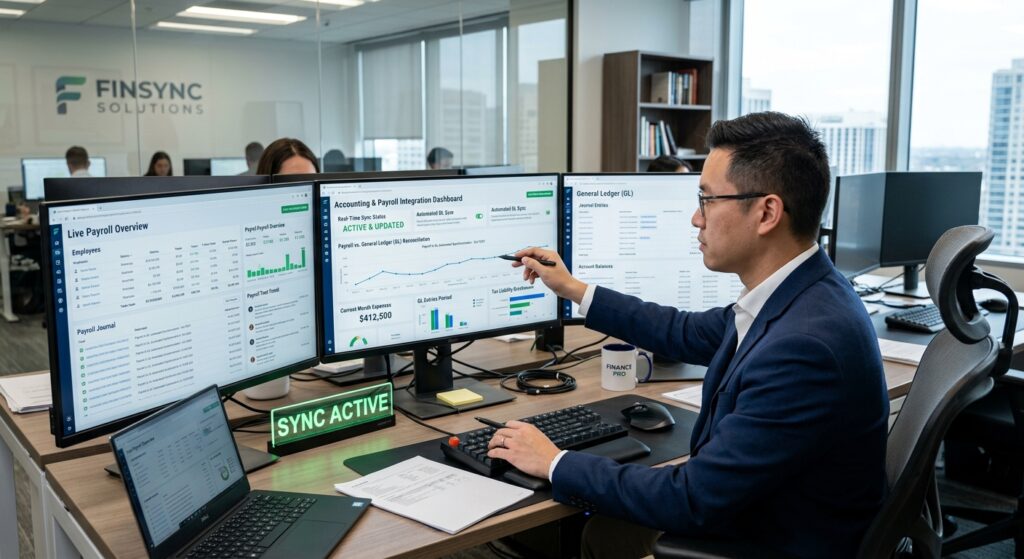
Accounting and Payroll in One System: 2026 Guide for Tax Professionals
For the 2026 tax year, tax professionals face unprecedented pressure to deliver accurate, timely service while managing complex payroll compliance requirements. Integrated platforms that combine accounting and payroll in one system have emerged as essential tools for CPAs, enrolled agents, and firm owners navigating this challenging landscape. These unified solutions eliminate data silos, reduce manual entry errors, and provide real-time visibility into client financial operations.
Table of Contents
- Key Takeaways
- Why Does Integration Matter for Tax Professionals in 2026?
- What Are the Core Benefits of Unified Systems?
- How Is AI Transforming Integrated Accounting and Payroll?
- What Compliance Challenges Do Integrated Systems Solve?
- How Should Tax Professionals Evaluate Integration Options?
- What Are the Implementation Best Practices?
- Uncle Kam in Action: Multi-Entity Client Success
- Next Steps
- Frequently Asked Questions
- Related Resources
Key Takeaways
- Integrated accounting and payroll systems reduce data entry errors by up to 90% through automated synchronization
- AI-powered platforms now support 18+ major payroll providers including ADP, Paychex, and QuickBooks for seamless 2026 compliance
- Tax professionals using unified systems report 67% more time available for strategic advisory work
- Real-time payroll-to-ledger integration enables proactive tax planning instead of reactive compliance
- Modern platforms eliminate manual reconciliation through automatic departmental expense mapping and categorization
Why Does Integration Matter for Tax Professionals in 2026?
Quick Answer: Integration eliminates duplicate data entry, reduces compliance errors, and provides real-time visibility into client payroll tax obligations for accurate quarterly filings.
The landscape of accounting and payroll in one system has fundamentally shifted in 2026. Tax professionals now manage clients who expect instant access to financial data, same-day payroll processing, and proactive tax guidance. Disconnected systems create dangerous gaps where payroll liabilities appear on one platform while general ledger entries exist in another, leading to reconciliation nightmares during IRS quarterly reporting periods.
The Cost of Disconnected Systems
Traditional approaches that separate accounting and payroll functions create multiple failure points. When a client runs payroll in one system and records transactions in another, tax professionals face several critical challenges:
- Manual reconciliation burden: Staff spend 10-15 hours monthly matching payroll reports to journal entries
- Timing discrepancies: Payroll processed on the 15th may not appear in accounting until the 20th, creating artificial cash flow gaps
- Compliance risk: Disconnected systems increase Form 941 filing errors, potentially triggering IRS penalties
- Client dissatisfaction: Business owners receive conflicting financial reports from different platforms
- Audit exposure: Inconsistent records between payroll and accounting create red flags during examinations
The Regulatory Environment Driving Integration
The IRS has intensified its focus on payroll tax compliance in 2026, despite facing significant staffing challenges that resulted in approximately 17,047 employees leaving through deferred resignation and early retirement programs. This creates a paradox where the agency has fewer resources but maintains aggressive enforcement of payroll tax deposit requirements. Tax professionals using integrated systems can demonstrate real-time compliance through automated audit trails that connect every payroll run directly to corresponding tax liabilities and deposits.
Pro Tip: With the IRS processing paper returns more slowly due to workforce reductions (averaging 36 days versus 27 days previously), electronic filing through integrated systems becomes even more critical for timely client service.
What Are the Core Benefits of Unified Systems?
Quick Answer: Unified systems deliver automatic data synchronization, eliminate reconciliation work, reduce errors by 90%, and enable tax professionals to shift focus from data entry to strategic advisory services.
Modern accounting and payroll in one system platforms transform how tax professionals serve clients. Instead of spending valuable billable hours reconciling disparate data sources, practitioners can focus on proactive tax strategy that genuinely reduces client tax burdens. According to the 2026 Corporate Tax Department Technology Report, approximately 67% of tax professionals using integrated technology platforms report successfully shifting toward more proactive, strategic tax work.
Automatic Data Flow and Synchronization
When payroll completes in an integrated system, several automated processes occur simultaneously. Employee wage expenses post directly to the appropriate general ledger accounts. Payroll tax liabilities calculate and record automatically. Employer contribution expenses for benefits like health insurance and retirement plans flow to their designated accounts without manual intervention. This seamless data movement eliminates the traditional month-end reconciliation process that historically consumed 10-15 hours of staff time.
Real-Time Financial Visibility
Tax professionals using accounting and payroll in one system can access current client financial data instantly. When a business owner calls asking about their current payroll tax liability, the answer is immediately available rather than requiring staff to manually calculate from multiple sources. This real-time visibility proves particularly valuable during quarterly estimated tax planning sessions, where accurate current-year wage data drives precise calculations.
Enhanced Accuracy Through Single Data Entry
Every time data transfers between systems, error risk increases. An employee earning $5,000 biweekly might be correctly recorded in payroll but accidentally entered as $50,000 in the accounting journal. These transposition errors create cascading problems that surface during tax return preparation or financial statement reviews. Integrated systems eliminate these risks entirely because data enters the system once and flows automatically to all necessary locations.
Streamlined Compliance and Reporting
For the 2026 tax year, integrated platforms automatically generate Forms W-2, W-3, 941, 940, and state payroll tax filings from the same data that populates financial statements. This consistency ensures that payroll tax returns match general ledger records, eliminating the reconciliation discrepancies that trigger IRS inquiries. Additionally, when preparing year-end tax returns, practitioners can trust that wage expenses on the return precisely match payroll records without requiring separate verification.
| Feature | Disconnected Systems | Integrated System |
|---|---|---|
| Data Entry | Duplicate entry in payroll and accounting | Single entry, automatic distribution |
| Reconciliation | 10-15 hours monthly manual process | Automatic, real-time alignment |
| Error Rate | 15-20% due to manual transfers | Under 2% with validation rules |
| Financial Visibility | Delayed 3-5 days after payroll | Immediate, real-time updates |
| Compliance Risk | High due to discrepancies | Minimal with automated checks |
How Is AI Transforming Integrated Accounting and Payroll?
Quick Answer: AI automation now handles transaction categorization, anomaly detection, and compliance validation, allowing tax professionals to focus on client advisory rather than data processing.
The integration of AI into accounting and payroll in one system represents the most significant advancement in tax practice technology for 2026. Leading platforms now leverage artificial intelligence to automatically categorize payroll expenses, detect unusual patterns that might indicate errors or fraud, and validate compliance with current tax regulations before filing deadlines approach.
Expanded Payroll Provider Integration
According to recent industry developments, AI-native platforms like Digits have expanded payroll integrations from single-provider support to comprehensive coverage of 18 major providers. Tax professionals can now connect client data from ADP Run, ADP Workforce Now, Paychex Flex, Paylocity, QuickBooks Online Payroll, Square Payroll, UKG Pro, and numerous other platforms without manual exports or file uploads.
When payroll processing completes in any connected system, data flows directly into the accounting ledger with automatic categorization and departmental mapping. This means a manufacturing client’s payroll automatically separates production labor from administrative overhead, while a retail client’s system distinguishes store employees from corporate staff. Tax professionals benefit from this granular detail during year-end tax planning when analyzing potential Section 199A deductions or calculating work opportunity tax credits.
Intelligent Anomaly Detection
Modern AI systems continuously monitor payroll data for patterns that deviate from established norms. If an employee’s gross pay suddenly doubles without a corresponding increase in hours or rate, the system flags this anomaly for review before the payroll finalizes. Similarly, when payroll tax deposit calculations produce results significantly different from prior periods, automated alerts notify tax professionals to investigate potential errors before the IRS identifies discrepancies.
Automated Compliance Monitoring
AI-powered platforms now track changing federal and state payroll tax requirements and automatically adjust calculations to maintain compliance. When contribution limits change for retirement plans or HSA accounts, integrated systems update automatically. For 2026, the IRA contribution limit increased to $7,500 (with an additional $1,100 catch-up contribution for those age 50 and older), up from the prior year. Systems incorporating these updates ensure clients maximize tax-advantaged contributions without manual intervention from tax professionals.
Pro Tip: AI integration enables tax professionals to identify tax-saving opportunities proactively rather than discovering them during year-end tax preparation when it’s too late to implement strategies.
What Compliance Challenges Do Integrated Systems Solve?
Quick Answer: Integrated systems eliminate timing discrepancies, ensure consistent reporting across all forms, prevent deposit deadline failures, and maintain comprehensive audit trails for IRS examinations.
Tax professionals leveraging accounting and payroll in one system address multiple compliance challenges that plague firms using disconnected platforms. The 2026 tax environment demands precision, as the IRS increasingly relies on automated matching of Forms W-2, 941, and 1040 to identify discrepancies. Integrated systems ensure all these documents pull from identical source data, eliminating matching failures.
Payroll Tax Deposit Accuracy
One of the most critical compliance requirements involves timely payroll tax deposits. The IRS imposes significant penalties for late or incorrect deposits, yet determining exact deposit amounts proves challenging with disconnected systems. When payroll calculates federal withholding at $10,000 but the accounting system records a different amount, which figure should practitioners use for the deposit? Integrated platforms eliminate this ambiguity by ensuring deposit calculations match payroll liabilities precisely.
For semi-weekly depositors processing payroll on Friday, the system automatically calculates required deposits and can even initiate electronic payments through EFTPS by the Wednesday deadline. This automation prevents the costly penalties that occur when manual processes fail to meet deposit schedules.
Multi-State Compliance Management
Clients with employees in multiple states face complex compliance requirements. Each state has unique withholding rules, unemployment insurance rates, and reporting deadlines. An integrated system tracks which employees work in which states, applies appropriate withholding rates, and generates state-specific quarterly and annual reports. This geographical intelligence proves essential for remote workforce management, where a single employee might work from three different states during one calendar year.
Audit Trail and Documentation
When the IRS examines payroll tax returns, examiners request detailed documentation showing how reported figures were calculated. Integrated systems maintain comprehensive audit trails showing every payroll run, tax calculation, and deposit transaction. If an examiner questions why Form 941 reports $125,000 in wages for Q1, the system can instantly produce detailed reports showing every pay period, employee, and calculation that contributed to that total.
This documentation capability extends to year-end reconciliation. When preparing corporate returns, tax professionals need to reconcile total wages reported on Forms W-2 with wage deductions claimed on the tax return. Integrated systems provide instant reconciliation reports, identifying any discrepancies before filing and avoiding the notices that disconnected systems often generate.
| Compliance Challenge | Traditional Approach | Integrated System Solution |
|---|---|---|
| Deposit deadline tracking | Manual calendar monitoring | Automatic reminders and electronic payment initiation |
| Multi-state withholding | Separate calculations per state | Automatic state detection and rate application |
| Form W-2/941 reconciliation | Year-end manual verification | Real-time reconciliation with variance alerts |
| Audit documentation | Reconstruct from multiple sources | Comprehensive audit trail instantly available |
How Should Tax Professionals Evaluate Integration Options?
 Free Tax Write-Off Finder
Quick Answer: Evaluate platforms based on payroll provider compatibility, depth of accounting integration, automation capabilities, reporting flexibility, and total cost including both software fees and implementation time.
Selecting the right accounting and payroll in one system requires careful analysis of both current needs and future scalability. Tax professionals should approach this decision systematically, recognizing that platform transitions consume significant time and resources. Making the right choice initially prevents costly migrations later.
Client Base Compatibility
Begin by analyzing which payroll providers your clients currently use. If 80% of your business owner clients process payroll through ADP or Paychex, the integrated platform must support robust connections to these providers. Platforms offering connections to 18+ major providers provide flexibility as clients change payroll processors or as practices acquire new clients using different systems.
Depth of Integration
Some platforms claim “integration” but merely import payroll summaries requiring manual allocation. True integration automatically maps payroll expenses to appropriate general ledger accounts, separates employer taxes from employee withholdings, and allocates costs to departments or job codes. During evaluation, request demonstrations showing the complete data flow from payroll processing through financial statement presentation without manual intervention.
Reporting and Analytics Capabilities
Tax professionals need flexible reporting that answers both compliance and advisory questions. Can the system quickly show year-to-date payroll tax liability for estimated tax calculations? Does it track wages by employee category to identify potential worker classification issues? Can it analyze payroll expenses by department to support cost segregation studies or research credit calculations? Platforms with robust reporting enable proactive tax advisory services that increase firm revenue.
Security and Compliance Features
Payroll data contains sensitive employee information including Social Security numbers and banking details. Evaluate platforms based on their security certifications, data encryption methods, and compliance with IRS Publication 4557 requirements for safeguarding taxpayer data. Additionally, confirm the platform maintains comprehensive logs showing who accessed which client data and when, essential for demonstrating due diligence during security audits.
Implementation Support and Training
Even the most powerful platform fails if staff cannot use it effectively. Assess the vendor’s implementation methodology, training resources, and ongoing support availability. Does the vendor provide dedicated implementation specialists who configure the system properly from the start? Are training materials available in multiple formats (video, written guides, live webinars) to accommodate different learning preferences? Is technical support available during tax season when quick problem resolution proves critical?
Pro Tip: Request references from tax practices similar in size and client composition to yours, then ask specifically about implementation challenges and how the vendor responded to problems.
What Are the Implementation Best Practices?
Quick Answer: Successful implementation requires phased client migration, comprehensive staff training, parallel processing during transition, and clear communication with clients about timing and expectations.
Transitioning to accounting and payroll in one system represents a significant practice change that requires careful planning and execution. Tax professionals who approach implementation systematically experience minimal disruption and rapid returns on their technology investment.
Start with a Pilot Group
Rather than migrating all clients simultaneously, select 5-10 clients representing different business types and complexities for initial implementation. This pilot approach allows staff to learn the system with manageable volume while identifying and resolving issues before full-scale deployment. Choose pilot clients who are technologically comfortable and understand they’re helping test new processes, not clients with low tolerance for transition challenges.
Establish Data Quality Standards
Integration success depends on clean, accurate data. Before migrating clients, establish standards for chart of accounts structure, payroll account mapping, and departmental coding. Document these standards clearly so all staff members configure client systems consistently. Inconsistent setup creates problems later when generating consolidated reports or comparing clients against benchmarks.
Plan Migration Timing Strategically
The ideal migration timing aligns with natural business cycles. For most clients, year-end provides a logical transition point since it coincides with closing prior year records and beginning fresh books. However, avoid scheduling migrations during tax season when staff capacity for new system learning is limited. Many tax practices successfully implement during summer and fall, allowing several months of experience before tax season arrives.
Conduct Parallel Processing
For the first 1-2 months after migration, maintain the old system while also running the new integrated platform. This parallel processing allows verification that the new system produces correct results before completely abandoning the proven system. When payroll processes in the new system, verify that wage totals, tax calculations, and net pay amounts match the old system exactly. Only after confirming accuracy should you discontinue the legacy platform.
Communicate Proactively with Clients
Clients need clear communication about why the practice is changing systems and what benefits they’ll receive. Explain that accounting and payroll in one system provides faster access to financial information, reduces errors through automation, and enables more strategic tax planning. Set realistic expectations about the transition timeline and any temporary limitations during migration. Clients who understand the “why” behind changes tolerate temporary inconveniences far better than those kept uninformed.
| Implementation Phase | Timeline | Key Activities |
|---|---|---|
| Planning | Weeks 1-2 | Select pilot clients, establish standards, configure platform |
| Training | Weeks 3-4 | Staff system training, process documentation, test scenarios |
| Pilot Launch | Weeks 5-8 | Migrate pilot clients, parallel processing, issue resolution |
| Full Rollout | Weeks 9-16 | Migrate remaining clients in phases, continuous improvement |
| Optimization | Ongoing | Refine processes, expand automation, leverage advanced features |
Uncle Kam in Action: Multi-Entity Client Success Story
When Sarah Martinez approached Uncle Kam in early 2026, she operated three related business entities processing payroll through two different providers. Her restaurant group included a parent management company, an LLC owning the real estate, and a separate catering operation. Each entity maintained separate accounting systems, while payroll processed through a combination of QuickBooks Online Payroll and ADP.
The Challenge: Sarah’s previous CPA firm spent approximately 12-15 hours monthly reconciling payroll records across three entities and two payroll providers. Quarterly Form 941 filings frequently contained errors requiring amendments. Year-end tax preparation consumed excessive time verifying wage totals, and Sarah received conflicting financial reports that made strategic decisions difficult. The disconnected systems prevented meaningful analysis of labor costs by location or department.
Financial Profile: Combined annual revenue across all entities totaled $3.2 million, with approximately $1.1 million in annual payroll costs across 47 employees. The business operated profitably but lacked clear visibility into which locations and service lines generated the best margins.
The Uncle Kam Solution: Our team implemented an integrated accounting and payroll platform connecting both payroll providers to a unified accounting system. We restructured the chart of accounts to enable departmental tracking by location and service type. Payroll expenses now flow automatically to the appropriate entity and department without manual allocation. The system generates consolidated reports showing profitability by location and service line, enabling data-driven strategic decisions.
Additionally, we identified that Sarah qualified for both the Work Opportunity Tax Credit for several employees and significant tip credit benefits that her previous advisors had never mentioned. The integrated system made identifying these opportunities straightforward because all wage data consolidated in one location with proper categorization.
The Results:
- Tax Savings: $28,400 in federal tax reduction through credits previously overlooked
- Time Savings: Eliminated 15 monthly reconciliation hours, redirected toward strategic planning
- Investment: $12,500 annual advisory fee for strategic tax planning and system optimization
- First-Year ROI: 227% return ($28,400 savings on $12,500 investment)
- Operational Benefits: Real-time profitability visibility enabling strategic expansion decisions
“Uncle Kam transformed how I understand my businesses,” Sarah explains. “I now see exactly which locations and services generate profit, and my CPA proactively identifies tax-saving opportunities instead of just filing returns. The integrated system paid for itself many times over in the first year alone.” View more success stories at our client results page.
Next Steps
Tax professionals ready to leverage accounting and payroll in one system should take these concrete actions:
- Audit your current client base to identify which payroll providers they use
- Calculate time currently spent on payroll reconciliation and compliance to establish baseline metrics
- Request demonstrations from platforms supporting your clients’ payroll providers
- Explore our comprehensive business solutions for practice automation strategies
- Schedule a consultation to discuss how integrated systems enable strategic advisory services
Frequently Asked Questions
Can integrated systems handle multiple payroll providers for one client?
Yes, modern platforms support clients using different payroll providers across multiple entities or divisions. The system connects to each provider separately and consolidates data into unified financial reports. This proves particularly valuable for clients operating multiple businesses or those who acquired companies using different payroll systems.
How long does typical implementation take for a tax practice?
Full implementation typically spans 12-16 weeks from initial planning through complete client migration. However, practices often process their first pilot clients within 4-6 weeks. The timeline varies based on client volume, system complexity, and staff availability for training. Planning implementation during slower periods (summer/fall) rather than tax season ensures adequate focus and resources.
What happens to historical payroll data during migration?
Most platforms import historical payroll data covering at least the current calendar year, ensuring year-to-date totals for Forms W-2 and 941 remain accurate. Some systems import multiple years of history for trend analysis and reporting. However, detailed transaction-level history (individual paycheck details) typically imports for the current year only, with prior years maintained in the legacy system for reference.
Do integrated systems increase security risks by consolidating data?
Actually, reputable integrated platforms typically enhance security compared to disconnected systems. They implement enterprise-grade encryption, multi-factor authentication, and comprehensive access logging. The consolidation eliminates security risks associated with data transfers between systems and reduces the number of platforms requiring security management. However, practices should verify platforms comply with IRS Publication 4557 requirements for safeguarding taxpayer data.
Can clients access their own payroll and financial data in real-time?
Yes, leading platforms provide client portals with customizable access levels. Business owners can view current payroll tax liabilities, cash flow, and profitability reports without requesting information from their tax professional. This self-service capability reduces routine inquiry volume while empowering clients to make informed decisions. Tax professionals control exactly which data clients access and can restrict sensitive information as appropriate.
How do integrated systems handle year-end tax form generation?
Integrated platforms automatically generate Forms W-2, W-3, 1099-NEC, 940, and state unemployment reports from the same data populating financial statements and quarterly Forms 941. This ensures perfect consistency across all documents. Most systems also support electronic filing of these forms directly with the IRS and Social Security Administration, eliminating manual filing processes. For 2026, verify your platform has implemented any recent IRS form changes before year-end processing.
What training resources should practices expect from platform vendors?
Quality vendors provide comprehensive training including live webinars for staff, recorded video tutorials for reference, written documentation, and dedicated implementation specialists during setup. The best platforms offer ongoing training as new features release and maintain user communities where practitioners share best practices. Before committing to a platform, request access to training materials to assess their quality and comprehensiveness. Additionally, verify that support is available during critical periods like year-end and tax season when quick problem resolution proves essential.
This information is current as of 3/18/2026. Tax laws and technology platforms change frequently. Verify updates with platform vendors and the IRS if reading this later.
Related Resources
- Strategic Tax Planning Services for Business Owners
- Comprehensive Business Solutions and Automation
- Professional Tax Preparation and Filing Services
- Entity Structuring and Business Formation Guidance
- Uncle Kam Tax Strategy Blog
Last updated: March, 2026

