
2026 Accounting Automation Tools: Transform Your Tax Practice
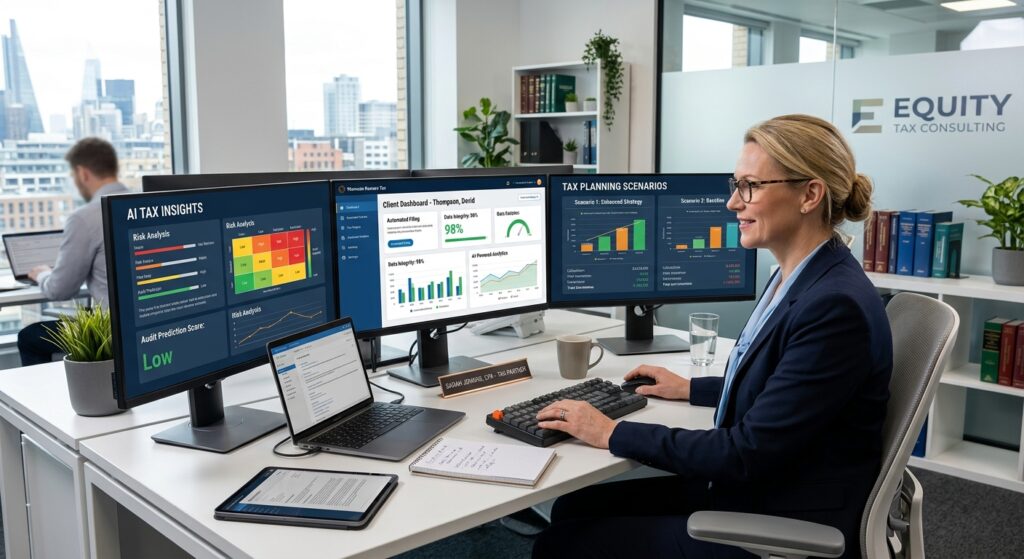
For the 2026 tax year, 2026 accounting automation tools are transforming how tax professionals deliver client value. AI-powered platforms now automate repetitive data entry tasks, streamline client communication workflows, and free CPAs to focus on high-margin tax advisory services. As the IRS received 99,802,000 returns through April 3, 2026, firms using automation reported 20% fewer hours spent per return compared to manual processes.
Table of Contents
- Key Takeaways
- What Are 2026 Accounting Automation Tools and Why Do Tax Professionals Need Them?
- Which Automation Platforms Are Leading the Market in 2026?
- How Do Automation Tools Reduce Busy Season Burnout for Tax Professionals?
- What ROI Can Tax Firms Expect From Automation Investments?
- How Do You Successfully Implement Automation in Your Tax Practice?
- What Security and Compliance Considerations Matter Most?
- Uncle Kam in Action: How a Mid-Sized CPA Firm Doubled Advisory Revenue With Automation
- Next Steps
- Frequently Asked Questions
- Related Resources
Key Takeaways
- Leading 2026 accounting automation tools can reduce tax return preparation time by 20% or more.
- AI-powered platforms like Thomson Reuters CoCounsel automate research, document gathering, and client communication workflows.
- Automation shifts CPA focus from compliance to advisory services that command premium fees.
- The IRS launched new digital tools in 2026, including an online Tax Debt Help platform.
- Tax automation investments typically deliver 2-3x ROI within the first year of implementation.
What Are 2026 Accounting Automation Tools and Why Do Tax Professionals Need Them?
Quick Answer: 2026 accounting automation tools are AI-powered software platforms that automate repetitive tax preparation tasks. They enable CPAs to transition from low-margin compliance work to high-value advisory services.
The tax profession is experiencing a fundamental shift in 2026. As the IRS deals with workforce reductions of 25-27% and processes fewer returns than prior years, tax professionals face mounting pressure to do more with less. This is where modern tax advisory technology becomes essential for firm survival and growth.
2026 accounting automation tools represent a new generation of software that goes beyond traditional tax preparation platforms. These systems use artificial intelligence, machine learning, and automated workflows to handle tasks that previously consumed hundreds of preparer hours during busy season.
Core Functions of Modern Tax Automation Platforms
According to Accounting Today’s 2026 technology analysis, leading automation platforms now handle:
- Automated data extraction: AI engines pull information from PDFs, images, and unstructured documents without manual entry.
- Client communication workflows: Systems automatically request missing documents, send reminders, and track engagement completion rates.
- Tax research automation: Platforms like Thomson Reuters CoCounsel search thousands of tax code sections, IRS publications, and case law in seconds.
- Return review and quality control: Automated systems flag anomalies, missing schedules, and potential audit risks before filing.
- E-signature and document delivery: Integrated workflows eliminate printing, scanning, and manual signature tracking.
Why Automation Is Critical for Tax Advisory Growth
Tax professionals who want to build profitable tax planning practices face a fundamental time constraint. Traditional compliance work generates low margins but consumes most available hours. Automation solves this by reclaiming hundreds of hours per tax season that can be redirected toward high-value advisory services.
For the 2026 tax year, firms using automation reported average time savings of 20% per 1040 return. For a firm processing 500 individual returns, this translates to approximately 200 hours recovered that can be invested in tax planning engagements that typically generate 3-5x higher fees than compliance work.
Pro Tip: The best time to implement automation is immediately after tax season when your team can dedicate focus to training and system configuration without deadline pressure.
The Business Case for 2026 Automation Investment
Tax automation represents more than efficiency gains. Therefore, it fundamentally reshapes firm economics by enabling a transition from hourly billing to value-based advisory pricing. Moreover, automation reduces dependency on finding and retaining tax preparers in an increasingly tight labor market.
In addition, platforms that integrate with existing practice management systems create seamless workflows that improve client experience and reduce errors. Consequently, firms report higher client satisfaction scores and improved retention rates after implementing comprehensive automation solutions.
Which Automation Platforms Are Leading the Market in 2026?
Quick Answer: Thomson Reuters CoCounsel Tax & Audit, Xero XeroOS, and K1x lead the 2026 market. Each platform offers distinct advantages for different firm sizes and specializations.
The 2026 accounting automation landscape features several dominant platforms that tax professionals are adopting at record rates. Understanding which platform aligns with your firm’s needs is crucial for maximizing ROI and avoiding costly implementation failures.
Thomson Reuters CoCounsel Tax & Audit
Thomson Reuters launched CoCounsel specifically for tax professionals. The platform integrates AI-powered research capabilities with workflow automation. It excels at complex technical research scenarios, particularly for firms serving business owners and high-net-worth clients.
CoCounsel can analyze multi-state tax issues, trust and estate planning scenarios, and international partner allocations in minutes. Furthermore, it integrates with Thomson Reuters’ existing Checkpoint research platform to provide comprehensive tax authority citations.
Xero XeroOS Platform
Xero announced XeroOS in April 2026 as a comprehensive operating system for accounting firms. The platform focuses on small business accounting automation with integrated tax preparation capabilities. It works particularly well for firms that combine bookkeeping services with tax preparation and advisory work.
XeroOS automates bank reconciliations, expense categorization, and quarterly estimated tax calculations. Consequently, it reduces the data cleanup work that traditionally consumes hours at year-end. The system also provides real-time tax planning insights throughout the year rather than only at filing time.
K1x Tax Automation Suite
K1x secured $175 million in growth funding in 2026 to expand its tax automation platform specializing in partnership returns and Schedule K-1 processing. For firms serving real estate investors and private equity funds, K1x offers unmatched automation for complex partnership taxation.
The platform uses machine learning to extract data from partnership agreements, operating statements, and third-party K-1s. Additionally, it automatically reconciles basis calculations and tracks suspended losses across multiple tax years.
Aiwyn Tax (Formerly Column Tax)
Aiwyn Tax integrates with Claude AI to provide real-time tax calculations and scenario analysis. The platform excels at exploring multiple planning strategies simultaneously, which is particularly valuable for high-net-worth tax planning engagements.
Tax professionals can run side-by-side comparisons of entity structures, retirement contribution strategies, and income timing scenarios. This capability transforms client meetings from compliance discussions to strategic planning sessions.
Comparison Table: Leading 2026 Automation Platforms
| Platform | Best For | Key Strength | Typical Firm Size |
|---|---|---|---|
| Thomson Reuters CoCounsel | Complex research scenarios | AI-powered technical research | 10+ professionals |
| Xero XeroOS | Small business tax + bookkeeping | Integrated accounting platform | 1-25 professionals |
| K1x | Partnership returns | K-1 automation and basis tracking | 5+ professionals |
| Aiwyn Tax | Tax planning scenarios | Real-time calculations with Claude AI | Solo to 50 professionals |
Pro Tip: Most successful implementations combine multiple platforms rather than relying on a single system. For example, pair Xero for bookkeeping automation with CoCounsel for research capabilities.
How Do Automation Tools Reduce Busy Season Burnout for Tax Professionals?
Quick Answer: 2026 accounting automation tools eliminate repetitive manual tasks, reduce late-night data entry work, and enable better work-life balance. Firms report fewer hours worked and higher staff satisfaction.
Tax season burnout has plagued the profession for decades. However, the 2026 tax season marked a turning point as firms using comprehensive automation reported significantly reduced overtime hours and improved staff morale. This shift is critical as the profession struggles with retention challenges.
Eliminating the Data Entry Grind
Traditional tax preparation requires countless hours manually entering W-2s, 1099s, and supporting documents. AI-powered data extraction engines now handle this work in seconds. The system scans documents, extracts relevant data points, and populates tax forms automatically.
For example, a CPA who previously spent three hours manually entering a complex Schedule C can now review automatically extracted data in 20 minutes. Similarly, partnership K-1 entry that consumed full days now happens in minutes with platforms like K1x.
Streamlining Client Communication Bottlenecks
Document collection has traditionally created massive bottlenecks during tax season. Preparers spend hours sending emails, making phone calls, and tracking down missing information. Modern automation platforms transform this process entirely.
Automated systems send customized document requests based on each client’s tax situation. They track which documents arrived, automatically send reminders for missing items, and integrate e-signature workflows. Consequently, the back-and-forth that previously required 10 emails now happens seamlessly without preparer intervention.
Accelerating Complex Tax Research
Research bottlenecks create major stress during busy season when preparers encounter unfamiliar tax issues. Traditional research could consume 90 minutes only to discover the source wasn’t relevant. This wasted time compounds stress and leads to late nights.
AI research platforms like Thomson Reuters CoCounsel search thousands of IRS publications, tax code sections, and court cases simultaneously. They provide relevant answers with proper citations in minutes. Furthermore, the system learns firm preferences over time and improves result accuracy.
Matthew Hauger, senior tax managing director at Jansen & Company CPAs, explained the impact: “I used to spend an hour-and-a-half on an article and realize it wasn’t what I needed. It saves us time. But not just time — there’s an accuracy and a confidence element there.”
Real-World Impact: Fewer Hours, Better Results
David Kelling from Kelling, Bocovich & Co., LTD reported concrete results: “We dropped about 20% on hours spent processing roughly the same amount of tax returns. That’s a huge savings and an incredible boost in efficiency.”
For a firm processing 400 returns with an average of 4 hours per return, this 20% reduction reclaims 320 billable hours. Those hours can be redirected toward advisory services or simply returned to staff as improved work-life balance. Either way, the impact on firm culture and staff retention is substantial.
What ROI Can Tax Firms Expect From Automation Investments?
Quick Answer: Most firms achieve 2-3x ROI within the first year through time savings and increased advisory revenue. The payback period typically ranges from 3-6 months.
Understanding the financial return on automation investments is crucial for firm owners evaluating whether to modernize their technology stack. The good news is that 2026 accounting automation tools deliver measurable returns quickly when implemented strategically.
Direct Cost Savings From Efficiency Gains
The most immediate ROI comes from reduced labor costs. A 20% reduction in hours per return translates directly to cost savings or capacity for additional clients without adding staff. For a firm with $500,000 in annual labor costs dedicated to tax preparation, a 20% efficiency gain yields $100,000 in recaptured value.
Moreover, automation reduces reliance on temporary seasonal staff who require training and supervision. Firms report needing 30-40% fewer seasonal hires after implementing comprehensive automation, which further reduces costs and management overhead.
Revenue Growth From Advisory Service Expansion
The more significant ROI opportunity comes from transitioning hours to high-value advisory services. Tax planning engagements typically command fees 3-5x higher per hour than compliance work. A CPA billing $200/hour for tax preparation can charge $600-1,000/hour for strategic tax planning.
Consider a scenario where automation reclaims 200 hours during tax season. If those hours are redirected to tax planning engagements at $800/hour instead of additional compliance at $200/hour, the firm generates an additional $120,000 in revenue from the same time investment.
Sample ROI Calculation for a Mid-Sized Firm
| Category | Amount |
|---|---|
| Annual automation platform costs (3 systems) | $45,000 |
| Implementation and training costs | $15,000 |
| Total first-year investment | $60,000 |
| Labor cost savings (20% efficiency on $400K labor) | $80,000 |
| Additional advisory revenue (150 hours at $800/hr) | $120,000 |
| Total first-year benefit | $200,000 |
| Net first-year ROI | $140,000 (233% return) |
Intangible Benefits That Drive Long-Term Value
Beyond direct financial returns, automation delivers benefits that compound over time. Improved staff retention reduces recruiting and training costs. Enhanced client experience increases referral rates. Better work-life balance attracts top talent in a competitive labor market.
Furthermore, firms using modern technology attract younger, tech-savvy clients who expect digital experiences. This positions the firm for long-term growth as older clients gradually transition out and newer demographics become the primary market.
Pro Tip: Track ROI metrics from day one of implementation. Measure hours per return, client satisfaction scores, and advisory revenue monthly to demonstrate value and identify optimization opportunities.
How Do You Successfully Implement Automation in Your Tax Practice?
Quick Answer: Successful automation implementation requires phased rollout, comprehensive staff training, and ongoing optimization. Start immediately after tax season when your team has capacity to learn new systems.
Implementation failure is the primary reason firms abandon automation initiatives and revert to manual processes. However, following a structured approach dramatically increases success rates and accelerates time to value.
Step 1: Conduct a Workflow Audit (May-June)
Begin by documenting your current processes in detail. Track how much time each task consumes and identify the biggest bottlenecks. Common pain points include client document collection, data entry, research for complex issues, and return review processes.
This audit reveals where automation will deliver the highest ROI. For example, if document collection consumes 30% of staff time, prioritize platforms with strong client portal and document management capabilities.
Step 2: Select Platforms Aligned With Your Client Base (June-July)
Platform selection should reflect your firm’s specialization. Firms serving real estate investors benefit most from K1x partnership automation. Those focused on small business clients achieve better results with Xero XeroOS. High-net-worth specialists need robust research tools like Thomson Reuters CoCounsel.
Request demonstrations from multiple vendors and involve staff who will use the systems daily. Their input increases buy-in and identifies practical concerns that may not be obvious to firm leadership.
Step 3: Implement in Phases (August-October)
Avoid attempting to automate everything simultaneously. Successful firms implement in phases:
- Phase 1 (August): Client portal and document collection automation.
- Phase 2 (September): Data extraction and return population tools.
- Phase 3 (October): Research automation and advanced workflow features.
- Phase 4 (November-December): Refinement and optimization before busy season.
This phased approach allows staff to master each component before adding complexity. It also provides time to identify and resolve integration issues before the critical January-April period.
Step 4: Invest in Comprehensive Training (September-November)
Training is where most implementations fail. Allocate at least 20 hours per staff member for initial training plus ongoing weekly sessions through December. Create internal documentation customized to your firm’s specific workflows and client types.
Designate automation champions within your team who receive advanced training and serve as internal resources. This reduces dependency on vendor support and accelerates problem resolution during busy season.
Step 5: Run a Pilot Program (December-January)
Before full deployment, process 20-30 returns using the new automated workflows. Select a mix of simple and complex returns to stress-test the system. Identify gaps, document workarounds, and refine processes based on real-world experience.
This pilot phase prevents major disruptions during peak busy season. It also builds staff confidence and demonstrates quick wins that motivate continued adoption.
What Security and Compliance Considerations Matter Most?
Quick Answer: Verify that platforms comply with IRS Publication 4557 safeguarding requirements, maintain SOC 2 Type II certification, and offer robust data encryption and access controls.
Data security represents a critical concern when evaluating 2026 accounting automation tools. Tax professionals handle sensitive financial information and face strict compliance obligations. Therefore, security cannot be an afterthought in platform selection.
IRS Security Requirements for Tax Professionals
The IRS Publication 4557 outlines mandatory safeguarding requirements for tax return preparers. Automation platforms must enable compliance with these requirements through:
- Multi-factor authentication for all user accounts.
- Encryption of data both in transit and at rest.
- Audit trails tracking all data access and modifications.
- Automatic session timeouts and secure password requirements.
- Regular security updates and vulnerability patching.
Verify that vendors provide documentation demonstrating compliance with these requirements. Request copies of recent security audits and penetration testing results.
SOC 2 Type II Certification Standards
SOC 2 Type II certification demonstrates that a vendor has implemented and maintained proper security controls over an extended period. This certification is more rigorous than SOC 2 Type I, which only evaluates controls at a single point in time.
Leading 2026 automation platforms maintain current SOC 2 Type II certification. Request a copy of the SOC 2 report and review the auditor’s findings. Pay particular attention to any exceptions or control deficiencies noted in the report.
Data Ownership and Portability Rights
Ensure contracts clearly specify that you retain ownership of all client data. The agreement should guarantee your ability to export data in standard formats if you decide to change platforms. Furthermore, verify that the vendor commits to secure data deletion upon contract termination.
Additionally, understand where data is stored geographically and whether it remains within the United States. Some firms have compliance or client requirements that mandate domestic data storage.
Security Checklist for Platform Evaluation
| Security Requirement | Essential? | Verification Method |
|---|---|---|
| SOC 2 Type II certification | Yes | Request current audit report |
| 256-bit data encryption | Yes | Review technical specifications |
| Multi-factor authentication | Yes | Test during product demo |
| Comprehensive audit logging | Yes | Review sample audit reports |
| Regular security updates | Yes | Request update schedule and history |
| Data portability guarantees | Yes | Review contract language |
| Domestic data storage | Recommended | Confirm data center locations |
Pro Tip: Add security requirements to your written agreement as mandatory provisions. Include penalties or termination rights if the vendor fails to maintain required certifications or notify you promptly of security breaches.
Uncle Kam in Action: How a Mid-Sized CPA Firm Doubled Advisory Revenue With Automation
Midwest Tax Partners, a 12-person CPA firm in Indianapolis, faced the same challenge as thousands of tax practices nationwide. They processed 850 tax returns annually but generated minimal revenue from tax planning. Partner Sarah Chen recognized that the firm was trapped in a compliance-only business model with razor-thin margins and high staff burnout.
The firm’s annual revenue was $1.2 million, with 85% coming from compliance work. Staff worked 65-hour weeks during tax season. Consequently, turnover was high and morale was declining. Sarah knew the firm needed fundamental changes to survive and thrive.
The Challenge: Too Much Compliance, Not Enough Advisory
Midwest Tax Partners’ client base consisted primarily of small business owners and high-income professionals. These clients needed sophisticated tax planning strategies. However, the firm lacked capacity to deliver advisory services because staff time was consumed by manual data entry and document collection.
Sarah calculated that the firm was leaving approximately $300,000 in potential advisory revenue on the table annually. Clients were willing to pay for tax planning, but the firm simply couldn’t find the hours to deliver those services.
The Uncle Kam Solution: Strategic Automation Implementation
In May 2025, Sarah engaged Uncle Kam’s tax strategy team to design an automation implementation roadmap. The engagement included technology platform selection, workflow redesign, and advisory service packaging.
Uncle Kam recommended a three-platform approach. First, Xero XeroOS for bookkeeping and tax data automation. Second, Thomson Reuters CoCounsel for complex research scenarios. Third, Aiwyn Tax for real-time tax planning calculations during client meetings.
The implementation followed the phased approach outlined earlier, beginning in June 2025 and completing by December 2025. Uncle Kam provided ongoing coaching through the first tax season to ensure successful adoption and maximum ROI.
The Results: Transformed Business Model and Profitability
By the completion of the 2026 tax season, Midwest Tax Partners achieved remarkable results:
- Tax Savings Generated: The firm delivered $2.4 million in total tax savings to clients through new advisory engagements.
- Advisory Revenue: Tax planning revenue increased from $180,000 to $480,000, a 167% increase.
- Time Efficiency: Hours per return decreased by 22%, reclaiming 340 staff hours during tax season.
- Staff Satisfaction: Average weekly hours during busy season dropped from 65 to 52 hours.
- Investment: Total first-year cost including Uncle Kam fees and platform licenses: $72,000.
- Return on Investment: Net profit increase of $228,000, representing a 317% first-year ROI.
Sarah Chen reflected on the transformation: “We were stuck in a hamster wheel of compliance work with no path forward. Uncle Kam showed us how to use automation not just to work faster, but to completely transform our business model. We’re now a tax advisory firm that also does compliance, rather than the reverse. Our clients receive dramatically more value, our team is happier, and our profitability has never been stronger.”
The firm now dedicates one day per week during off-season to tax planning client meetings. This consistent advisory engagement creates recurring revenue throughout the year and deepens client relationships far beyond the transactional compliance work that previously defined the practice.
Next Steps
If you’re ready to transform your tax practice with 2026 accounting automation tools, take these concrete actions:
- Conduct a workflow audit to identify your biggest bottlenecks and time-consuming tasks.
- Schedule demonstrations with Thomson Reuters, Xero, K1x, and Aiwyn to evaluate platform capabilities.
- Calculate your potential ROI using the framework provided in this article.
- Develop a phased implementation plan beginning in May or June to be ready for next tax season.
- Book a strategy session with Uncle Kam’s tax advisory team to design a customized automation roadmap aligned with your firm’s growth goals.
The transition from compliance-focused to advisory-driven practice requires more than just technology. It demands strategic planning, proper implementation, and ongoing optimization. Uncle Kam specializes in helping tax professionals make this transition successfully while avoiding the common pitfalls that derail automation initiatives.
Our tax strategy services include technology stack evaluation, workflow redesign, advisory service packaging, and implementation coaching. We’ve helped hundreds of firms transform their practices and dramatically increase profitability through intelligent automation combined with high-value advisory offerings.
Frequently Asked Questions
How much do 2026 accounting automation tools typically cost?
Platform costs vary based on firm size and features required. Expect to invest $15,000-50,000 annually for comprehensive automation across multiple platforms. Solo practitioners can start with Xero XeroOS at approximately $5,000-8,000 annually. Mid-sized firms typically invest $25,000-35,000 for a multi-platform stack. Large firms with specialized needs may spend $50,000 or more annually.
However, focusing solely on cost misses the bigger picture. The relevant metric is ROI, not absolute cost. A $40,000 annual investment that generates $150,000 in additional advisory revenue and $80,000 in labor savings delivers exceptional value regardless of the nominal cost.
Will automation replace tax preparers and CPAs?
No. Automation eliminates repetitive tasks but increases demand for strategic tax planning expertise. The 2026 tax season demonstrated that AI handles data entry and routine calculations effectively. However, complex judgment calls, client relationship management, and strategic tax planning remain firmly in the domain of experienced tax professionals.
In fact, automation creates opportunities for tax professionals to deliver higher-value services. CPAs who embrace these tools transition from data processors to strategic advisors. This shift typically increases earning potential by 2-4x as professionals move from hourly compliance work to value-based advisory engagements.
How long does it take to implement automation tools successfully?
Plan for 4-6 months from initial platform selection through full operational deployment. This timeline includes workflow auditing, platform selection, phased implementation, staff training, and pilot testing. Firms that attempt faster implementations frequently experience adoption failures and revert to manual processes.
The ideal schedule begins in May or June immediately after tax season. This provides adequate time for thorough implementation and testing before the next busy season begins in January. Rushing implementation during September or October creates unnecessary stress and increases failure risk.
What if my staff resists new technology adoption?
Staff resistance is common and typically stems from fear of change or concern about job security. Address this through transparent communication about how automation benefits both the firm and individual staff members. Emphasize that automation eliminates boring, repetitive work and enables focus on interesting, high-value advisory services.
Involve staff in platform selection and implementation planning. Their input increases buy-in and identifies practical concerns early. Additionally, celebrate quick wins and share success stories to demonstrate tangible benefits. Most initial skeptics become strong advocates once they experience reduced busy season hours and more engaging work.
Can small or solo practices benefit from automation tools?
Absolutely. Solo practitioners often see the highest percentage ROI from automation because they personally capture 100% of the time savings. A solo CPA processing 200 returns who reduces time per return by 20% reclaims 160 hours. Those hours can be redirected to advisory services or simply returned as improved work-life balance.
Furthermore, automation levels the playing field for solo practitioners competing against larger firms. Client portals, automated workflows, and professional communication tools create an experience that rivals much larger competitors. This enables solo practices to serve more sophisticated clients who expect modern digital experiences.
How do automation tools handle frequent IRS tax law changes?
Leading 2026 accounting automation tools include automatic updates for tax law changes. Vendors monitor IRS guidance, legislation, and court decisions continuously. When changes occur, platforms automatically update calculation engines, forms, and research databases.
For example, when the IRS released final regulations on tip deductions in April 2026, major platforms updated within 48 hours. This ensures preparers always work with current law without manual intervention. Verify that platform agreements include guaranteed updates for federal and state tax law changes as part of standard licensing fees.
What happens to my data if I switch platforms later?
Reputable vendors provide data export capabilities in standard formats like CSV, Excel, or PDF. Before signing any agreement, confirm that the contract guarantees your right to export all data in usable formats. Test the export functionality during your evaluation period to verify it meets your needs.
Additionally, negotiate contract language requiring the vendor to maintain data access for a reasonable transition period (typically 60-90 days) after contract termination. This ensures you can complete any in-progress work and fully migrate data without disruption to client service.
Related Resources
- Tax Advisory Services: Build a Scalable Advisory Practice
- The MERNA Method: Our Proven Tax Planning Framework
- Business Solutions: Bookkeeping and Automation Services
- Client Success Stories: Real Results From Tax Planning
Last updated: April, 2026
This information is current as of 4/17/2026. Tax laws and technology platforms change frequently. Verify current platform features and pricing with vendors if reading this article at a later date.

