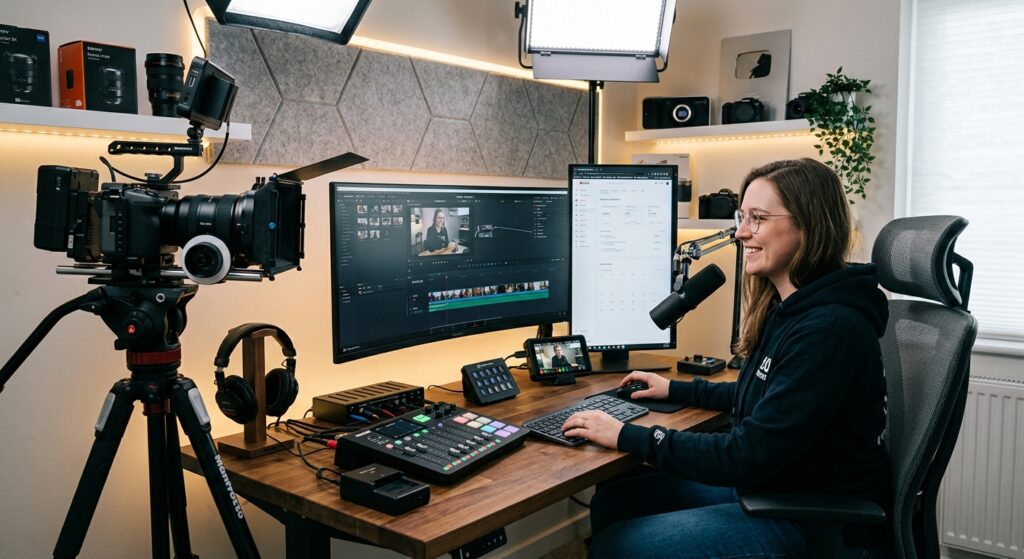
Video Creator Tax Deductions 2026: Complete Guide to Maximizing Tax Savings for YouTubers & Influencers
For the 2026 tax year, video creator tax deductions have never been more valuable as the IRS continues to recognize the growing creator economy with expanded tax benefits. Whether you’re earning six figures through YouTube advertising, building an influencer brand on Instagram, or accepting viewer tips on Twitch, understanding which expenses are deductible can save you thousands in federal income taxes. The IRS finalized new rules in April 2026 that allow qualified digital content creators to deduct up to $25,000 in tips annually through 2028, adding another powerful tool to your tax strategy arsenal. This comprehensive guide walks you through every deduction available to self-employed video creators for 2026, including equipment purchases, software subscriptions, home office expenses, and the critical documentation required to defend your deductions during an audit.
Key Takeaways
- Deduct up to $25,000 in qualified viewer tips annually (2025-2028) if you meet IRS eligibility requirements for digital content creators
- All video equipment, editing software, hosting platforms, and legitimate business expenses are fully deductible on Schedule C
- Claim your home office deduction using either the simplified method ($5 per square foot) or actual expense method for maximum savings
- Report all video creator income on Schedule C (Form 1040) and pay self-employment tax of 15.3% on net earnings
- Keep meticulous records of all business expenses with receipts, invoices, and contemporaneous documentation to substantiate deductions
Table of Contents
- What Are Video Creator Tax Deductions?
- The $25,000 Qualified Tips Deduction for Digital Content Creators
- Deductible Equipment and Technology Expenses
- How to Claim Your Home Office Deduction
- How Much Self-Employment Tax Will You Owe?
- Critical Documentation Requirements for IRS Compliance
- Uncle Kam in Action: Real Creator Success Story
- Next Steps
- Frequently Asked Questions
What Are Video Creator Tax Deductions?
Quick Answer: Video creator tax deductions are legitimate business expenses incurred by YouTubers, influencers, and digital content creators that reduce taxable income. These include equipment, software, home office costs, and the new $25,000 qualified tips deduction available through 2028.
Video creators operate as self-employed professionals under the IRS classification, filing taxes using Schedule C (Form 1040) and paying self-employment tax. Unlike traditional W-2 employees, self-employed creators can deduct all ordinary and necessary business expenses that reduce their net profit. The IRS recognizes that building a successful creator business requires significant investments in equipment, software, editing tools, hosting services, and dedicated workspace. For 2026, the tax code offers multiple pathways to reduce your tax liability through deductions designed specifically for your business model.
Why Video Creator Tax Deductions Matter for Your Bottom Line
Understanding available deductions is critical because the IRS taxes self-employed creators on gross income minus allowable deductions. Every dollar you fail to deduct adds to your taxable income and increases both federal income tax and self-employment tax. A creator earning $100,000 in annual revenue could reduce taxable income by $40,000 or more through comprehensive deduction strategies, lowering tax liability by $10,000 to $15,000 annually depending on tax bracket and filing status. The difference between careless expense tracking and strategic deduction claiming can mean thousands of dollars in unnecessary taxes paid to the government rather than reinvested in your business growth.
What Qualifies as a Deductible Business Expense?
The IRS applies a two-part test: an expense must be both “ordinary and necessary” for your content creation business. Ordinary means the expense is common in your industry; necessary means it’s helpful and appropriate for operating your business. This broad standard covers camera equipment, computers, software subscriptions, editing tools, hosting platforms, professional development courses, and home office utilities. The expense doesn’t need to be absolutely required, only reasonable and related to your income-producing activities. Video creator tax deductions extend beyond obvious purchases to include marketing expenses, travel costs for content creation, meals while conducting business meetings with sponsors, and depreciation on expensive equipment.
The $25,000 Qualified Tips Deduction for Digital Content Creators
Quick Answer: Digital content creators can deduct up to $25,000 in qualified tips annually for 2026 (retroactive to 2025, effective through 2028). Tips must be voluntary payments from viewers and reported on Form W-2, 1099, or Form 4137 to qualify for this deduction, which applies whether you itemize or claim standard deduction.
The IRS finalized groundbreaking regulations on April 10, 2026, officially recognizing digital content creators, including YouTubers, Twitch streamers, and TikTok influencers, as eligible for the $25,000 qualified tips deduction. This provision from the One Big Beautiful Bill Act represents the most significant tax benefit for creators in recent years. The deduction applies to voluntary payments from viewers given through Patreon, YouTube Super Chat, Twitch donations, and similar tip mechanisms. Importantly, this deduction applies to federal income tax only, not self-employment tax, but it still provides substantial savings for qualifying creators.
What Qualifies as a Deductible Tip for Digital Creators?
The IRS defines qualified tips as voluntary payments from customers (viewers) given in cash or cash equivalents (credit card, digital payment). For digital creators, this critically excludes mandatory charges for content access. If a viewer pays $5 to unlock exclusive content, that’s not a tip, it’s compensation. However, if a viewer receives free access to content then voluntarily donates $5 as appreciation, that qualifies as a tip. This distinction matters enormously: the IRS clarified that customer payments for content access don’t qualify, but voluntary appreciation payments after content access do.
Pro Tip: Document tip source meticulously by distinguishing paid subscriptions (not deductible) from voluntary donations (deductible). Maintain separate accounting records showing which payments are subscription revenue versus tips to substantiate your deduction during IRS examination.
Income Limitations and Phase-Out Ranges
The $25,000 deduction isn’t unlimited. The benefit phases out for high-income earners: the deduction completely disappears at modified adjusted gross income (MAGI) exceeding $150,000 for single filers or $300,000 for married filing jointly. This phase-out means if you earn $160,000 as a single filer, your $25,000 deduction gradually reduces. The phase-out calculation is complex, involving the excess income over the threshold. A creator earning $160,000 would lose $10,000 of the deduction (roughly $1,000 for each $1,000 over threshold). Understanding this phase-out is critical for high-earning creators building effective tax strategies.
Deductible Equipment and Technology Expenses
Quick Answer: Cameras, microphones, computers, editing software, lighting equipment, and all video production tools are fully deductible. Personal items like clothing are never deductible regardless of use in videos. Keep all receipts and categorize purchases by asset type for Schedule C reporting.
Video creators face constant pressure to invest in quality equipment, and the good news is that nearly all production expenses qualify for deductions. Your 4K camera, gimbal stabilizer, studio lighting kit, green screen setup, and professional microphone are all deductible business expenses. The category of equipment matters for tax purposes: items costing over $2,500 may require depreciation over several years rather than immediate expensing, but Section 179 expensing often allows immediate deduction of equipment under cost limits. This distinction between immediate deduction and depreciation requires professional guidance, but both reduce your taxable income effectively.
Software, Subscriptions, and Digital Tools
Video editing software like Adobe Creative Cloud, DaVinci Resolve, Final Cut Pro, and Premiere Pro subscriptions are entirely deductible as business expenses. Camera equipment, production tools and home offices are deductible including hosting platforms (YouTube Premium, Patreon, Substack), email marketing tools (ConvertKit, Mailchimp), analytics software (TubeBuddy, Social Blade), and scheduling platforms. These recurring monthly subscriptions accumulate quickly: a creator using five different software platforms at $20 monthly averages $1,200 yearly in deductible software costs. Many creators overlook these smaller expenses, but systematically deducting all software subscriptions protects thousands in income from taxation annually.
Computer and Technology Deductions
Your computer or laptop qualifies as deductible equipment if used primarily for content creation (typically 80%+ business use). The full cost is deductible in the year of purchase under Section 179 expensing or depreciated over five years using Modified Accelerated Cost Recovery System (MACRS). If you use your computer part-time for personal activities and part-time for content creation, you can only deduct the business-use percentage. Document your usage to support the business percentage claimed. Additionally, external hard drives for backup, video production workstations, and specialized equipment for specific content niches all qualify for deduction, maximizing the technology category of video creator tax deductions.
How to Claim Your Home Office Deduction
Quick Answer: Claim your home office deduction using either simplified method ($5 per square foot) or actual expense method. Most video creators benefit from actual expense method, deducting mortgage interest/rent, utilities, insurance, and maintenance proportional to office space.
If you operate your video creation business from home, whether recording in a dedicated studio room, editing from a home office, or running operations from your apartment, you’re entitled to claim a home office deduction. The IRS offers two calculation methods: the simplified method and the actual expense method. The simplified method allows $5 per square foot of dedicated office space (maximum 300 square feet = $1,500 maximum deduction). The actual expense method calculates the percentage of your home used for business, then deducts that percentage of all home expenses including mortgage interest, rent, property taxes, utilities, insurance, repairs, and depreciation.
Comparing Simplified vs. Actual Expense Methods
Most video creators with dedicated home studios benefit from the actual expense method, which typically yields larger deductions. If your dedicated video studio occupies 250 square feet and your home is 2,000 square feet, you can deduct 12.5% of all home expenses. The simplified method yields $1,250 (250 × $5). The actual method could yield $3,000 to $5,000 depending on mortgage/rent and utility costs. However, simplified method offers less record-keeping burden and avoids depreciation complications when selling your home. Choose based on your specific situation, but most creators over $50,000 annual income benefit from actual expense calculations.
| Home Office Deduction Method | Calculation | Best For |
|---|---|---|
| Simplified Method | $5 per sq ft (max 300 sq ft = $1,500) | Minimal record-keeping, small offices |
| Actual Expense Method | (Office sq ft ÷ Total home sq ft) × All home expenses | Larger offices, higher expenses, higher income |
Calculating Your Home Office Business Percentage
Accurate square footage calculation is essential for home office deductions. Measure your dedicated office space in feet, multiply length × width to get square feet, then divide by your total home square footage. A 200-square-foot studio in a 1,500-square-foot home = 13.3% deduction. Multiply this percentage by annual home expenses: mortgage interest ($8,000) + property taxes ($3,000) + utilities ($2,400) + insurance ($1,200) + maintenance ($1,000) = $15,600 × 13.3% = $2,075 annual deduction. This calculation demonstrates why the actual expense method typically exceeds the simplified method for dedicated creator spaces.
How Much Self-Employment Tax Will You Owe?
 Free Tax Write-Off Finder
Quick Answer: Self-employed video creators owe 15.3% self-employment tax (12.4% Social Security + 2.9% Medicare) on 92.35% of net self-employment income. You can deduct 50% of self-employment tax as a business expense, reducing overall tax liability.
While video creator tax deductions reduce federal income tax, they don’t reduce self-employment tax obligations for Social Security and Medicare. Self-employed creators must pay 15.3% self-employment tax on 92.35% of net profit (essentially doubling the employee/employer payroll tax). A creator with $60,000 net profit after deductions owes approximately $8,100 in self-employment tax. This obligation persists regardless of qualified tips deductions or other business expenses. Understanding this tax burden is critical for financial planning, as self-employment tax represents a significant expense not borne by W-2 employees. Many new creators underestimate this liability and face unexpected tax bills at filing time.
Calculating Self-Employment Tax with our Self-Employment Tax Calculator
Planning your video creator tax strategy requires understanding your complete tax obligation. Video creators earning substantial income should use our Self-Employment Tax Calculator for Queens, New York to model scenarios and project annual tax liability based on estimated income and deductions. This calculator helps you understand the relationship between gross income, deductible expenses, and final tax obligation, enabling quarterly estimated tax payments to avoid penalties. Running calculations with different deduction scenarios reveals how strategic tax planning reduces overall liability.
Quarterly Estimated Tax Payments
Self-employed creators must make quarterly estimated tax payments (January 15, April 15, June 15, and September 15) if projected annual tax obligation exceeds $1,000. Failing to make estimated payments results in underpayment penalties of approximately 8% annually plus interest. Many creators discover this requirement too late, facing April 15 penalties on their annual return. Conversely, overpaying estimated taxes throughout the year provides a refund with your tax filing, creating a forced savings mechanism. Strategic estimated tax planning ensures compliance while optimizing cash flow.
Critical Documentation Requirements for IRS Compliance
Quick Answer: Keep all receipts, invoices, credit card statements, and bank records for every business expense claimed. Document trip purpose, software usage logs, and equipment allocation to defend deductions during IRS examination.
Deductions mean nothing if you can’t substantiate them during an IRS examination. The IRS specifically audits video creators at higher rates than traditional employment, particularly high-income creators earning six figures. Documentation separates legitimate deductions from disallowed expenses. The standard is contemporaneous written documentation, meaning records created at the time of purchase, not reconstructed later from memory. Credit card statements alone often don’t provide sufficient detail; you need invoices showing what was purchased and for what purpose.
Essential Records to Maintain
- Receipts and invoices from every business purchase (equipment, software, supplies)
- Bank statements and credit card records showing payment for deductible expenses
- Mileage logs if claiming vehicle deductions (date, destination, purpose, miles)
- Meal and entertainment records showing date, location, attendees, and business purpose
- Home office documentation (square footage measurements, lease/mortgage statements, utility bills)
- Tip income records distinguishing voluntary tips from paid subscriptions/content access fees
- Software subscription confirmations showing monthly/annual billing for editing, hosting, and analytics tools
Avoiding Common Documentation Mistakes
Most creators lose deductions not because expenses weren’t legitimate, but because documentation was inadequate. The IRS disallows deductions without receipts or with vague category descriptions. Avoid the mistake of claiming “miscellaneous business expenses” without itemization. Instead, maintain detailed expense records in spreadsheets or accounting software categorizing each transaction. Another critical error: failing to document personal versus business use of assets. If your computer serves both personal and business purposes, you must quantify the business-use percentage with contemporaneous documentation (usage logs, usage apps) rather than estimates.

Uncle Kam in Action: Video Creator Tax Strategy Success
Jessica, a 28-year-old YouTube content creator with 450,000 subscribers, generated $85,000 in gross revenue during 2025 across advertising, sponsorships, and viewer donations. She operated from home but never organized her tax deductions strategically. Her initial tax projection showed $28,000 federal tax liability plus $9,100 self-employment tax. Desperate to reduce this burden, Jessica consulted Uncle Kam’s tax strategy services for comprehensive tax planning.
The analysis revealed significant missed deductions. Jessica had purchased a $3,200 4K camera, $1,500 editing workstation, and used a 150-square-foot dedicated studio in her 1,400-square-foot apartment. She paid $12,000 annually in rent, $180 monthly utilities, and carried professional equipment insurance at $600 yearly. Beyond equipment, she overlooked $3,600 in annual software subscriptions (Adobe Creative Cloud, DaVinci Resolve, hosting platforms), contracted a video editor for $8,000 annually, paid $2,400 for online marketing courses, and received $12,000 in viewer donations throughout the year.
Uncle Kam implemented a comprehensive deduction strategy: deducted $3,200 equipment immediately under Section 179 expensing; claimed 10.7% home office allocation (150 sq ft ÷ 1,400 sq ft) of rent ($1,284), utilities ($231), and insurance ($64); deducted all $3,600 software subscriptions; deducted the $8,000 contracted editing services; deducted professional development at $2,400; and claimed $12,000 qualified tips deduction. Total deductions: $30,779. Adjusted gross income dropped from $85,000 to $54,221. Federal income tax reduced to $6,200, and self-employment tax to $7,300. Total tax liability: $13,500, a $23,600 reduction from the initial projection. Jessica’s effective tax rate dropped from 43.5% to 15.9%, putting $23,600 back into her business growth and savings.
Next Steps
Take control of your video creator tax strategy today with these actionable steps. First, conduct a complete inventory of all business expenses incurred in 2026, organizing purchases by category: equipment, software, home office, contracted services, and professional development. Second, measure your dedicated home office space and gather documentation of rent/mortgage, utility bills, and homeowner’s insurance to calculate actual expense method deductions. Third, implement a monthly expense tracking system using spreadsheets or accounting software to capture all deductions consistently. Fourth, identify all sources of viewer tip income and segregate these from paid content access fees to maximize the $25,000 qualified tips deduction. Finally, schedule a consultation with a qualified tax professional or CPA specializing in content creator taxation to optimize your specific situation and ensure compliance with evolving IRS guidance on digital creator deductions. Tax advisory services for creators provide personalized strategies that adapt to your income level and business structure.
Frequently Asked Questions
Can I deduct my personal computer if I use it for video creation?
Yes, but only the business-use percentage. If you use your computer 60% for content creation and 40% for personal activities, you can deduct 60% of the cost. This requires contemporaneous documentation showing the actual business-use percentage, not just estimates. Many creators use computer usage tracking software to document this allocation accurately, ensuring IRS compliance if audited.
What about clothing purchases for video content, are those deductible?
No, clothing is never deductible, even if worn exclusively in your videos. The IRS treats clothing as personal items, not business supplies. This applies regardless of how prominently featured in your content or how integral to your brand. However, specialized uniforms or costumes serving a specific character or production role may have different treatment; consult a tax professional about your specific situation.
Do I still owe self-employment tax on tips I deduct?
Critical clarification: the $25,000 tips deduction reduces federal income tax only, not self-employment tax. You still owe 15.3% self-employment tax on the full amount of tips received, but you get to exclude up to $25,000 from federal income tax calculations. This distinction means tips reduce your total tax burden but not by the full amount many creators expect. Understanding this nuance prevents disappointment at tax filing time.
How long must I keep expense receipts and documentation?
The IRS generally examines tax returns within three years of filing, so maintain documentation for at least three years. However, if you significantly underreported income (25%+ understatement), the IRS can examine returns up to six years back. If dealing with fraudulent activity, there’s no time limit. Best practice: maintain all records for seven years to provide a safety margin and demonstrate good-faith compliance efforts.
Should I form an LLC or S-Corp for my video creation business?
Entity choice depends on income level, state taxes, and specific circumstances. Solo creators earning under $50,000 typically stay as sole proprietors. Creators earning $75,000+ may benefit from S-Corp election, which can reduce self-employment tax through reasonable salary planning. LLCs provide liability protection but don’t automatically provide tax savings. Professional entity structuring guidance evaluates your specific situation to determine optimal structure for tax efficiency.
Can I deduct travel and meal expenses for content creation?
Travel expenses are deductible when the primary purpose is content creation (filming videos, attending creator conferences, shooting location content). Meals are 50% deductible if consumed during business-related activities with a clear connection to content development. You must maintain detailed records: date, location, attendees, amount, and specific business purpose. Avoid vague entries like “meals” without business justification, the IRS disallows these routinely.
What if I have multiple income streams (YouTube, Patreon, sponsorships)?
Aggregate all income sources on Schedule C as self-employment income. Total qualified tips from all sources (YouTube Super Chat, Patreon, Twitch donations, etc.) count toward the single $25,000 deduction limit, you don’t get $25,000 per platform. Allocate deductible expenses proportionally across all income sources unless you can directly tie specific equipment or software to specific revenue streams, in which case full deduction applies to that income source.
Related Resources
- Complete Self-Employment Tax Guide for 1099 Contractors
- IRS Schedule C Instructions and Guidance
- Professional Tax Preparation and Filing Services
- IRS Publication 587: Business Use of Your Home
- Tax Strategies for Small Business Owners
Last updated: April, 2026
This information is current as of 4/15/2026. Tax laws change frequently. Verify updates with the IRS or a qualified tax professional if reading this later. This article is for educational purposes and does not constitute professional tax advice. Consult with a CPA or tax attorney before implementing any tax strategies.

